
I. Review Time
Before successfully creating a product for listing, it undergoes a Content Quality Check. The Jumia content team reviews the product title, variations, details, images, and other attributes to ensure the content complies with listing guidelines. Products that do not meet these guidelines will be rejected.
Product reviews are mainly divided into:
- Automatic Review (the system will complete the review and provide results within a short time).
- Manual Review (requires 1-2 business days).
II. Viewing Review Results and Modifying Content
1. Viewing Approved Products:
Manage Product >> STATUS >> Approved. This will show all approved products.
2. Viewing Unapproved Products:
Manage Product >> STATUS >> Rejected. This will show all rejected products.
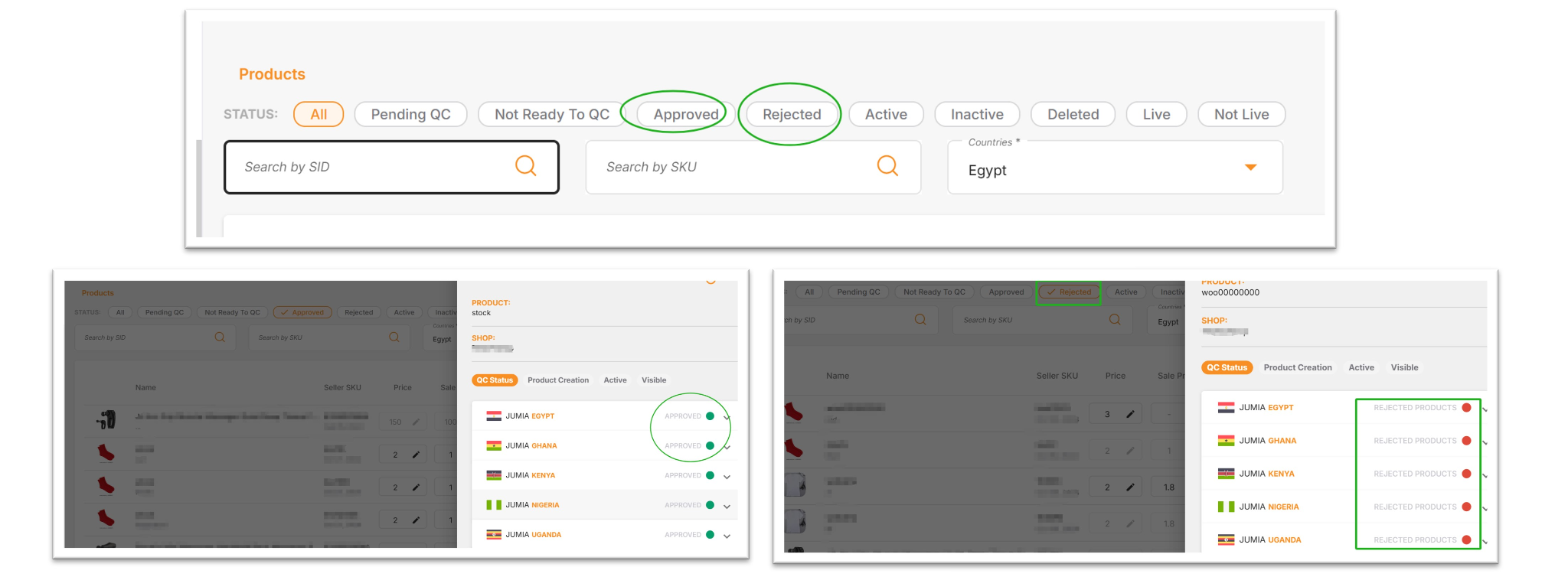
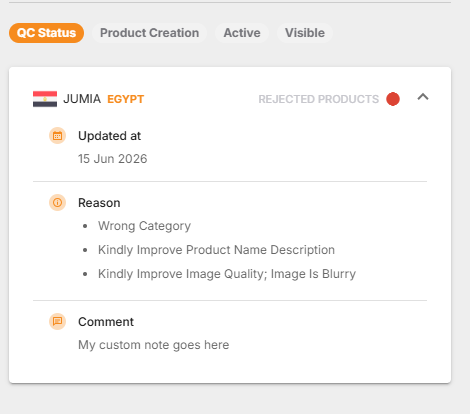
♦ If a product fails the content review, you can click the spherical button to view the reason for rejection.
The page displays a maximum of 5 rejection reasons, along with specific modification suggestions (Comments). All QC rejection reasons fully support multilingual management. The system will automatically translate and display the results based on your preferred language set in the Seller Center (VC), ensuring sellers can understand every modification requirement without difficulty.
♦ Batch Viewing and Batch Modification of Review Results:
Products that failed quality inspection (QC rejection/QC failure) can be downloaded by filtering for products with the “Rejected” status. After modifying the content according to the prompts, submit it back, and the system will automatically perform a second quality inspection.
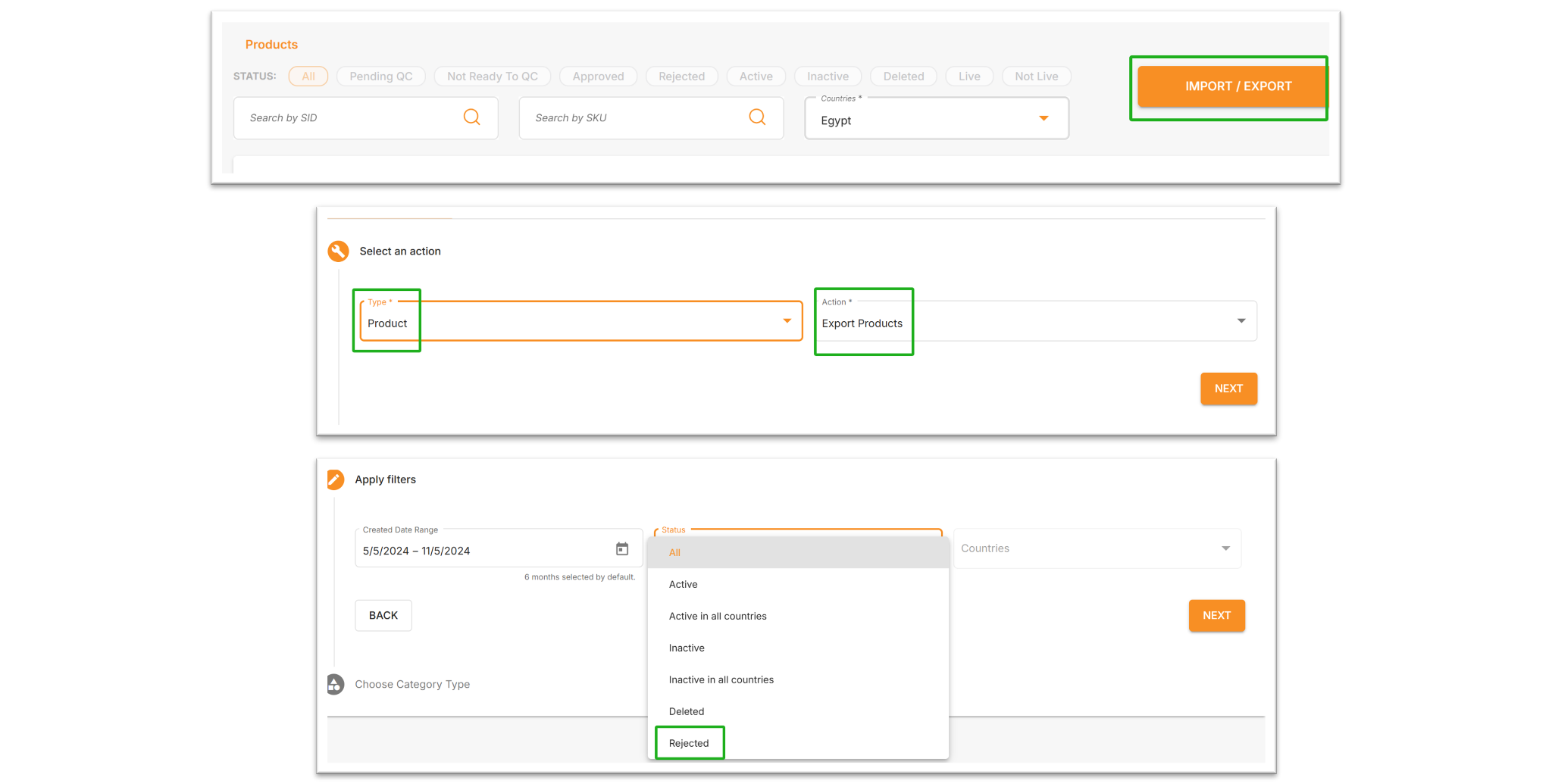
- On the Manage Products page, click “IMPORT / EXPORT”.
- Select Product for Type and Export Products for Action.
- Filter for products with the “Rejected” status and download the file.
- The last two columns of the downloaded file with the “rejected” status will show the Reject Reason and Reject Comment. Sellers can modify the relevant content according to the prompts.
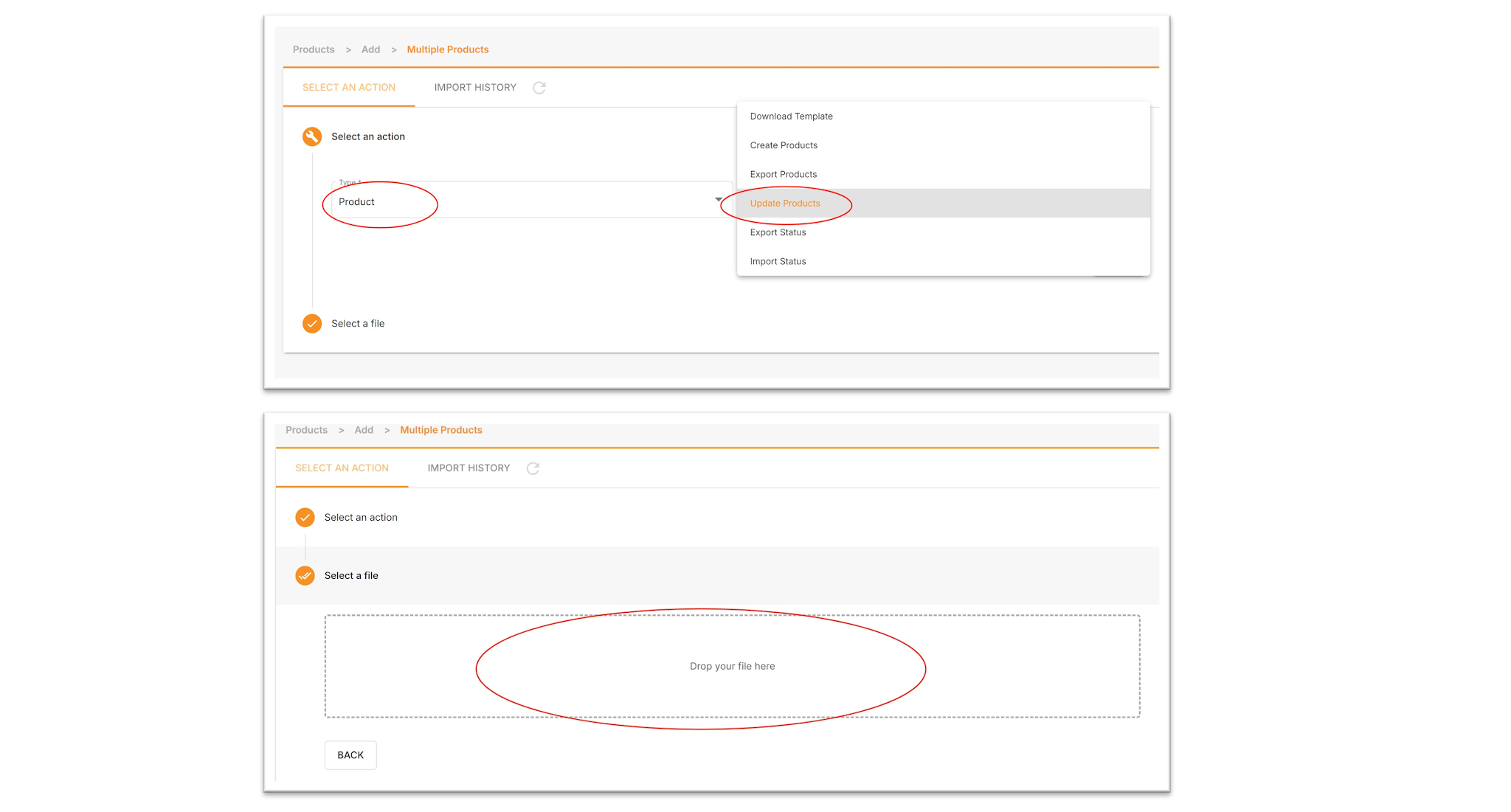
- Import the edited table, select Product for Type, Update Products for Action, and finally drag and drop it into the box.
III. How to Improve the Approval Rate?
1. Good Content Score:
Ensure that product content parameters, such as images, descriptions, and product names, meet the platform’s requirements.
2. Choose the Accurate Category:
Select the most precise (highest level) category based on the product category and product name keywords.
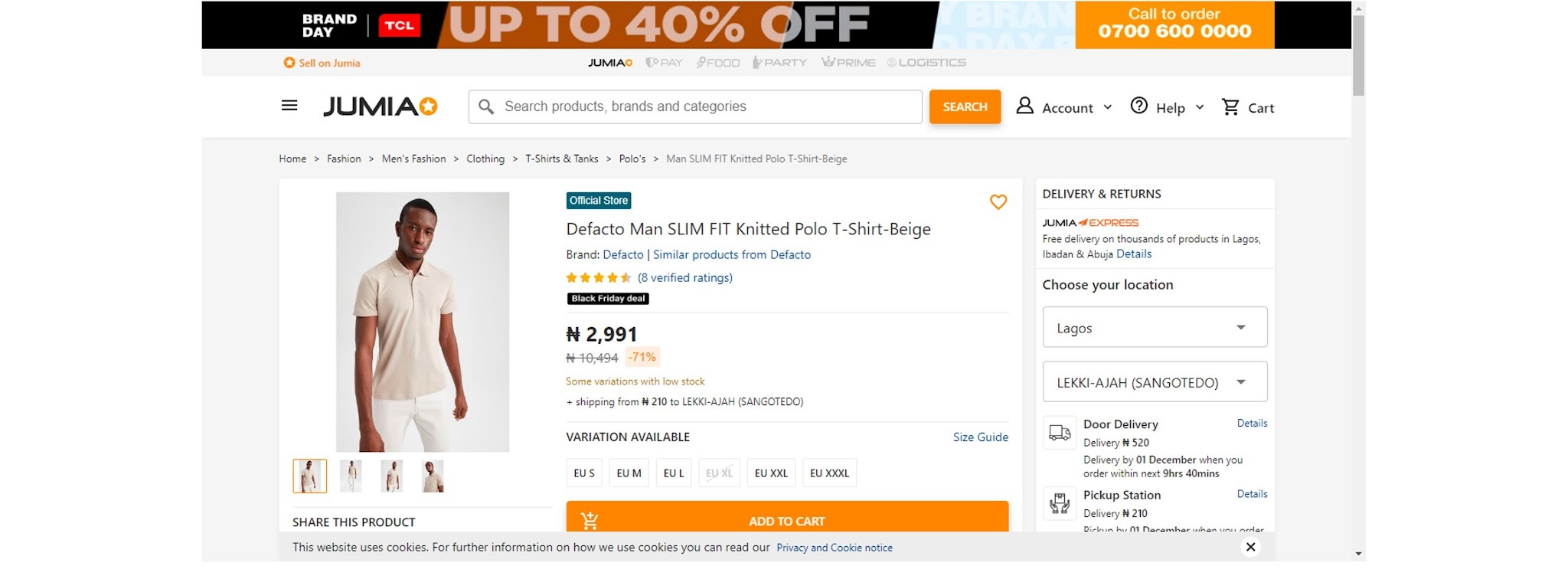
For example, for fashion products:
Level 1 Category: Fashion
Level 2 Category: Fashion / Men’s Fashion
Level 3 Category: Fashion / Men’s Fashion / Clothing
Level 4 Category: Fashion / Men’s Fashion / Clothing / T-Shirts & Tanks
The product category shown in the image below should be a Level 4 category. Choosing Level 1, 2, or 3 categories is likely to be judged as an incorrect category, resulting in content QC failure.
3. Correct Use of Variations:
1) Jumia does not allow color or shape variations. Creating variations as such will result in the product being rejected by the system (QC rejected). Allowed variations include products with identical appearances such as size, power, storage, and capacity.
2) If no variation is available, fill in “…” in the box instead. Do not use color-related terms such as “white surface with a black base,” as this increases the risk of the system considering it a color variation.

For example: iPhone 12 and iPhone 15 cannot be listed as variations in the same product due to their different appearances. However, 216GB and 516GB versions of the iPhone 12 can be listed as variations.
3) Upload Images Promptly:
Please ensure images strictly comply with Jumia’s anti-counterfeiting and anti-infringement policies (see Counterfeit/Infringing Policy for details).
4) Do Not List Prohibited Items:
Jumia’s prohibited items include those banned or restricted from sale, import, or air transport prohibited by the exporting country (see Prohibited Items for details).
5) Pay Attention to Brand Usage:
Please refer to the Brand Creation and Usage Guideline.
6) Prohibited Keywords:
Keywords that violate the following principles in product content may result in QC failure:
- Sensitive words related to country, religion, or belief
- Indecent or vulgar language
- Copyright infringement
- Counterfeiting well-known brands, such as “Abidas”
- Dangerous goods or prohibited imports regulated by local regulations
- Ultra-luxury brands
- Content that misleads consumers, often found in content copied from other platforms.
