
1. The Importance of Brands
- Enhancing consumer trust: Standardized brand information ensures product authenticity and helps customers quickly identify genuine products.
- Preventing infringement risks: Adhering to brand norms can avoid legal disputes caused by unauthorized sales.
- Maintaining platform ecology: Unified brand display standards create a fair competitive market environment.
- Improving conversion rates: Standardized brand pages enhance professionalism and increase purchase intention.
2. Seller Responsibilities and Risk Warnings
To clarify the platform’s brand management norms, brands are classified as follows (for specific details, please refer to the brand rules below):
- Unbranded products
- Branded products (including own brands and restricted brands)
In accordance with the platform’s brand rules, sellers must fulfill the following obligations:
- Ensure that all details of product listings (including but not limited to product images and text descriptions) are completely consistent with the created brand information (including unbranded). Any inconsistent behavior is suspected of brand infringement.
- If a seller is the owner or authorized dealer of certain well-known brands, they are obligated to provide complete and valid brand certification documents for platform filing and review.
Violation penalties: For sellers who violate these rules, after verification, the platform has the right to impose the following penalties on the relevant SKUs based on the severity of the infringement, including but not limited to:
- Rejecting product content review
- Removing non-compliant SKUs
- Refusing to store problematic goods
- Returning existing inventory
- Implementing account function restrictions
- Pursuing compensation for infringement
3. Brand Rules
3.1 Unbranded Products
What are unbranded products: They refer to goods that have no brand name, brand logo, or brand story on their packaging or the products themselves. They usually present the product itself in the simplest and most direct way, with their core selling points being the basic functions of the product and extremely high cost performance.
You do not need to create a brand for unbranded products:
- Fashion products: uniformly fill in the brand name as “Fashion”.
- Unbranded products in non-restricted categories: can fill in “Generic” (do not fill in similar brand names such as “General”).
Important reminder: Mobile phone products (including smartphones and feature phones, excluding mobile phone accessories), computer products (including assembled computers, laptops, and tablets, excluding computer accessories), and large appliances (refrigerators, washing machines, TVs, etc.) do not accept unbranded products and only accept branded products. For more specific restricted categories, please click the guide: Full List of Categories Prohibited from Using “Generic” as Brand to view relevant details.
Jumia shall not be liable for any losses caused by the incorrect use of the general brand “Generic” and shall reserve the right of final interpretation.
3.2 Branded Products
What are branded products: Branded products refer to products that have a clear brand name and logo (Logo) themselves, and through these elements, establish an emotional connection with consumers, convey value commitments, and distinguish themselves from competitors. Simply put, branded products sell not only the functions of the product itself, but also an identity, an experience, a trust, and a story.
3.2.1 Creation and Activation of Own Brands
Is the brand not in the platform’s brand database?
- System prompt: “Please use an existing brand or click here to request the creation of the brand.”
Is the brand application only created in individual countries?
- System prompt: “The brand selected is not active on XXX (country). Click here to request the activation of the brand.”
- This situation generally occurs when the brand applicant only applies to create the brand in certain countries, and does not apply to create it in other countries.
Application steps:
1) Submit the prompted brand information through “Raise a Claim” (the link indicated by “Click here” is the same as the appeal link).
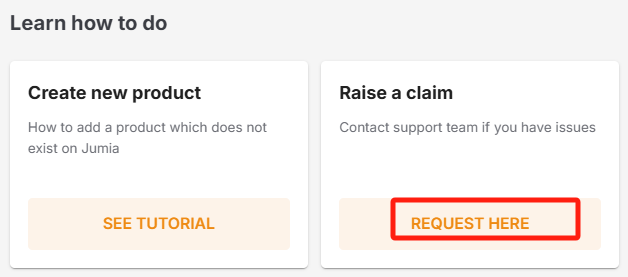
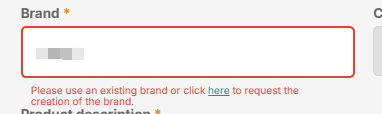
2) Please select the RAC language, and the team will reply to your application using the language you choose.
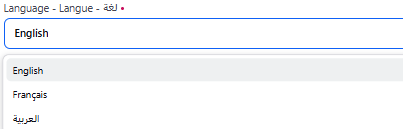
3) Fill in the correct VC shop name and the email address that can receive replies.

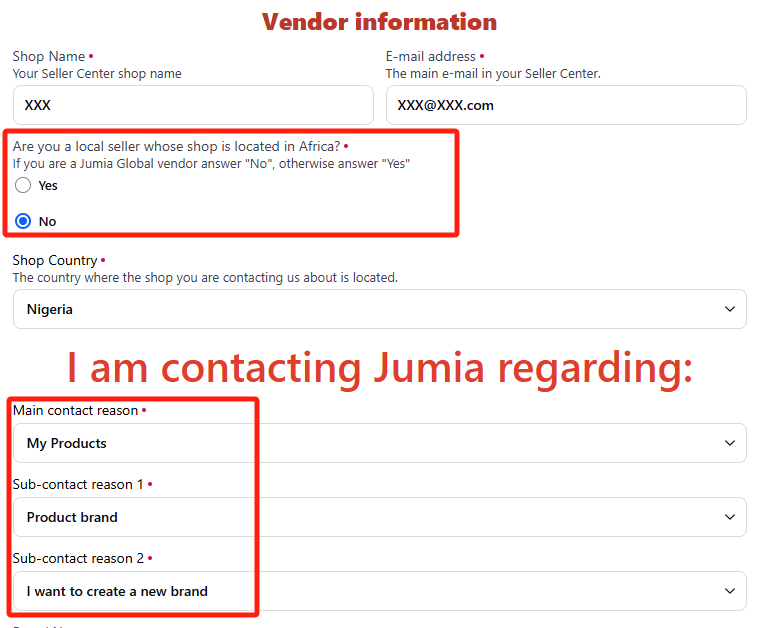
4) Global sellers please select “NO”.
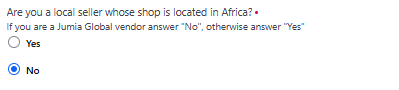
5) Global sellers can choose any country where FBJ is available, and the team will synchronously create the brand in all countries where FBJ is available.

6) Please correctly fill in the contact reason for the appeal:
Main contact reason: My product
Secondary contact reason 1: Product brand
Secondary contact reason 2: I want to create a new brand
7) Please submit your brand details according to the prompt (only one brand application is accepted per case):
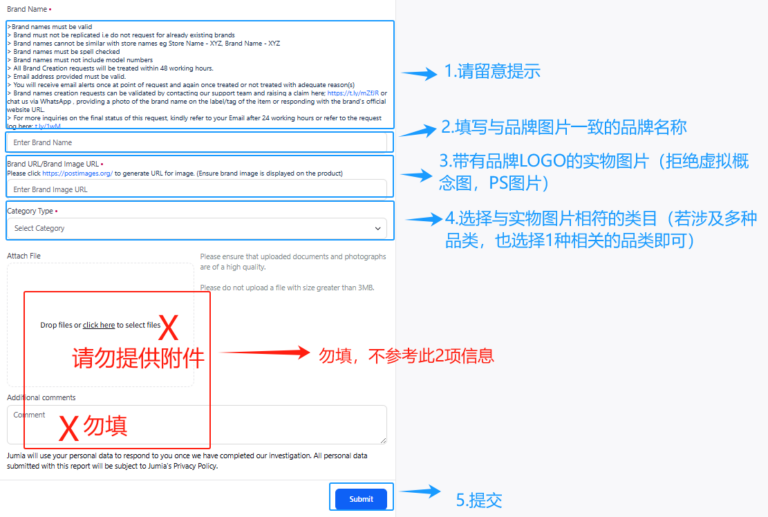
3.2.2 Points to Note Regarding Brand Image Details
- The brand name must be visible on the product or packaging.
- The brand name must be different from the store name.
- The spelling of the brand name must be consistent with that in the provided images.
- The brand name must not contain model numbers.
- The use of Photoshop or virtual images for pictures is prohibited.
- The picture should show the entire product/packaging.
- The brand must be clear; the image must not be blurry.
- Brand names can only be created using English or French characters; Arabic is not accepted.
- If your brand name contains special symbols (such as spaces, “.”, or “/”), it is recommended that you combine the brand certificate image with the actual product image and upload them to the same online link (Brand URL) to facilitate the team’s accurate identification of the correct brand name.
1) Examples of invalid images:
PS images:
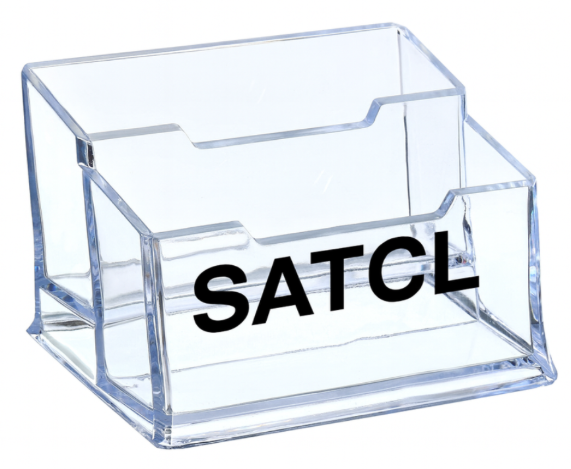
The picture contains only a single LOGO:

Image blur:
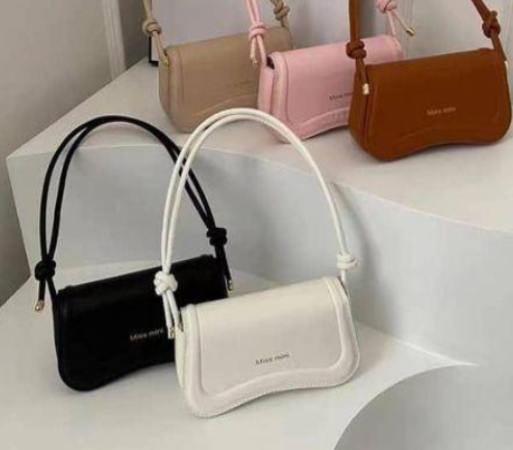
The brand name is the same as the store name:
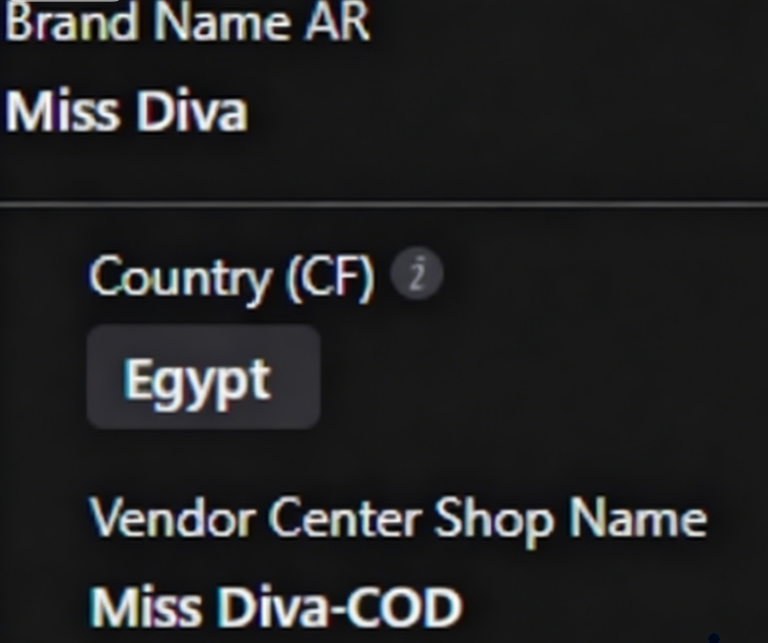
There is no brand name in the picture, and “Generic” should be used:
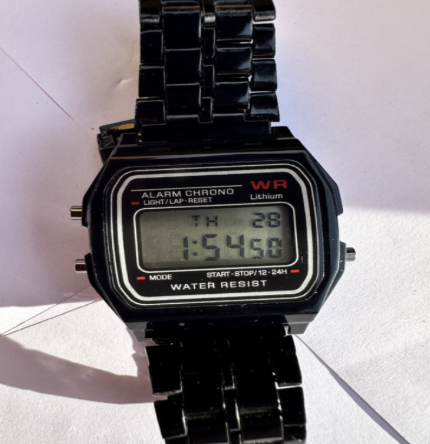
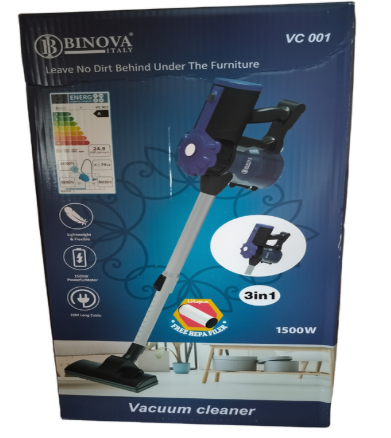
2) Examples of valid images:
The product is clearly visible on the packaging/product, similar to the brand required in the table, but different from the store name.
3.2.3 Review Timeframe
First review response timeframe: 2 working days (all brand creation is handled by the overseas team, and Friday and Saturday are non-working days). The platform will create the brand according to the actual brand name in the picture, and the specific result is subject to the appeal reply.
If the first reply is “Approved”, it means the team has created the brand for you, the reply window will be closed, and the team will not be able to receive the seller’s reply again.
If the first reply is “Rejected”, it means the team refuses to create the brand for you, and you need to provide more specific brand information. The reply window is 24 hours. Please reply to the email within 24 hours, otherwise the reply window will be closed. If you reply to the email within 24 hours, the internal secondary review timeframe is 2 working days, and the team will re-approve your reply within 2 working days.
3.2.4 Notes
- Each case only accepts the creation of one brand.
- For brand products, you must first create or select the correct brand before creating the product.
- The platform prohibits changing the SKU of brand A to brand B. Without permission, the platform does not accept secondary modifications to the Brand field.
- The brand name cannot be similar to the store name. For example, the store name is XYZ-COD, and the application is to create the brand name XYZ. This type of request is only open to official shops. Please contact your merchant manager to apply for upgrading your store to an official shop.
- The form application is an old application mode and is expected to be deprecated by the end of 2025 (if you still cannot open it using a VPN later, it means the form has been deprecated). Please give priority to using RAC to apply for brand creation.
- If you select the wrong contact reason for the appeal when creating a product, or the reply window of the case has been closed, in order to allow the overseas processing team to quickly handle your brand creation request, please re-submit via RAC.
3.3 Restricted Brand Activation
Applicable scenarios:
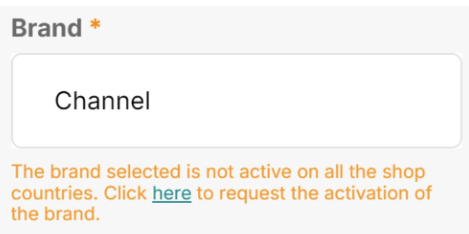
- Distributors need to sell restricted brands(domestic or international well-known brands or channel-exclusive brands).
- System prompt example: “The brand selected is not active in all shop countries. Click here to request activation.”
Application process:
- Contact the merchant manager and provide the relevant brand documents mentioned below.
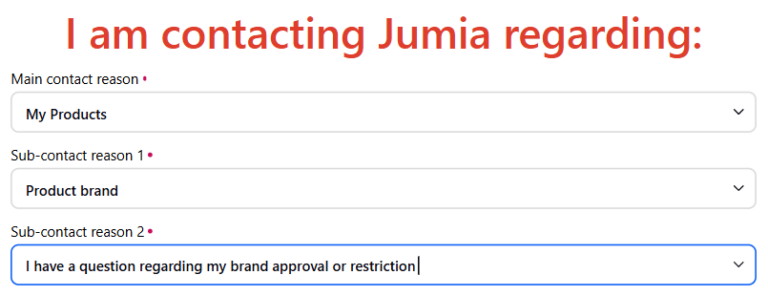
- If there is no manager, submit through RAC and select the corresponding options for the reason as follows:
- Main contact reason: My Products
- Sub-contact reason 1: Product brand
- Sub-contact reason 2: I have a question regarding my brand approval or restriction
Documents to be submitted (must be complete and compliant):
- Brand registration certificate
- Brand authorization letter (distributor hierarchy must be complete, e.g., Brand Owner → Distributor → Sub-distributor)
- Business license consistent with the authorization letter
- Invoice issued by the brand owner or authorized distributor (if any)
Language requirements: Chinese documents must be accompanied by an English translation (Chinese-English bilingual version).
Key points for document review:
- Self-check in advance: Ensure the document chain is complete (Brand Owner → Distributor → Sub-distributor).
- Invalid review: Incomplete or untranslated documents will result in application rejection.
