Key points for FBJ inventory management:
- Check overseas warehouse inventory
- Unsellable products
- Replenishment application
- Return application
1. Check FBJ inventory
There are 2 ways to check overseas warehouse inventory
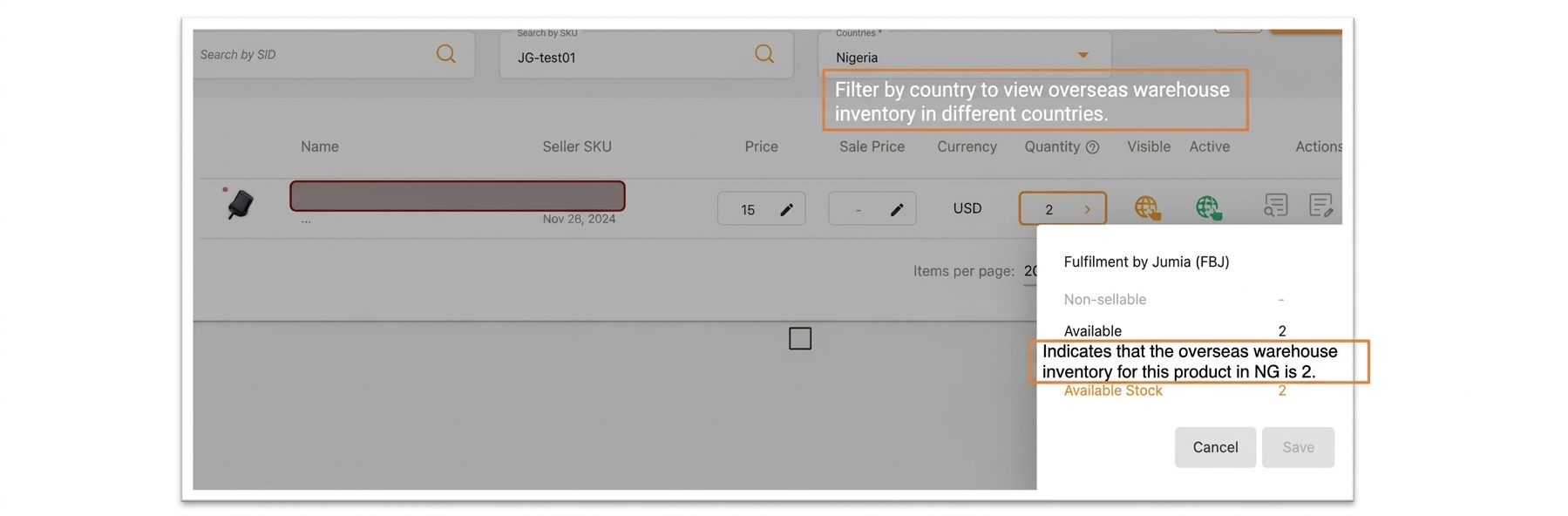
1.1 You can check it in Manage Products:
Select the country >> Enter the product’s SID or SellerSKU >> Click the pen-shaped icon under Quantity >> Available is the inventory of the product.
1.2 Can be viewed at FBJ Inventory:
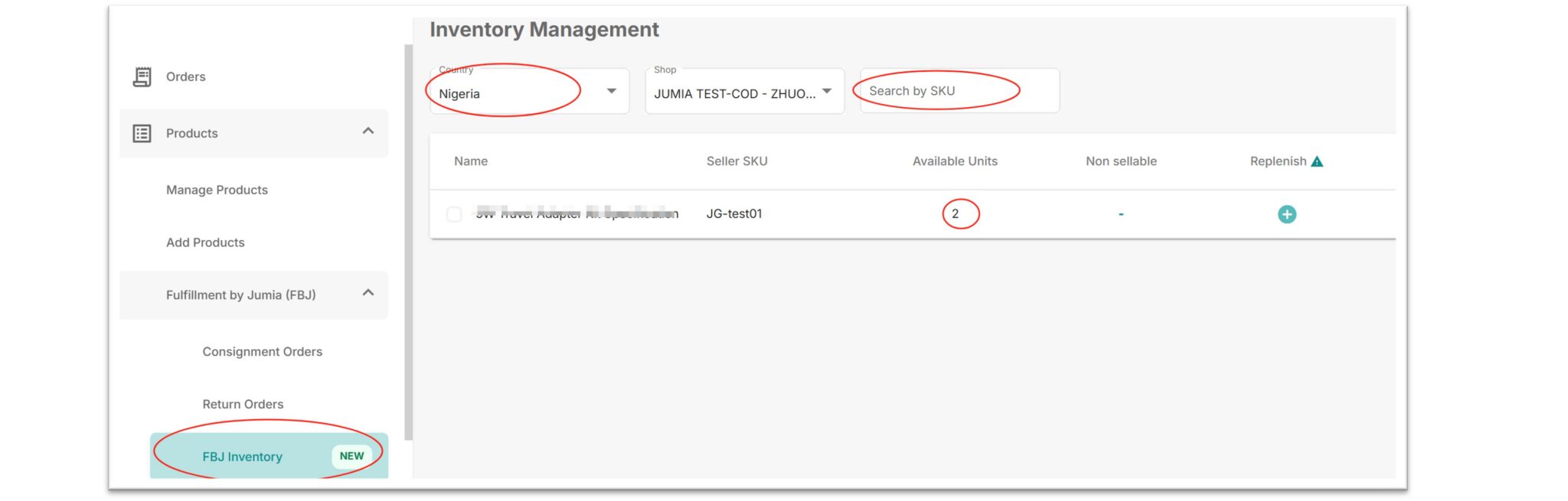
Path: Fulfillment by Jumia >> FBJ inventory >> Choose country >> Click the drop-down list to select the search value (selectable search values include: Seller SKU, Jumia SKU, Product SID)
2. Unsellable Products
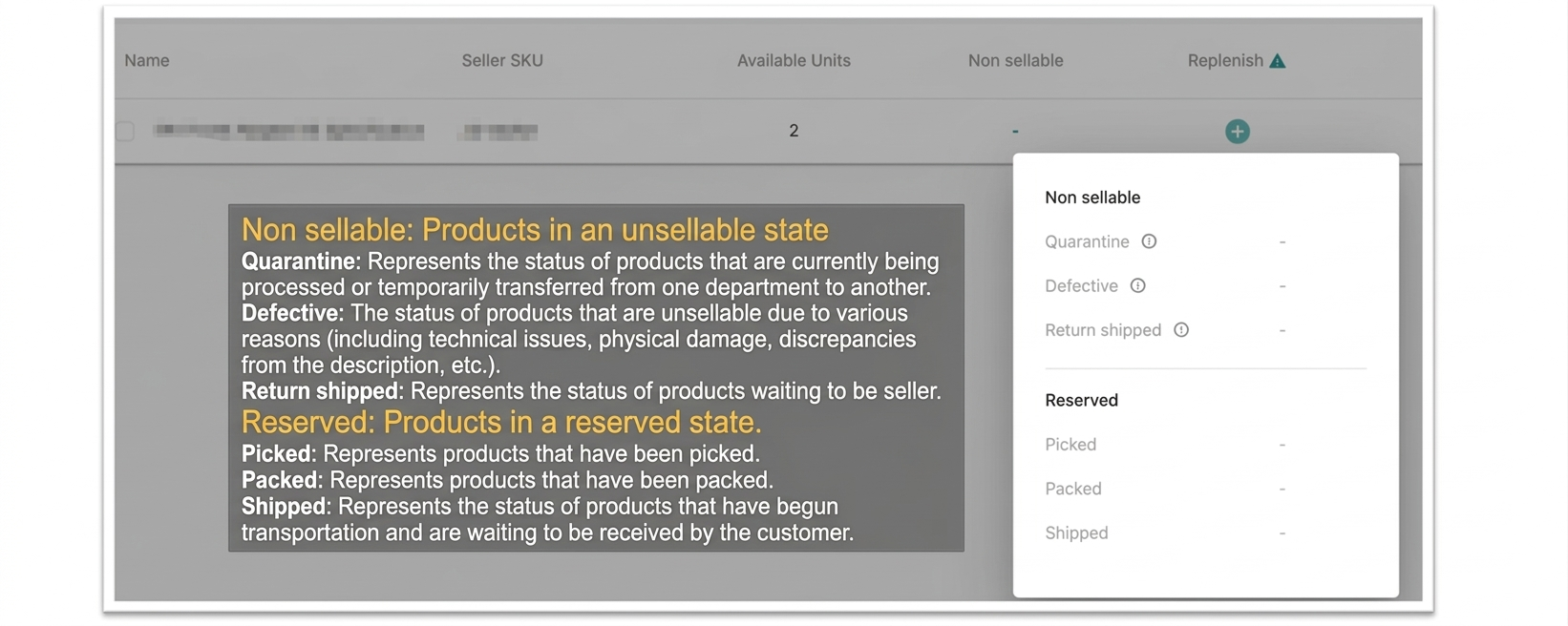
Click on FBJ inventory under Fulfillment by Jumia, and you can view the specific details of unsellable products in the Non sellable section.
Non sellable:
- Quarantine Defective Return shipped
Reserved:
- Picked Packed Shipped
Please refer to the figure below for specific explanations:
3. Replenishment Application
3.1 Shipping Order Application Tutorial
Notes:
- All products in the downloaded file meet the application standards.
- The number of SKUs in a single CO cannot exceed 100, and the total quantity of all SKUs shipped in a single CO cannot exceed 5000 units. Exceeding these limits will result in failure to pass the review or rejection by the warehouse.
- When shipping, please ensure that the actual shipped products are consistent with the products in the CO (including quantity, color, size, brand, etc.). Otherwise, the goods will not be able to pass QC and be shelved after arriving at the warehouse. For details, please refer to Jumia – FAQ for Inbounding Process.
3.2 Selecting a Single SKU for Replenishment
First, select the country >> click “Replenish” >> enter the quantity to be replenished, and click the arrow; the system will automatically generate a CO (Consignment Note).
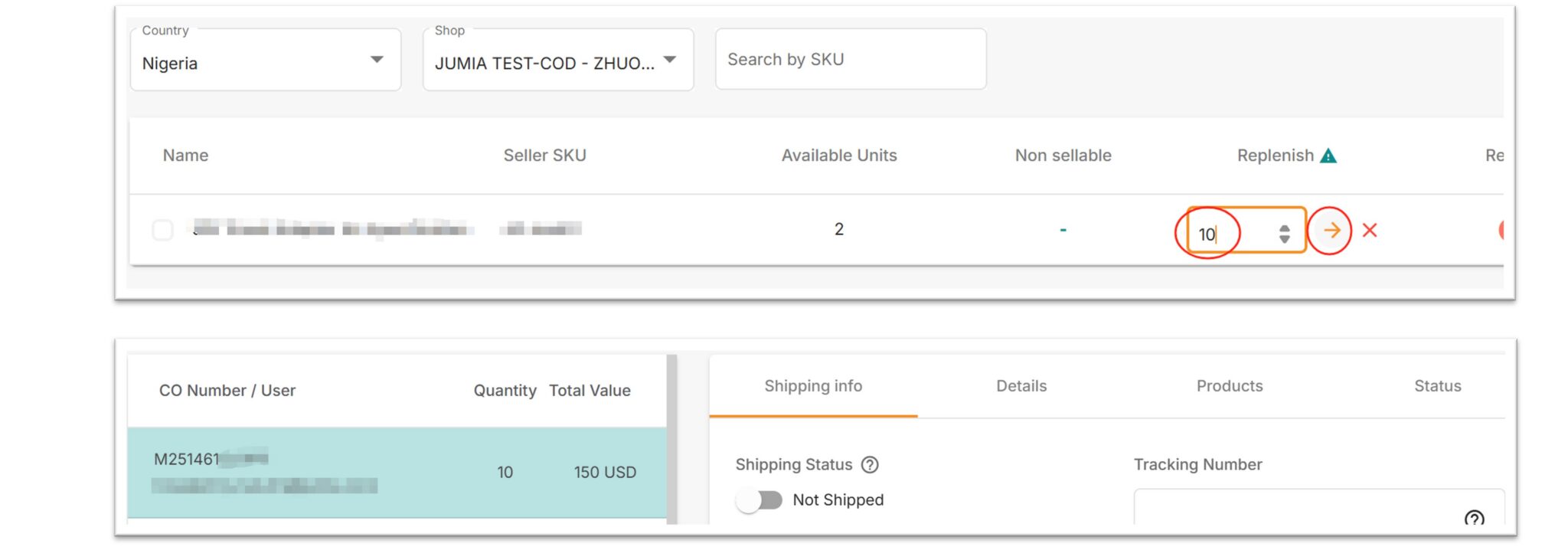
- Replenishment applications are based on the country dimension, so you need to select a country first.
- There are conditional restrictions for replenishment (creating a CO) here (that is, it needs to comply with the CO creation rules). Failure to meet the conditions will result in creation failure.
4. Return Application
The situations where sellers request returns are mainly divided into the following two categories:
- Return of overstocked goods in FBJ: Goods that cannot be sold due to changes in market demand and other reasons, and the seller applies for return and retrieval (overseas warehouse sellers).
- Return of goods that cannot be resold: Due to failed delivery or buyer returns, the goods cannot be resold, and the seller applies to return such goods to the country (overseas warehouse sellers).
Operation process:
- You need to select a country first >> Click Return >> Enter the quantity of each SKU that needs to be returned (you can apply for goods individually or in batches) >> Click “RETURN REQUEST” >> >> Click “Submit”.
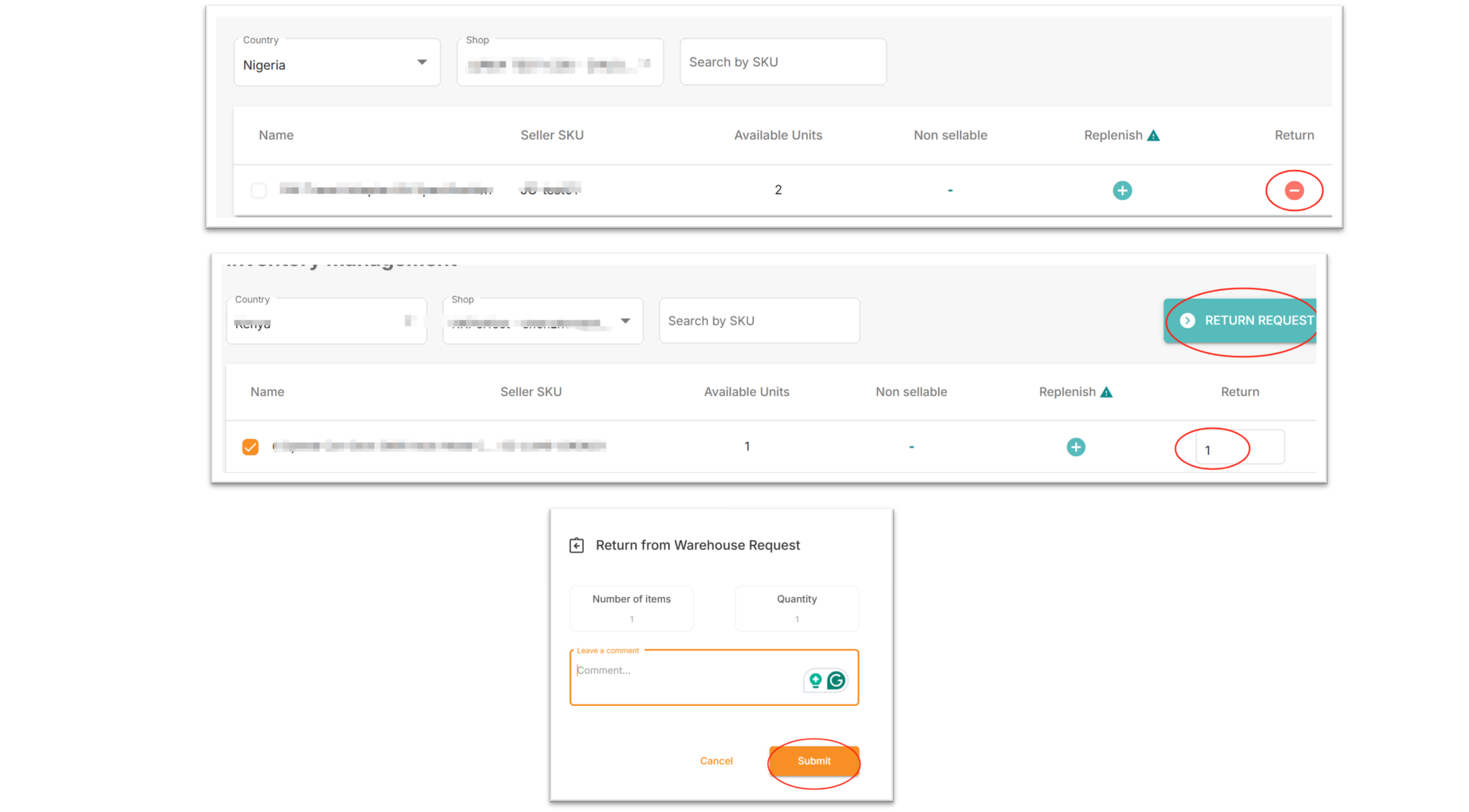
Sellers need to maintain a positive balance in their accounts to apply for returns. Otherwise, the system will prompt that a return application cannot be created.

Return requests are based on the country dimension, so you need to select the country first.
4.1 Return Application Form
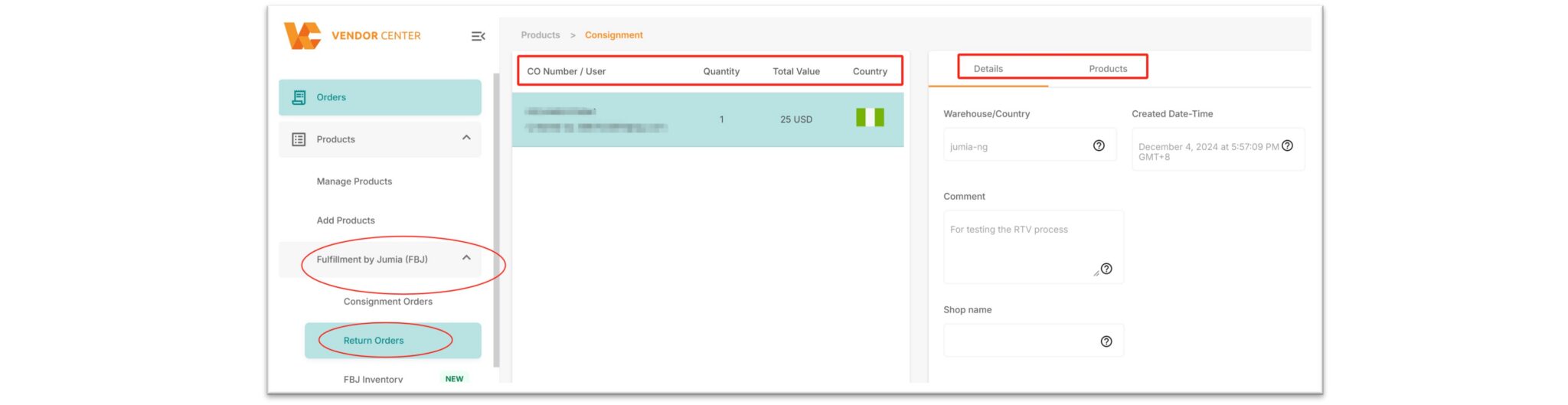
After a return request is successfully submitted, it can be viewed in Return Order under Fulfillment by Jumia.
Here you can check the quantity, goods value, the applied country, as well as other contents and products, etc.