
Colour and Colour Family Guidelines
1. Colour vs. Colour Family
1.1 Colour
- Definition: The specific name of a product’s colour (e.g., “Red”, “Blue”).
- Uses:
- A key factor for buyers’ orders and product quality control (QC).
- Displayed in the “Specifications” section of the front-end product details page.
- How to fill in Vendor Center (VC): Manually enter the colour text, without preset restrictions.
1.2 Colour Family
- Definition: Categorizing the product’s colour into a broader colour group.
- Uses: Helping buyers quickly filter and find products based on the overall hue.
- How to fill in Vendor Center (VC): Select from the drop-down menu in the colour family box on the product creation interface of Vendor Center; free editing is not allowed.
1.3 Comparison Chart of Main Differences
| difference | Colour | Colour Family |
| Definition | Specific color names | Extensive color classification |
| VC input method | Free text input | Select from the drop-down list (single or multiple selections allowed) |
| Frontend location | Displayed in the “Specifications” section of the product details page | The classification of popular color systems will be displayed in the sidebar of the front browsing pages for certain categories, allowing buyers to filter products by color. |
| Main uses | Key factors in customers’ purchasing decisions and product quality control (QC). | Front desk product browsing and filtering |
| Sales interface display diagram | 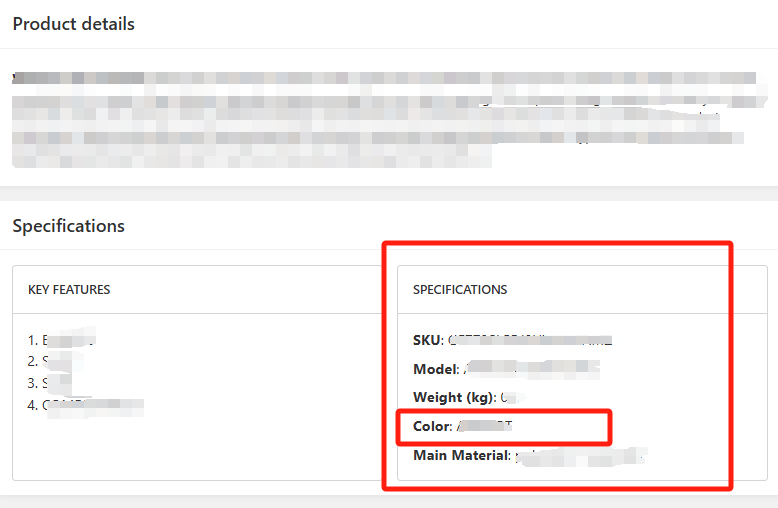 |
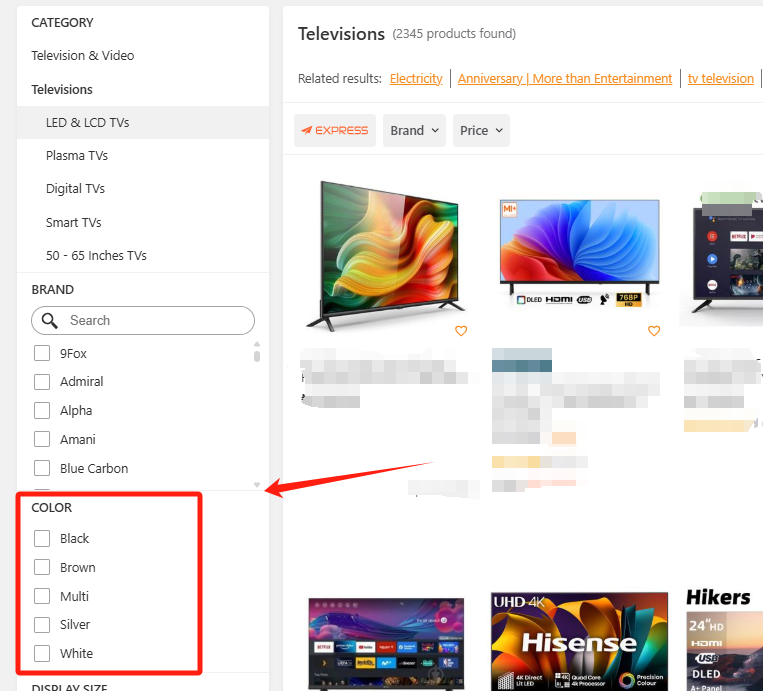 |
| Diagram of VC Filling Position | 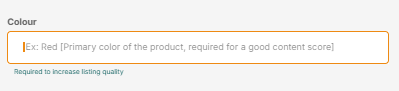 |
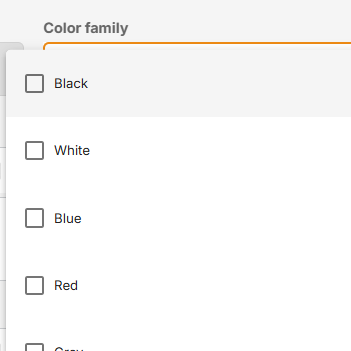 |
2. The logical system of Color and Color Family
2.1 Colour
- System Logic: Jumia regards products of different colours as different commodities. All variants and countries associated withthe same seller SKU share a unified colour attribute (so colour cannot be used as a variant). This attribute serves as a key identifier and is locked after confirmation (after the first QC confirmation) to ensure the consistency of product information.
- Locking Logic: After passing the first quality check (automatic or manual QC) review in any country, this field will be permanently locked and cannot be edited.
- Example Scenario: Seller SKU#ABC has been submitted in six countries (NG, KE, GH, UG, IC, SN).
- If any country(for example, NG) obtains the “APPROVED” status in the first QC (which can be viewed in QC Status), the colour value of this SKU will be locked in all countries.
- Even if the filling box is left blank, the field will not be editable after locking.
2.2 Colour Family
- System Logic: Popular colour families will be used as front-end product browsing classification and filtering attributes for specific categories. All variants and countries associated with the same seller SKU share the same colour family attribute.
- Locking Logic: At this stage, the colour family will not be locked – it can be edited regardless of the QC status.
3. Which products require key QC colour and colour family?
To ensure the accuracy of product information and avoid operational inconvenience caused by attribute restrictions, please be sure to fill in the correct colour and colour family when creating product listings.
3.1 Core Principles
Products with the following characteristics require accurate colours and colour families, as they are the focus of QC reviews:
- Visually Driven: Colour is the main factor influencing consumers’ purchasing decisions.
- Multi-colour Options: The same product is available in multiple colours.
3.2 Popular Categories with High-frequency QC Colours and Colour Families
Please ensure that you correctly fill in the colour and colour family when creating products:
- Apparel: For items such as dresses, skirts, and coats, colour is a key factor influencing consumers’ purchasing decisions and usually requires detailed descriptions.
- Footwear: Different shoe colours will affect consumers’ choices, so clear labels and descriptions are needed.
- Handbags and Accessories: For items such as bags, scarves, and gloves, colour significantly affects customers’ willingness to buy.
- Cosmetics: For items such as lipsticks and eye shadows, colour is a key factor in consumers’ purchasing decisions.
- Home Furnishings: The colours of items such as bedding, curtains, and carpets directly affect the overall style and coordination of the home.
- Furniture/Appliances: The colour selection of furniture/appliances such as refrigerators, tables, and cabinets is crucial for coordinating interior decoration.
- Electronics and Accessories: For mobile phones, laptops, phone cases, laptop bags, etc., the market often offers a variety of colours for consumers to choose from.
- Sex Toys:Colours in sex toys usually have strong visual appeal, and for online shoppers, colour directly affects their purchasing decisions.
4 Filling Value Specifications
4.1 Colour
Please enter the main colour of the commodity. The main colour refers to the colour that attracts the seller’s attention (highest priority)/the commodity’s design/appearance/packaging/first visual impression. The main colour is usually the most eye-catching colour on the commodity. Do not use patterns, polka dots, stripes, or materials as the main colour.
4.2 Colour Family
Please select the most appropriate colour family from the drop-down list according to the colour you entered.
4.3 Usage Scenarios of “Multi” in Colour and Colour Family
Please note that in the following scenarios, “Multi” is allowed to be used in colour and colour family:
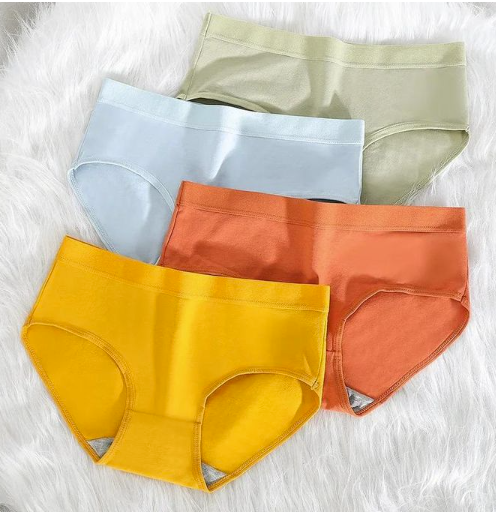
- For set SKUs, such as a set containing multiple pairs of underwear of different colours, “Multi” can be used for this SKU.
Please note that even if you choose “Multi” as the colour and colour family for such SKUs, it does not mean that you can change the actual colour of the product. When creating a product, please retain the original product colour to avoid order returns or misleading customers.
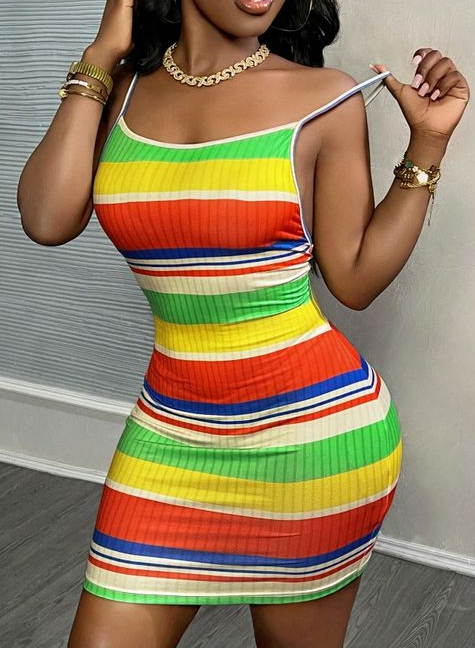
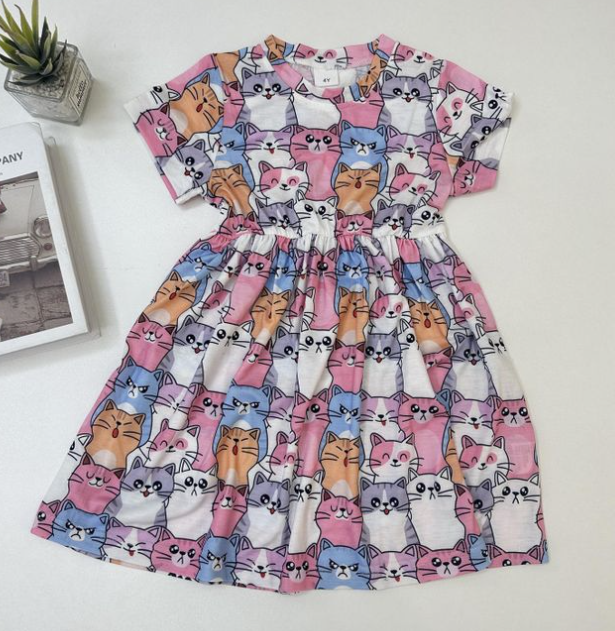
- For clothing products with overly complex colors where the main color cannot be distinguished, “Multi” can be used as the color and color series.
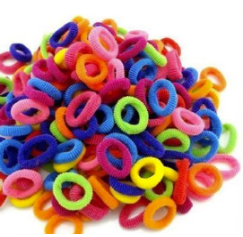
- For low-priced grocery items (preferably less than $2 per set), such as a pack of colored rubber bands, the product pictures must show all possible colors that may be shipped and display the number of product pieces to customers. For such SKUs, the use of “Multi” for colors and color systems is acceptable.
More examples
1) Acceptable filled values:
- Example 1
- Colour: Red, White, Navy blue / Multi
- Colour Family: Multi
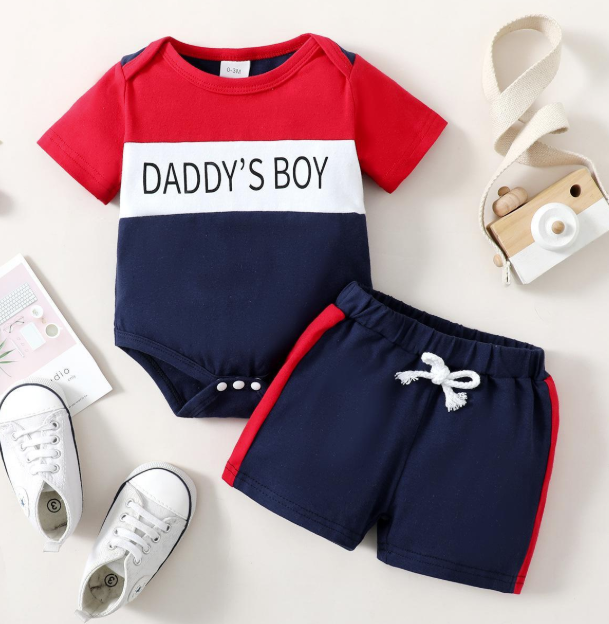
- Example2
- Colour: White, Pink / Multi
- Colour Family: Multi
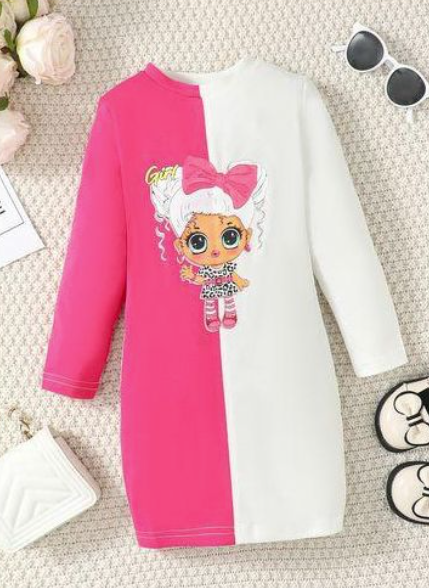
- Example3
- Colour: Multi
- Colour Family: Multi
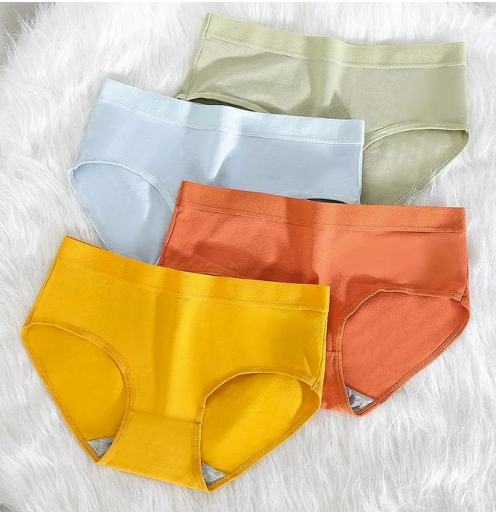
- Example 4
- Colour: Multi
- Colour Family: Multi
When buyers search for “72-color crayons/pens”, they are looking for drawing tools with a variety of colors, not “black” products. Filling in “black” will seriously mislead search engines and buyers.
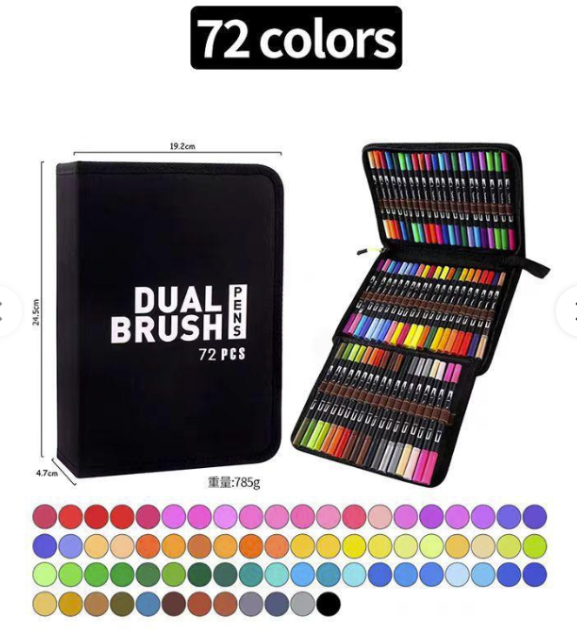
2) Unacceptable filled values:
- “Multi” is used for products with obvious main colors
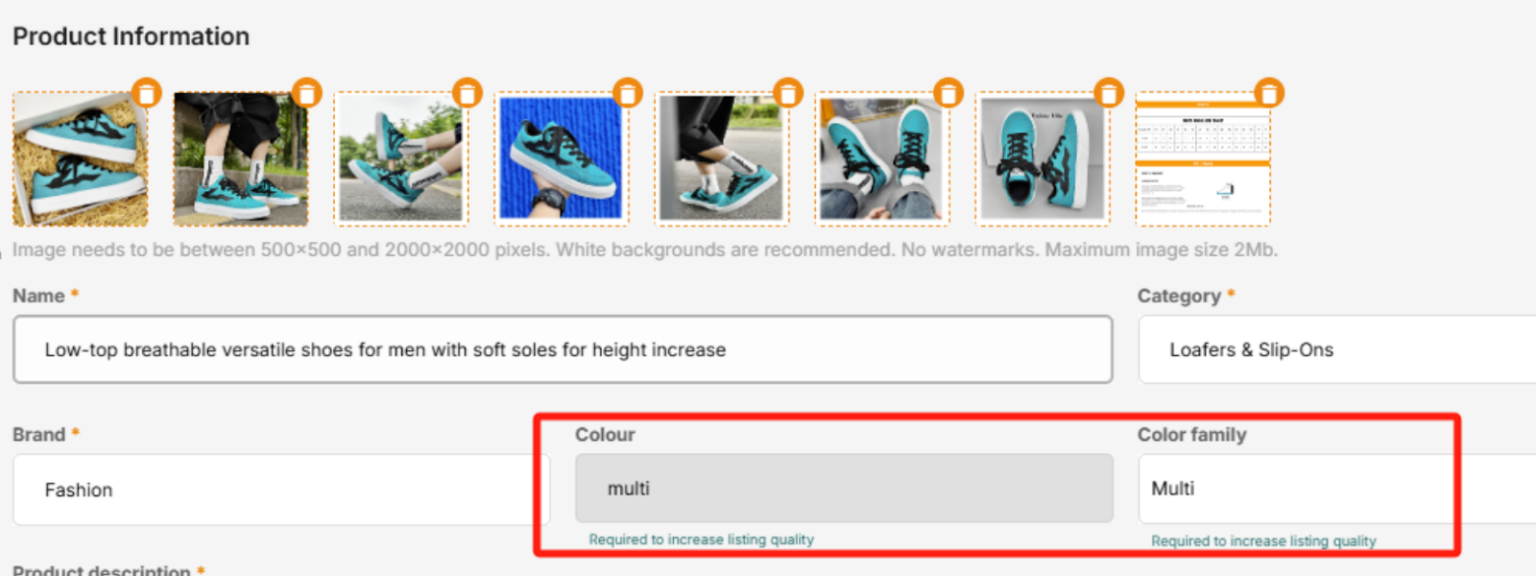
- Use patterns, dots, or stripes as colors:
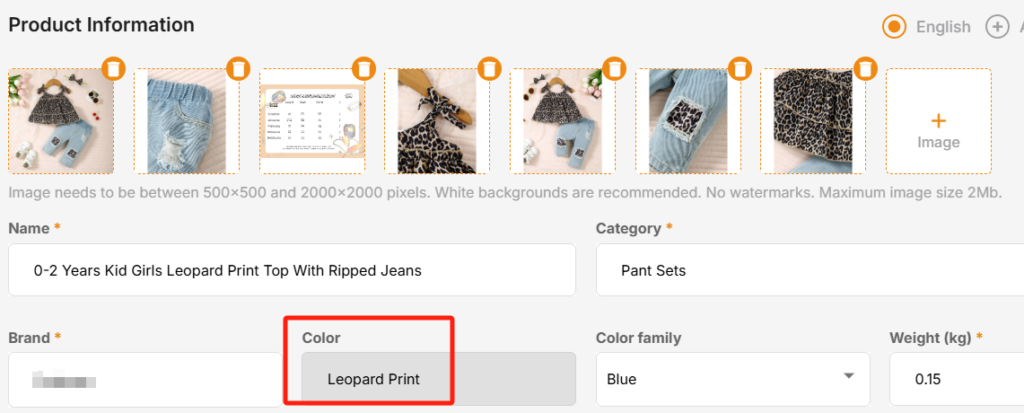
5. Examples and explanations of Manual QC
| 1st QC | |||||
| The Jumia SKU# for all countries has not yet been generated. The colour attribute can be edited in VC, and QC has entered the manual QC queue. | |||||
| Example | The color of the product in the picture | color | color system | QC results | explain |
| 1 | Red | Red | Red | Agree | Compliant with the creation rules |
| 2 | Red | / | / | refuse | Please fill in the correct color and color system to trigger the QC process again. |
| 3 | Red | / | Red | Agree | The team will check whether the color scheme matches the product content and provide QC results. |
| 4 | Red | / | Blue | refuse | Please fill in the correct colors and color systems to trigger the QC process again. |
| 5 | Red | Red | / | Agree | Please fill in the color scheme to improve the quality of the product content |
| 6 | Red | Blue | / | refuse | Please fill in the correct color and color system to trigger the QC process again. |
| 2nd QC | ||||
| It has passed the 1st QC, and the Jumia SKU has been generated in a certain country, with the color box locked in the VC. If the seller attempts to change the actual color of the product again, the update will enter the manual QC queue. | ||||
| Example | The color of the product in the picture | color | color system | Modify the condition restrictions |
| 1 | Red | Red | Red | No longer accepting updates to the actual color of the product |
| 2 | Red | / | / | Since the color box is locked, sellers can update the color scheme to match the color of the initial product image. |
| 3 | Red | / | Red | No longer accepting updates to the actual color of the product |
| 4 | Red
Red |
/ | Blue | Accept changes: |
| The actual color of the product in the picture = color system (only one chance is allowed) | ||||
| 5 | Red | Red | / | No longer accepting updates to the actual color of the product |
Special reminder: More actual scenarios are based on a comprehensive consideration of past orders, inventory status, and other factors.
