
To ensure the accuracy of platform data, Jumia has officially revoked sellers’ permission to independently activate/deactivate their stores starting from late January 2026. For subsequent store activation or deactivation operations, sellers are requested to apply through RAC (Raise a Claim).
1. Path for checking store status (Shop Activation)
Sellers can check the current activation status (active or deactive) of their stores on each site through the following path:
Path: Vendor Center >> Settings >> Shop Activation
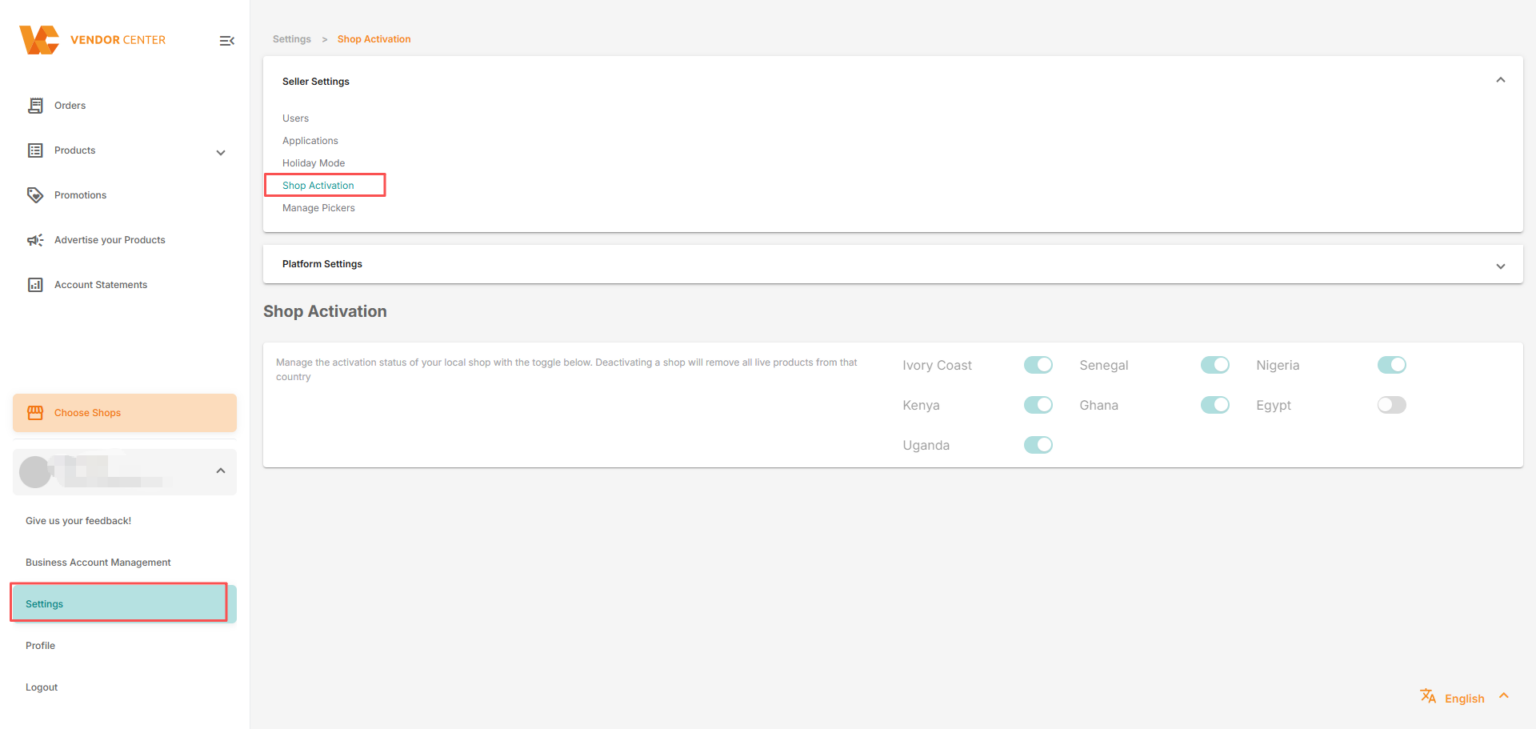
Status Clarification:
Closed (Deactivated): All products of the corresponding country will be taken offline, i.e., they will not be visible on the front end, and customers will temporarily be unable to see or purchase the store’s products.
If reactivation is needed in the future, sellers are required to submit an application through RAC (Raise a claim).
Remarks:
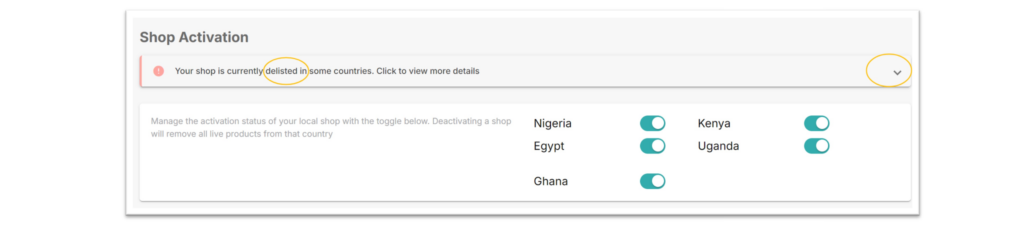
If the store is delisted by the platform, the reason will also be displayed here. You can click the arrow drop-down box to view more details.
 2. Explanation of Adjustments to Seller Permissions
Adjustment Time: Starting from 01/2026
Adjustment Content: The original manual activation (Activate) or deactivation (Deactivate) permissions in the seller backend have been officially discontinued. Currently, sellers only retain the permission to view the status and cannot directly perform modification operations in the backend.
3. Original Intention of the Adjustment and System Risk Prevention
After a comprehensive assessment by the platform, frequent independent switching of store status will bring the following risks to the operational chain. This adjustment aims to:
- Ensure the authenticity of inventory data: Avoid inconsistencies between product status and actual warehouse inventory due to random status switching.
- Maintain the stability of the operational chain:Avoid a series of systemic issues such as interruptions in order processing and delays in logistics information synchronization that may be caused by random status switching.
4. Subsequent Application Process
After the adjustment, if you need to activate or deactivate a store in a specific site, please follow the following process:
- Submit an application: Submit the application through RAC (Raise a Claim). Official Vendor Claim Form
- Information annotation: In the RAC, be sure to clearly indicate the specific site name (country name) that needs to be operated on, the change requirement (Activate or Deactivate), and the reason for the change.
Our relevant team will assist you in completing the status change after receiving the application and verifying the store status.
Thank you for your understanding and cooperation. Let us work together to maintain a healthy and stable platform trading environment.
