
1. Definition of Seller Tiering
- The system classifies stores into different levels based on their sales volume over the past 90 days. The higher the level, the more products the store is allowed to have.
- Number of products refers to: all products in other statuses are included in the calculation, except those marked as deleted.
- When the number of products in a store reaches the set limit, the seller will not be able to create new products.
Viewing path: Click Settings–Seller Settings–Manager Products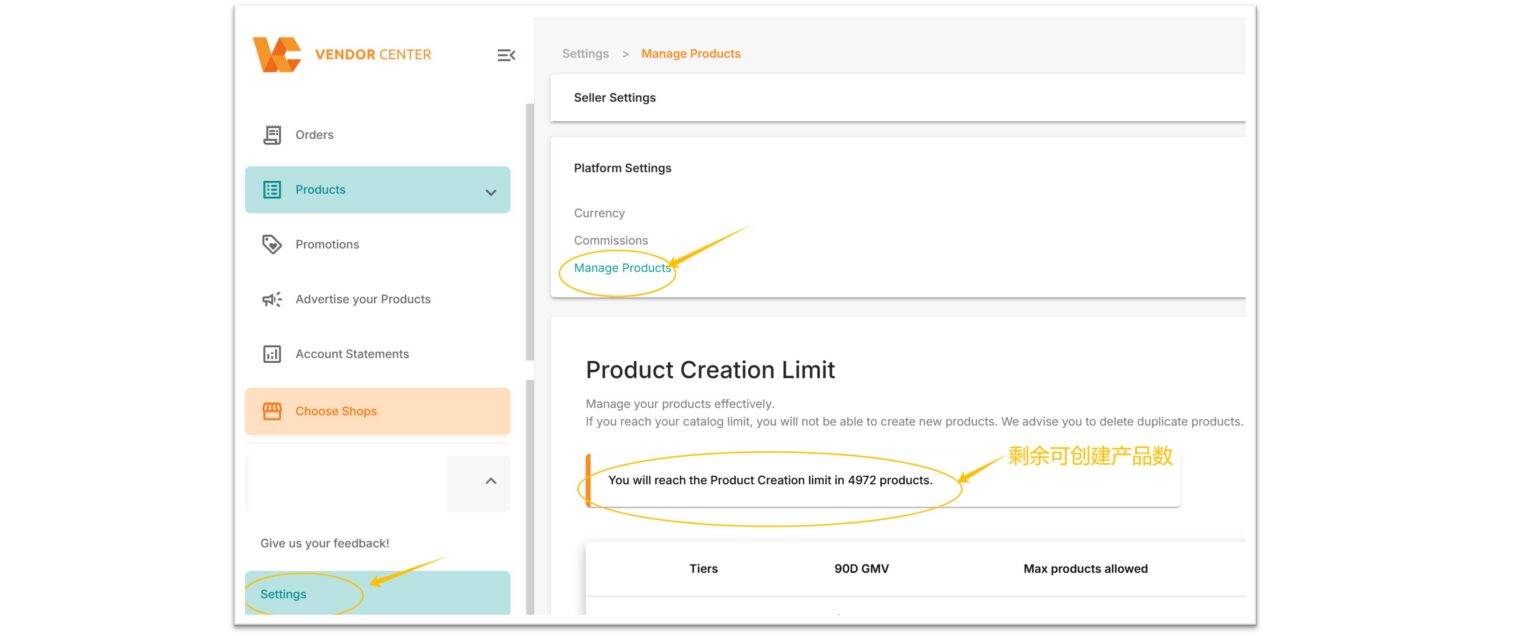
Tiering distribution chart:
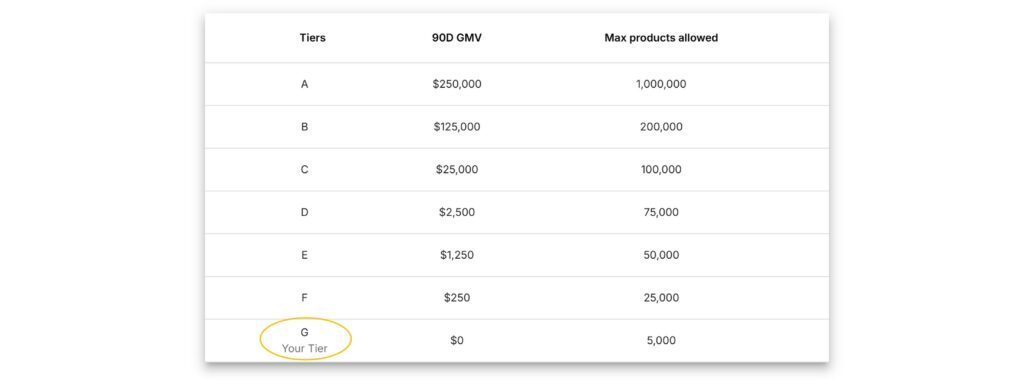
Example: If Store A has a sales volume of $100 in the past 90 days, its corresponding level is G, and no new products can be created once the number of products reaches 5,000.
Remarks:
- The default level for new sellers is G, meaning that no new products are allowed to be created once the number of products reaches 5,000.
- The 90-day sales volume (90D GMV) is updated daily.
- To move to the next level, a minimum GMV growth of 5% or more is required. (For example, if a seller’s GMV in the past 90 days is $251, they cannot move to the next level “F”; only when it is greater than $262.5**[i.e., $250*(1+5%)]** or more can they move to level “F”.)
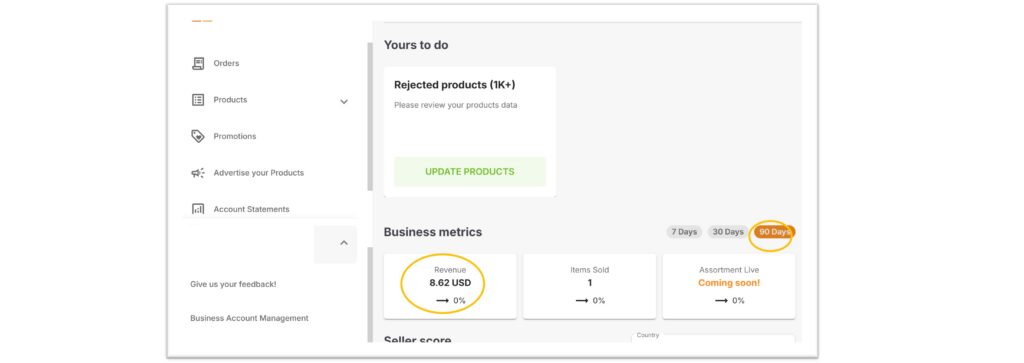
- The 90-day sales volume can be viewed through Homepage > Business metrics > 90 Days (please see the figure below)
2. How to determine if a store has reached its quota
When the quota is not reached: The Setting section will remind sellers of the remaining number that can be created.
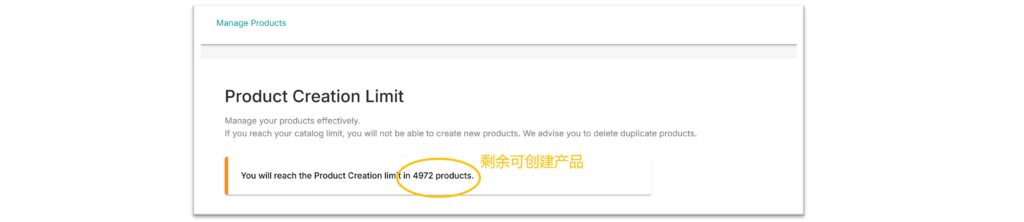
When the limit is reached: A system prompt appears in the Setting section:
“You have reached your product creation limit”

The product management page shows the following prompt:
“You have reached your product creation limit, please refer to the Product Creation Limit table. here”

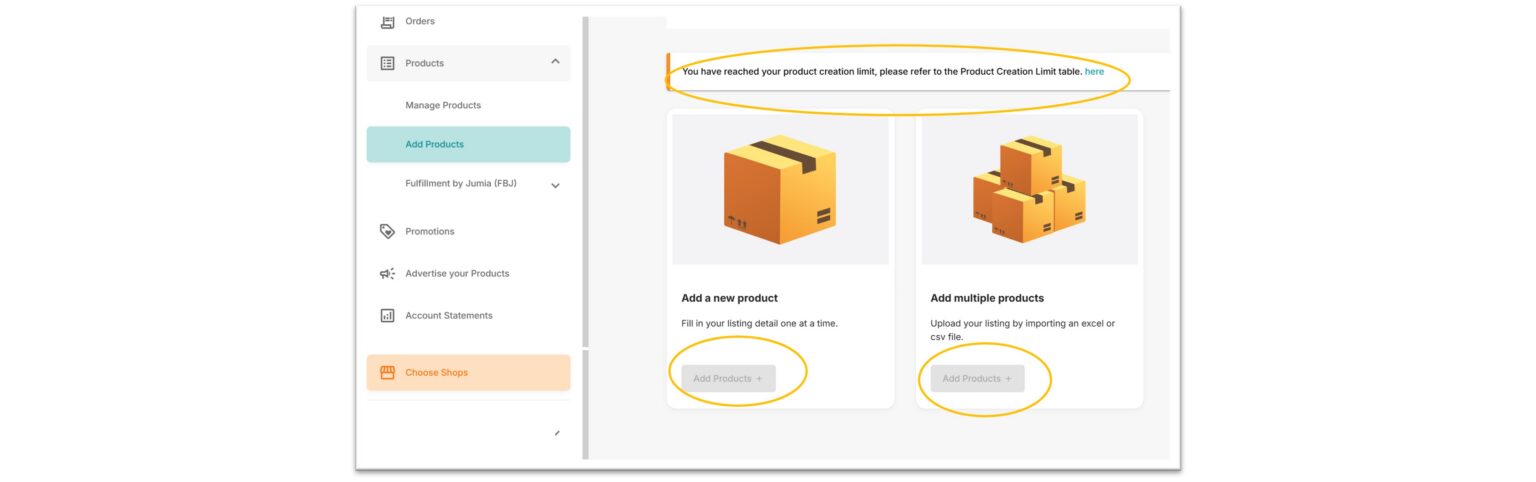
The product creation page will block the product listing function:
“You have reached your product creation limit, please refer to the Product Creation Limit table. here”
3. Handling methods when the store reaches the limit
- Improve sales through optimizing product content, participating in promotions, etc., thereby upgrading the level to obtain a higher number of products that can be online.
- Delete products with low order volume and poor performance to make room for creating new products.
