
The following introduction to order status is for reference and understanding only for FBJ Sellers, and no actual action is required.
1. Path to check order status
Click on Orders in the left sidebar to enter the order management page
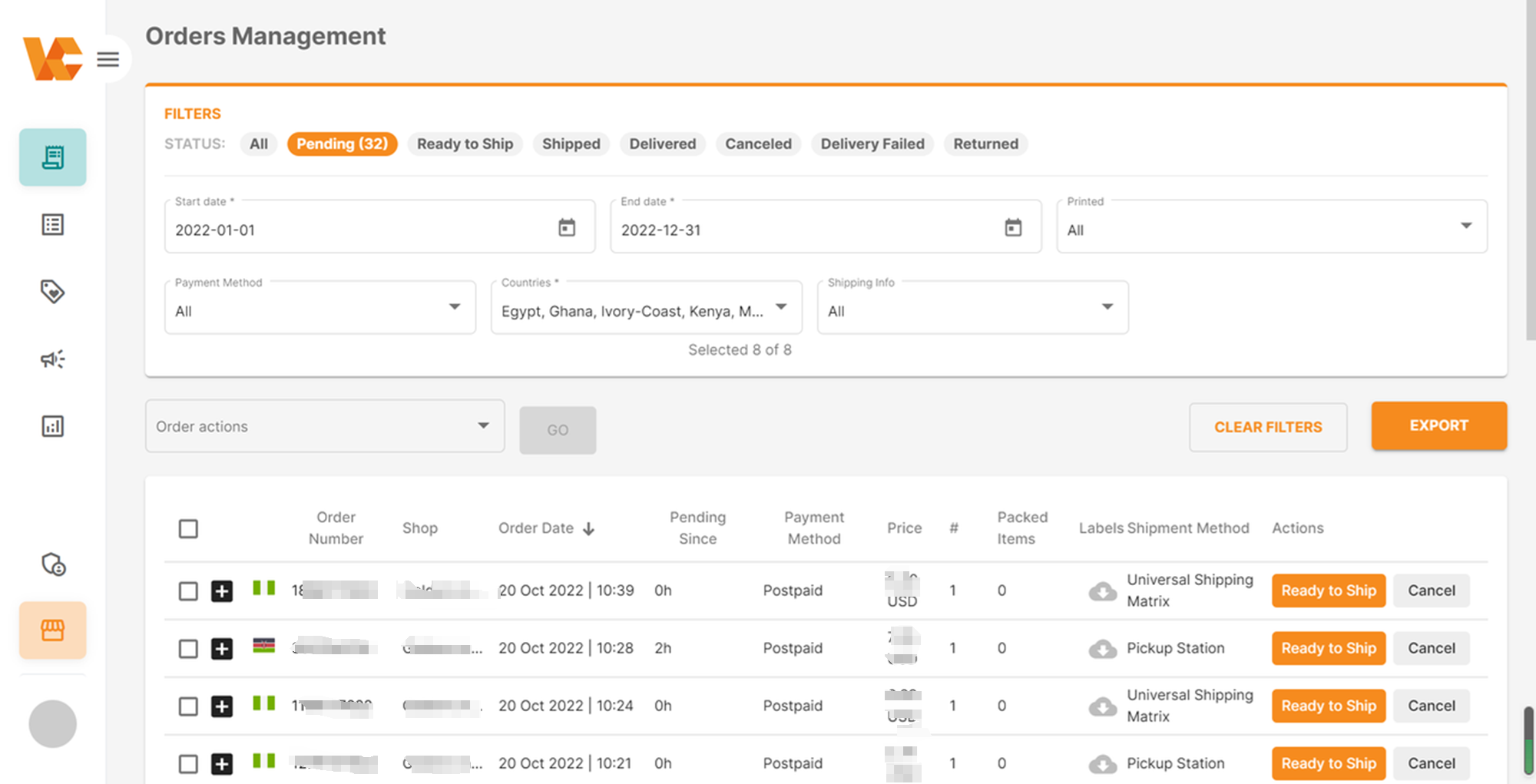
| The kind of Order status | meaning | Processing method |
| All | Orders in all statuses | / |
| Pending (Orders to be processed) | There are new orders pending processing. | / |
| Ready to Ship (Orders to be shipped) | The order has generated Tracking Number | / |
| Shipped (Shipped orders) | The package has been shipped and is in transit. | / |
| Delivered (Orders that have been successfully delivered) | The order has been successfully delivered to the African seller, and the seller has signed for it successfully. | / |
| Canceled (Cancelled orders) | * Scenario 1: Consumers can choose to cancel their orders before the order status changes to “Shipped”. * | / |
| Delivered failed (Orders with failed delivery) | Failed delivery due to unknown addresses of African consumers or other reasons | Packages that fail to be delivered will be re-listed in overseas warehouses after passing the platform’s quality inspection. |
| Returned (Returned orders) | 7-15 days return without reason. The specific rules are subject to the public notice on the front desk of each country. After the consumer signs for the goods, they can apply for a return within the specified time limit due to quality issues or personal preferences, etc.
Note: The return time displayed in the background is the time when the warehouse receives the returned package, not the time when the customer returns the goods. |
When you find that the returned product is different from your actual product, i.e., the wrong product has been returned, you can file a claim following the steps below:
1) You apply for RTV for the product. 2) After receiving the pickup notification email, pick up the goods from the warehouse within the specified time. 3) Check the product at the warehouse. If it is the wrong product, file a complaint with the warehouse staff on-site, and the warehouse staff will register your complaint. 4) Take photos of the product on-site. 5) You still need to pick up the product. 6) Within 2 business days of picking up the goods, raise a claim, providing the corresponding RS number, evidence, photos, etc. Staff will verify and process the claim upon receipt. |
2. How to view order details
2.1 Batch download order details
(1) Click “Orders” to open the order page
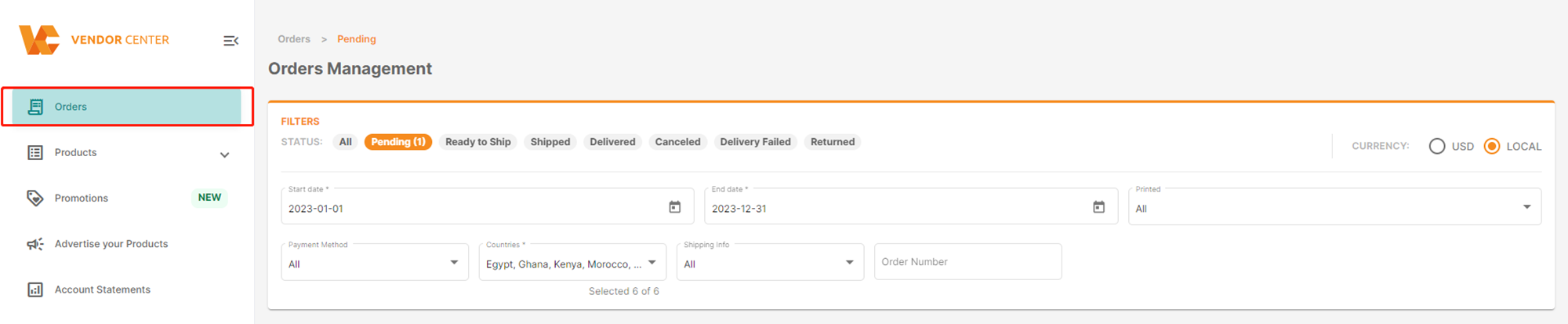
(2) Export all orders: click “Export”, select “Export all orders”, and click “Go”
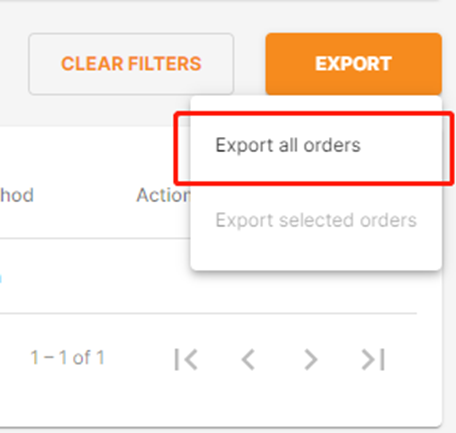
(3) Export the selected orders: click “Export”, select “Export selected orders”, and click “Go”

2.2 Order Details
Click “Order Nr” to view the specific information of the order.
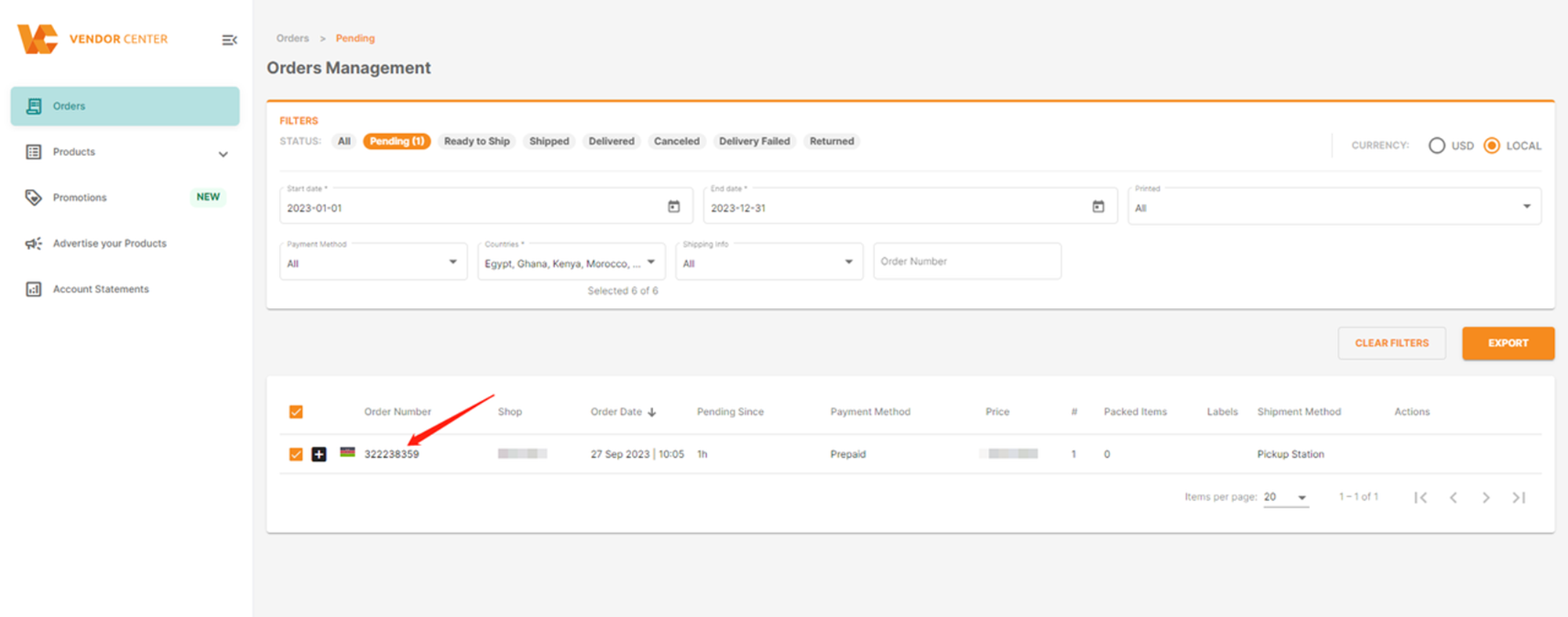
Here, you can view the customer information, delivery address, and order product information in the order details.
The order information includes the following details:
- The customer’s name and address: Customer’s name and address
- The Date the order was placed: Order date
- Settlement: Settlement
- Sum of all the prices of the items in the order as grand total: The sum of all product prices in the order as the total amount
- Tax Amount: Tax amount
- Voucher Total: Voucher total
On the order details page, expand an order item -> View the historical status of the order item
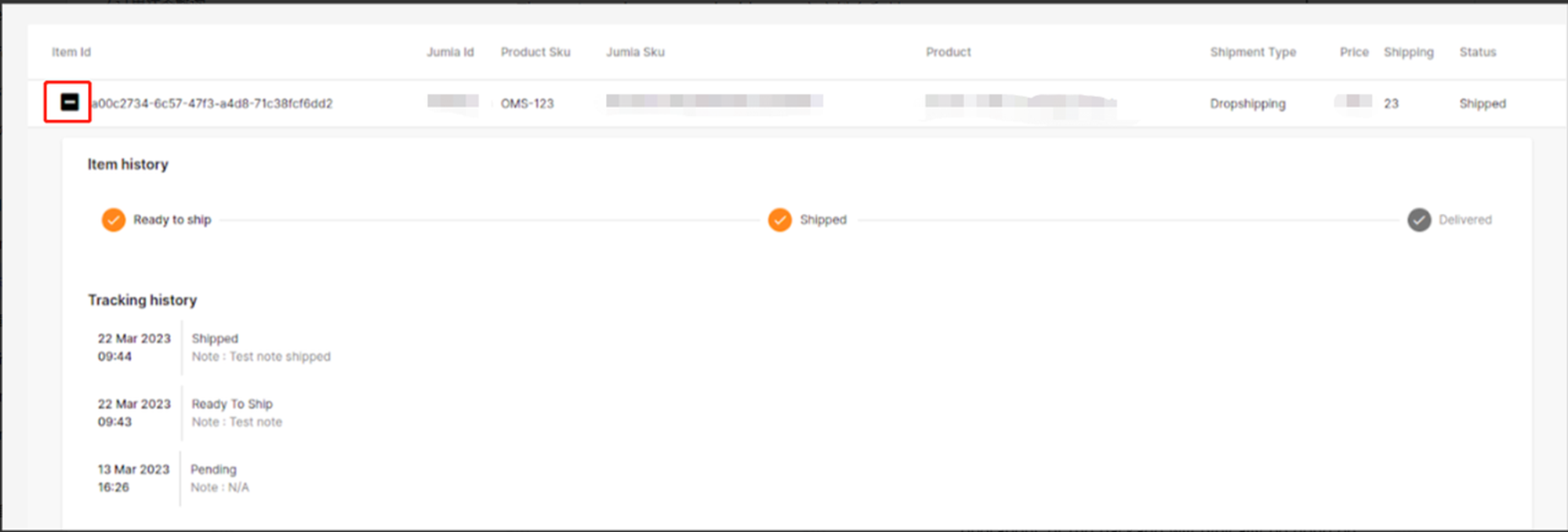
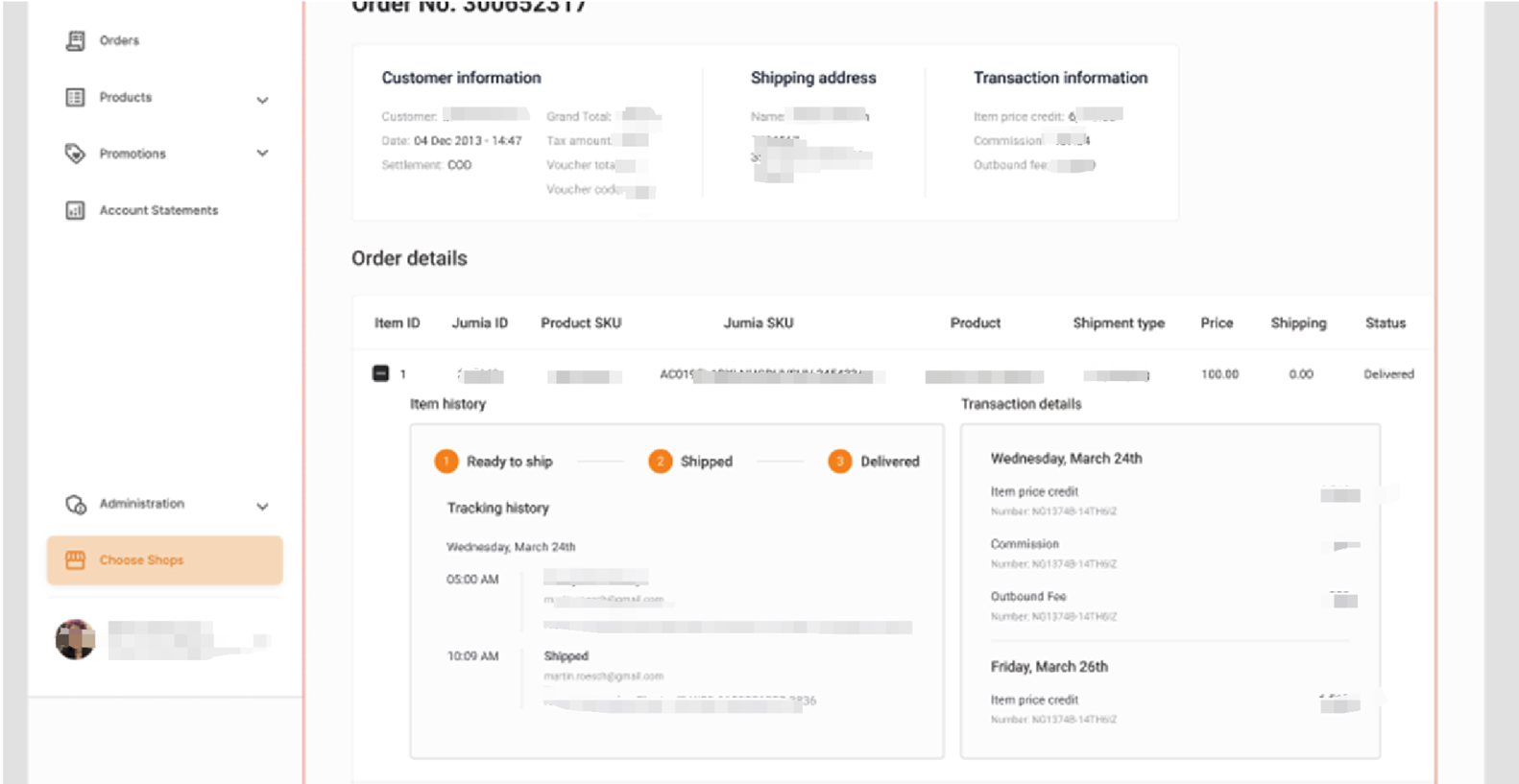
Note: If an order item is in the pending state (no state history) => The state history of this order item cannot be expanded.

