
1. Check the path
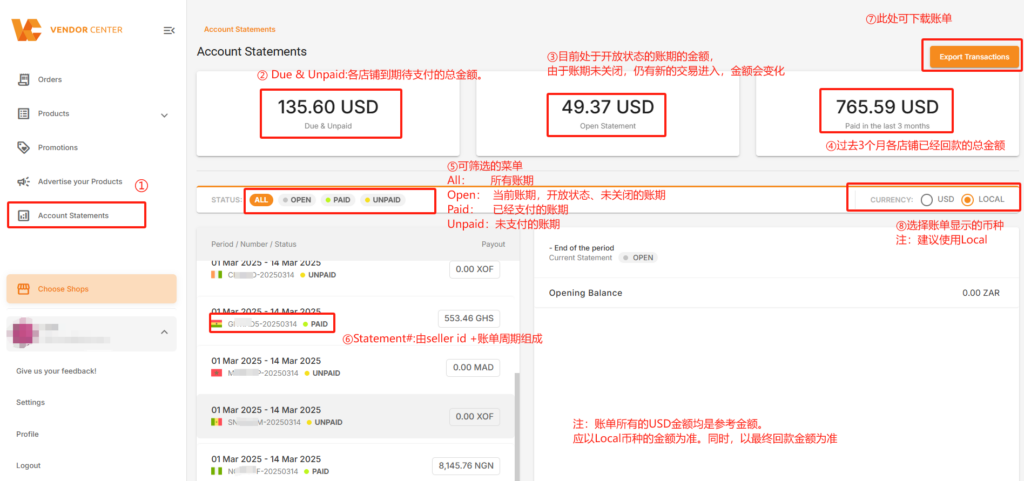
Left navigation bar >> Account Statements
2. Interpretation of Payment Terms
- Account Statements: Store bills.
- Due & Unpaid:The total amount to be paid by each store when due.
- Open Statement: The amount of the payment term currently in an open state. Since the payment term is not closed, new transactions can still enter, so the amount will change.
- Paid in the last 3 months: The total amount received by each store in the past 3 months.
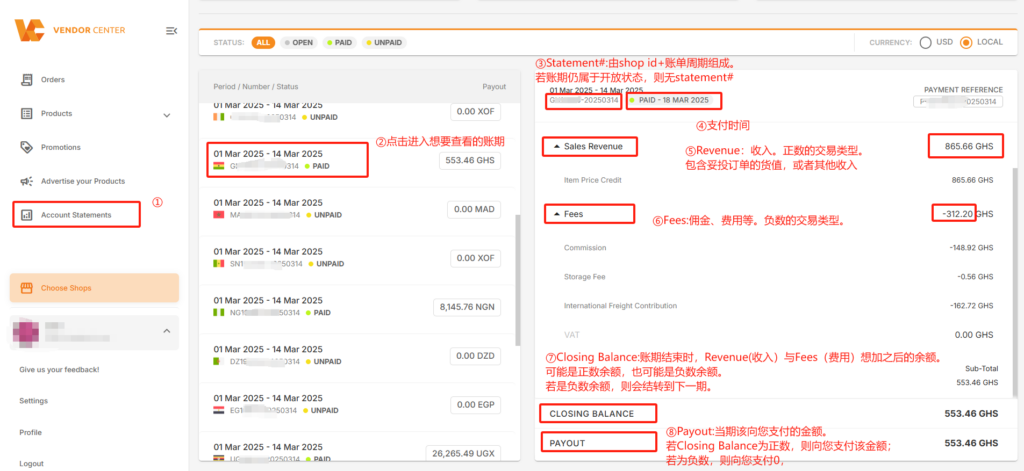
- Sales Revenue: Income. Positive transaction types, including the value of successfully delivered orders or other incomes.
- Fees: Commissions, charges, etc. Negative transaction types.
- Closing Balance: At the end of the payment term, the balance after adding Revenue and Fees may be a positive balance or a negative balance. If it is a negative balance, it will be carried forward to the next period.
- Payout:The amount to be paid to you in the current period. If the Closing Balance is positive, this amount will be paid to you; if it is negative, 0 will be paid to you.
Note: All USD amounts in the bills are reference amounts. The amount in the local currency shall prevail. At the same time, the final received amount shall prevail.
3. Detailed Explanation of Transaction Names in Bills
3.1 Common positive transaction names (income):
- Item Price Credit:Sales revenue. It will be reflected in the bill after the order is delivered. Generally, it is reflected on the delivery date.
- Subsidy:The subsidy given by the official after the order is delivered if you have participated in Jumia’s official subsidy activities.
3.2 Common negative transaction names (fees)
- Commission
- International Freight Contribution
- Outbound Fee:For orders shipped from Jumia’s local warehouse and successfully delivered to buyers, an outbound fee will be charged.
- Storage Fee: When products for sale are stored in Jumia’s local warehouse, storage fees will be charged by category and per day.
3.3 For other transaction names, please see the detailed explanation here.
4. Bill Download
Path:
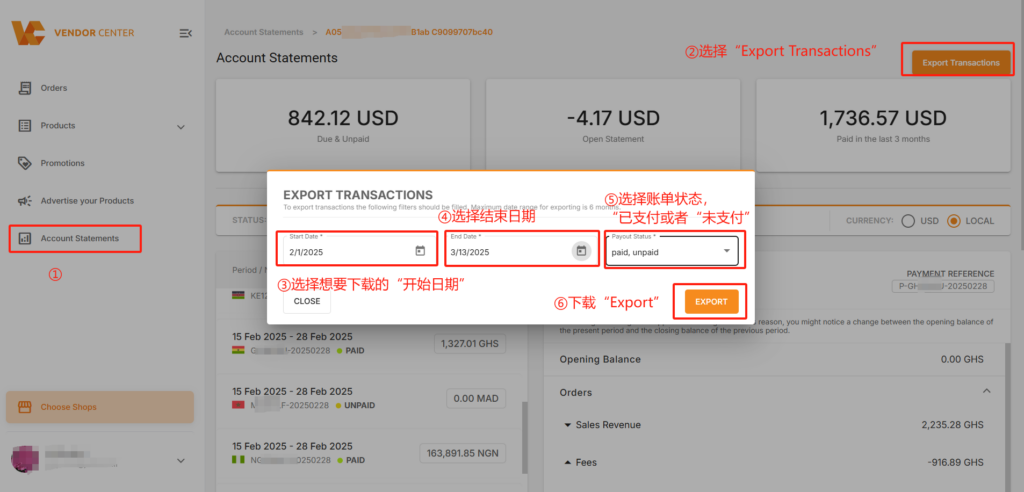
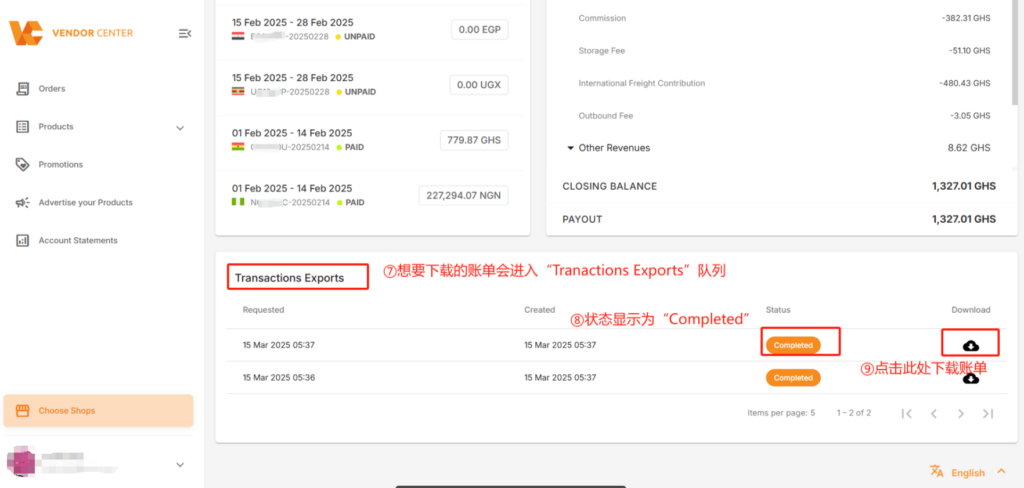
Account Statement >> Export Transactions >> Select the desired “Start Date” for download >> Select “End Date” >> Select the bill status “paid” or “unpaid” >> Export >> The bill enters the Transactions Exports queue >> When “Status” shows “Completed” >> You can click the “Download” icon
5. Relationship between Orders and Bills
- An order will be reflected in the bill only after it is delivered. Generally, the date when the order is delivered is the transaction generation date.
- The item level credit of an order will be reflected in the bill after the order is delivered;
- The fees of the order (international shipping fee, commission, etc.) will be reflected in the bill after the order is delivered.
Note:
Transaction objections (applicable to all transactions within the billing cycle) are valid for 90 days from the end of the billing cycle. Applications submitted after this period will not be accepted.
For example: The billing cycle is from June 9, 2026 to June 15, 2026 (i.e., the billing end date is June 15). Objections submitted within 90 days of the billing end date, i.e., before September 13, 2026, will be accepted.
