
We will guide you step by step to interpret advertising data, comprehensively review advertising effects, and help you achieve great sales success.
1. Regularly check the overall effectiveness of promotion plans from multiple perspectives
1.1 Learn about key indicators and their related meanings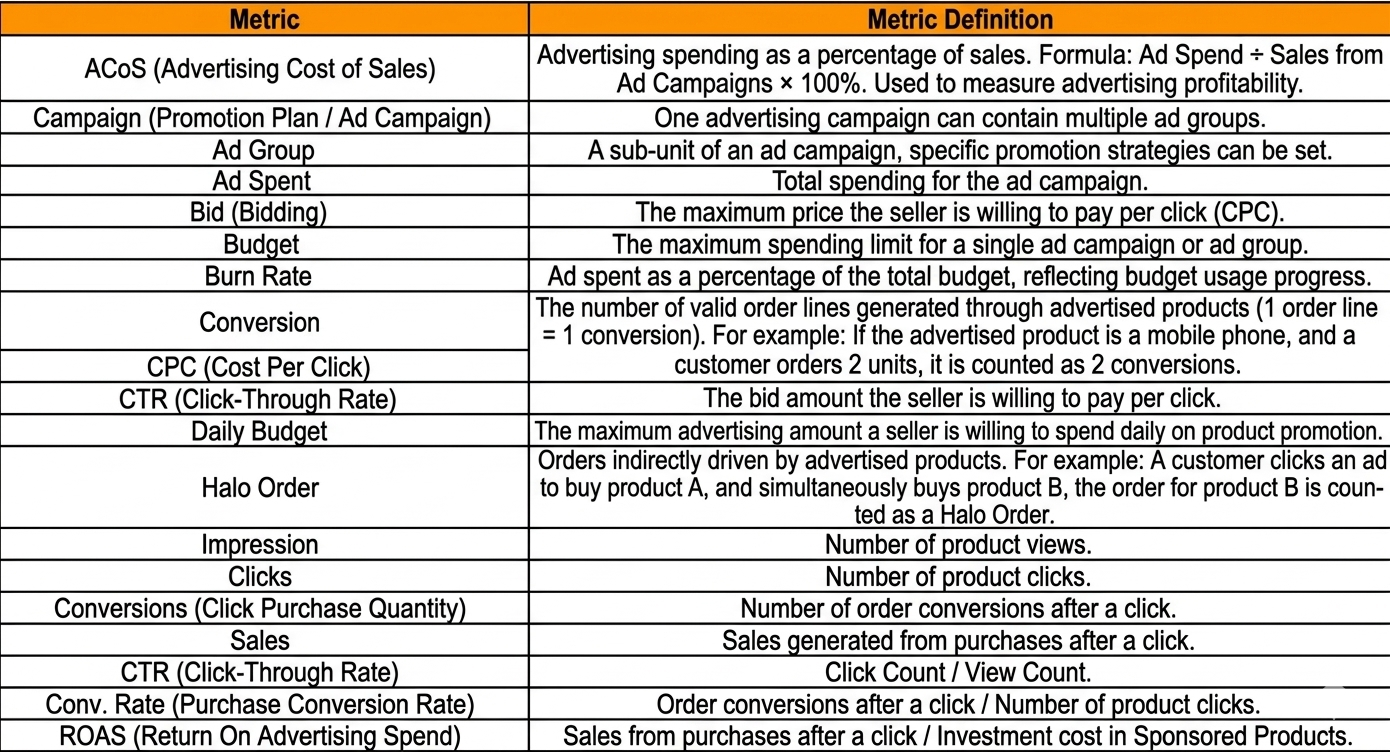
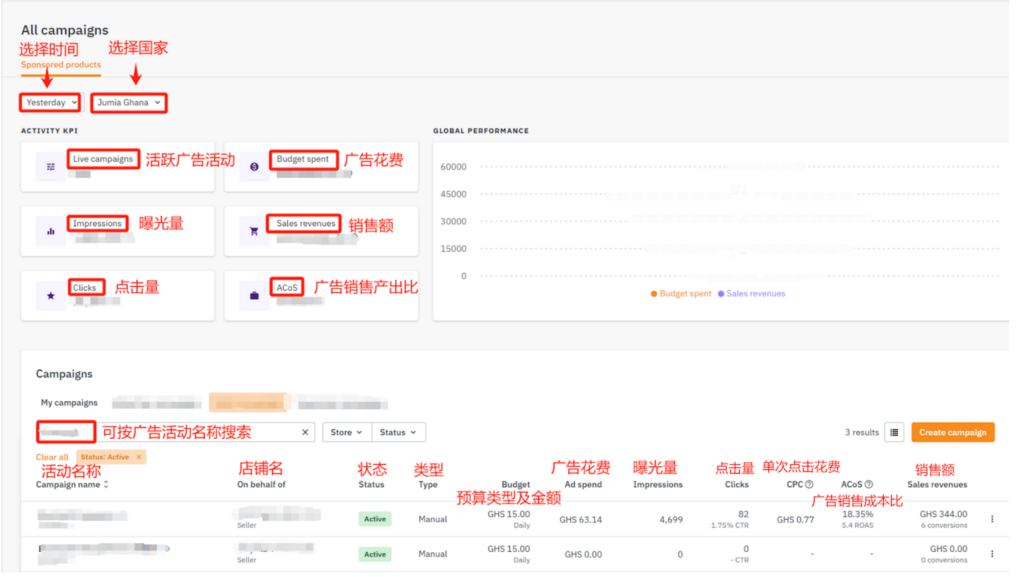
1.2 Campaign Manager Page – View the Overall Effect of Promotion Plans
Log in to the advertising backend, click on the “Campaign Manager” page, and view the overall effect of all promotion activities on the dashboard. Please first define the time period in the upper left corner and select the corresponding country to check the overall conversion of advertising activities within the specified time period. You can focus on viewing CTR, Conversion, and ROAS.
Please note:
- CTR (Click-Through Rate) can be seen in the Clicks column;
- ROAS(Return on Advertising Spend) can be seen in the Acos (Advertising Cost of Sales) column;
- Conversion(Order Conversion Volume) can be seen in the Sales Revenues column;
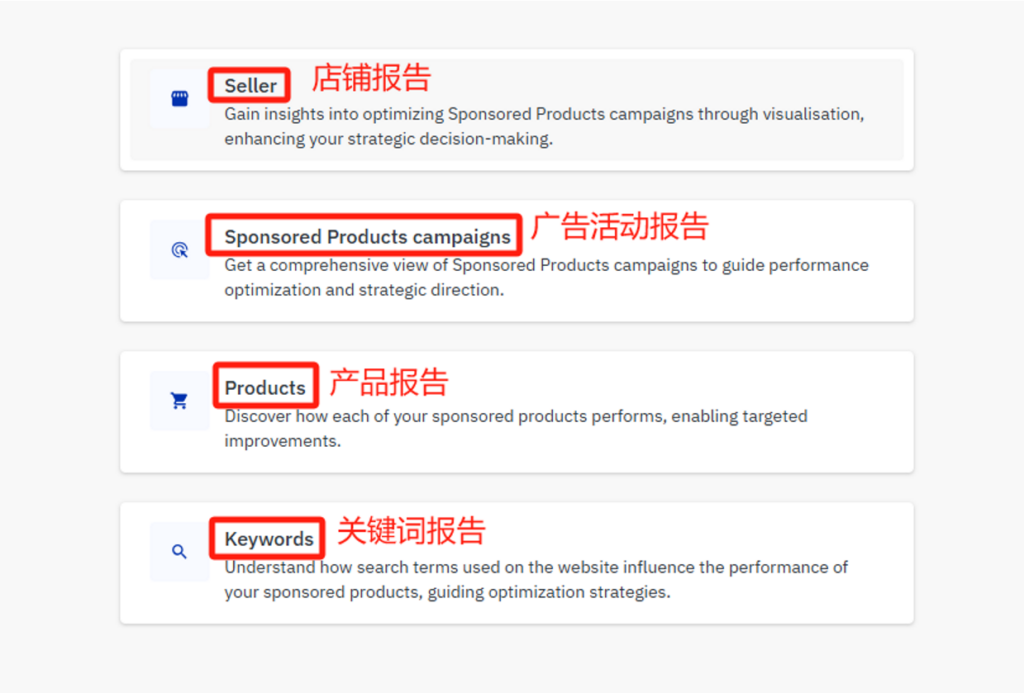
1.3 Reporting Page – View Ad Campaign Performance by Category
Currently, the advertising backend system provides four types of reports: store reports, ad campaign reports, product reports, and keyword reports.
If you need to view data within a certain time period, first select the corresponding report type in the background menu, and then choose the desired time interval under the “Period” field.
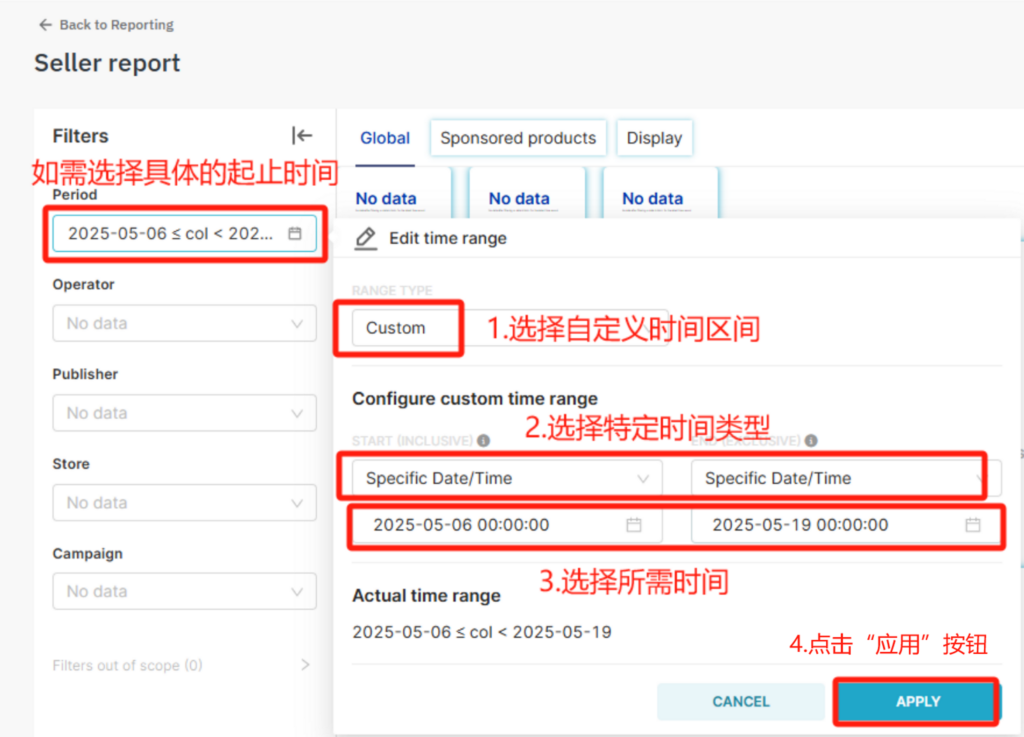
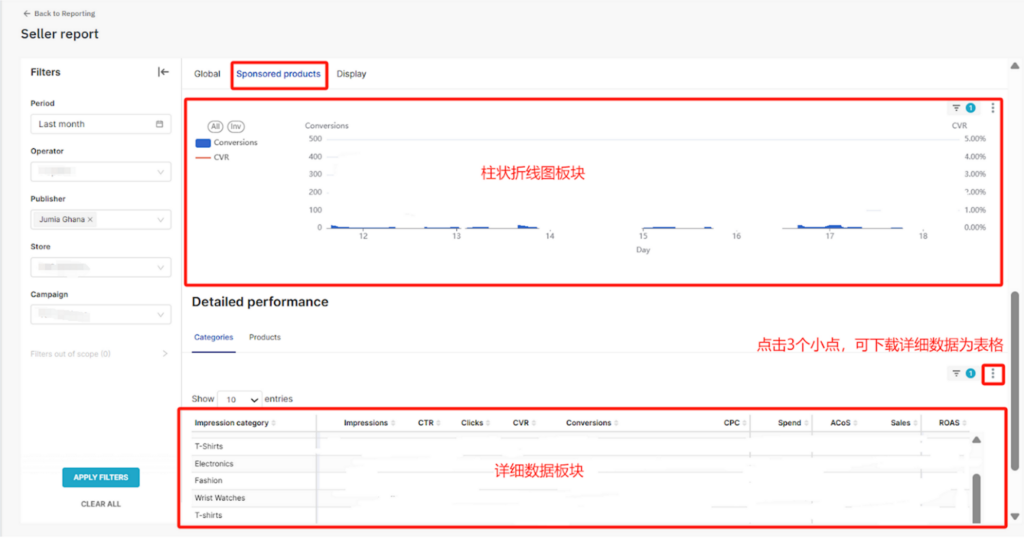
Please note that only part of the data for the current day may be available. If you need to view the complete data for the current day, it is recommended to check it the next day.
1.4 Reporting Page – View the performance of each advertising campaign within a time period
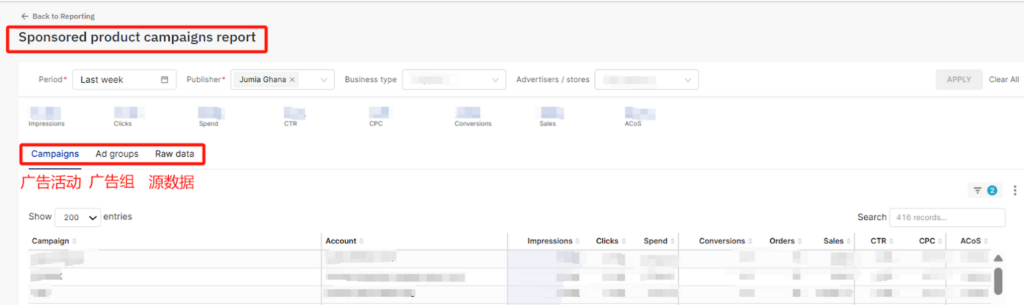
Select the “Sponsored product campaigns” advertising campaign report, filter the corresponding date range and country, and you can download the detailed report of advertising conversions generated by all advertising campaigns and ad groups.
1.5 Reporting Page – Analyzing through Data Reports
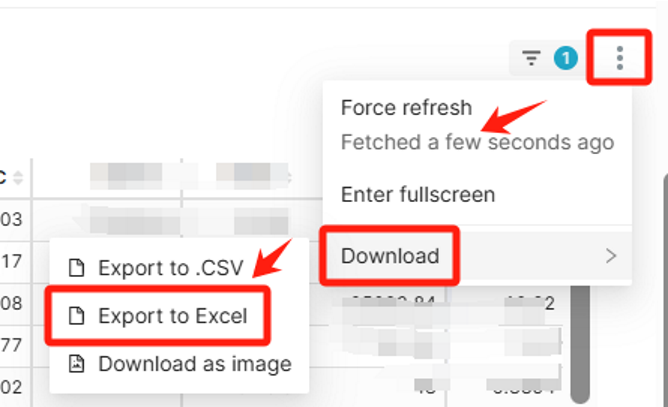
After entering the corresponding report type, you can generate analysis reports from different dimensions. If you need to download data, please locate the upper right corner of the chart or table area, click the “···” menu, and then select the download format (CSV/Excel/Image).
2. Adjust and optimize details in a timely manner
2.1 Confirm the performance of store advertisements twice a week to facilitate timely adjustments
2.2 Points that always need to be considered:
- Discounts and optimal prices: more directly attract buyers
- High-quality content: improve users’ purchasing experience and make transactions easier to achieve
- Diverse graphics and texts: graphics and texts have the advantage of intuitive information, and diverse graphics and texts can make you stand out among similar products
- Avoid low inventory: You need enough goods to meet the demand, so that buyers will not lose your sales due to out-of-stock when placing orders
- Avoid low-quality products: high-quality products can bring a better experience to customers and also improve the reputation of your store
- Avoid products that are prohibited from promotion: If the product title contains sensitive words or belongs to a prohibited category (see this table), it cannot be found in the advertising background system. You need to remove the sensitive words or change to a compliant category before it can be found
- Avoid setting CPC too high: excessively high click costs will affect profits, and the bid needs to be reasonably adjusted according to the product pricing
- Avoid too low daily budget: insufficient budget will cause the advertisement to go offline in advance
- Avoid adding too many products: putting too many products in a single advertising campaign/ad group will reduce the effect
- Avoid repeatedly placing the same product in different ad groups: avoid duplication and focus on optimizing one ad group
