
1. Learn in detail what a GTIN Barcode is
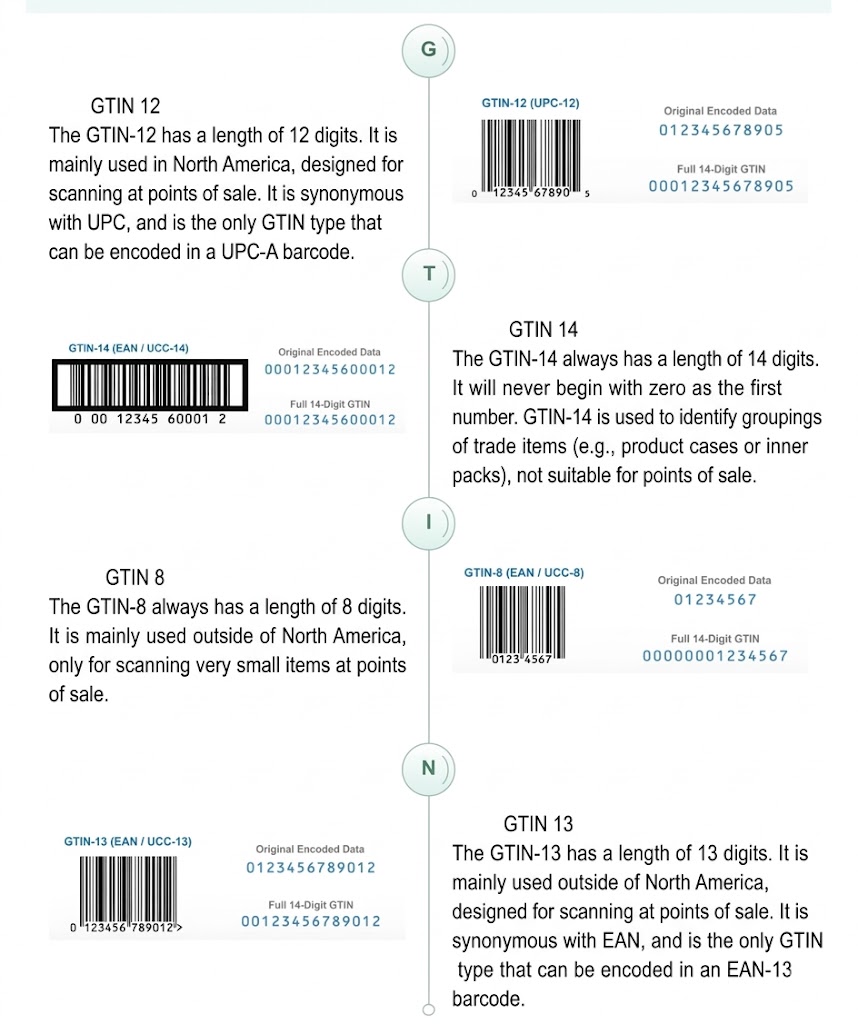
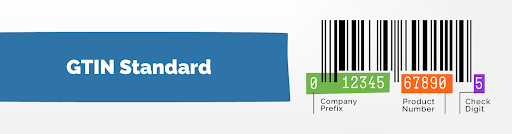
- GTIN stands for Global Trade Item Number. It is a unique global code used to identify product items and is the most widely used identification code in coding systems.
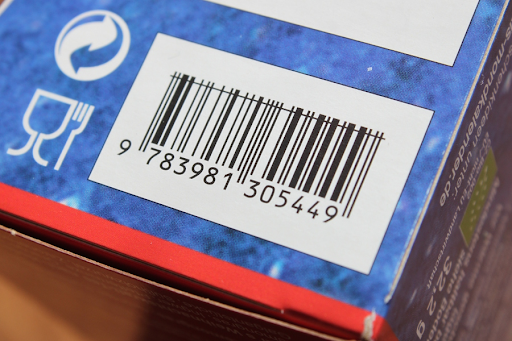
- It consists of a series of numbers below the barcode and has different types.
- GTIN has 4 different structures, with lengths of 8, 12, 13, or 14 digits. All GTIN types are used worldwide.
2. Advantages of Using GTIN Barcode
Using barcodes offers numerous benefits to sellers, especially on e-commerce platforms. Here are some key advantages:
1) Enhanced search visibility
According to Google’s data, product listings with valid GTINs can increase conversion rates by up to 20%. GTIN is like a license plate, helping Google categorize and display products across multiple e-commerce and marketing platforms.
2) Price comparison and competitor monitoring
Adding a barcode allows access to the buybox feature, enabling sellers to quickly compare prices, understand market trends, and make corresponding adjustments based on competitors’ pricing strategies, providing a strong basis for business decisions.
3) Convenient product creation
Through these advantages, sellers can improve customer satisfaction, product conversion rates, and maintain competitiveness in the highly competitive e-commerce market.
3. How to obtain a GTIN Barcode?
1) Consult the brand owner/manufacturer/factory to provide a catalog of GTIN codes.
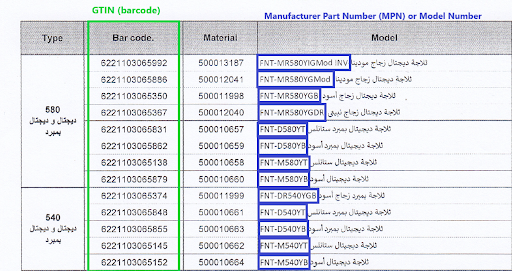
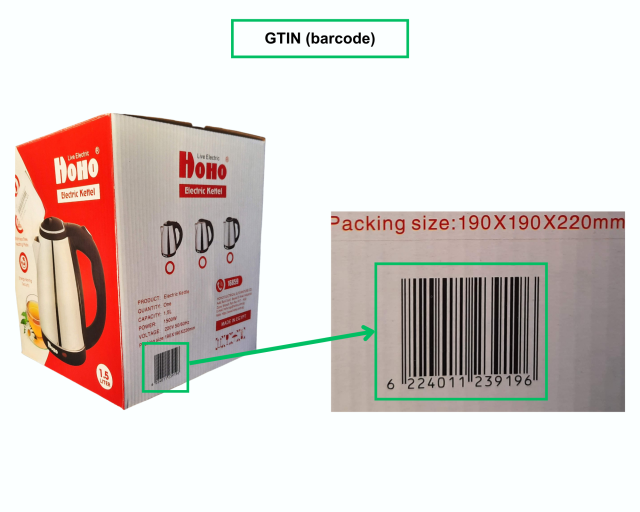
2) Read or scan the barcode (GTIN) on the product or product packaging
3) How to create a GTIN barcode for own-brand or unbranded products?
This can be done through organizations like GS1, which provide unique identifiers for your products.
- GS1 is the global official provider of GTIN and EAN/UPC barcodes, ensuring that your barcodes work anywhere in the world.
- To apply for a GTIN, you need to provide information about the product, such as product name, description, and packaging.
- For more details on obtaining a GTIN, please visit the GS1 website of your country (GS1 China website).
Please click here to watch a video tutorial on how to add a GTIN Barcode in VC.
Click here to view the brands and categories that must have a GTIN added.
