
Path: VC >> Manage Products >> Product Details
1. Top Operation Bar
- Copy Product: Clone the current product with one click, allowing sellers to quickly create new products with similar specifications or styles. Note: Copying a product does not include copying images, prices, Seller SKUs, or other information; sellers should fill in these as prompted.
- Edit Product: Click to enter edit mode, where you can modify product descriptions, prices, and other information.
- Previous/Next Page: Quickly browse the previous/next product in search results or product lists.

2. Size
Size Selection: Visually displays all size variations for this product. Clicking on different sizes will switch the product information below accordingly.

3. Product Price Management
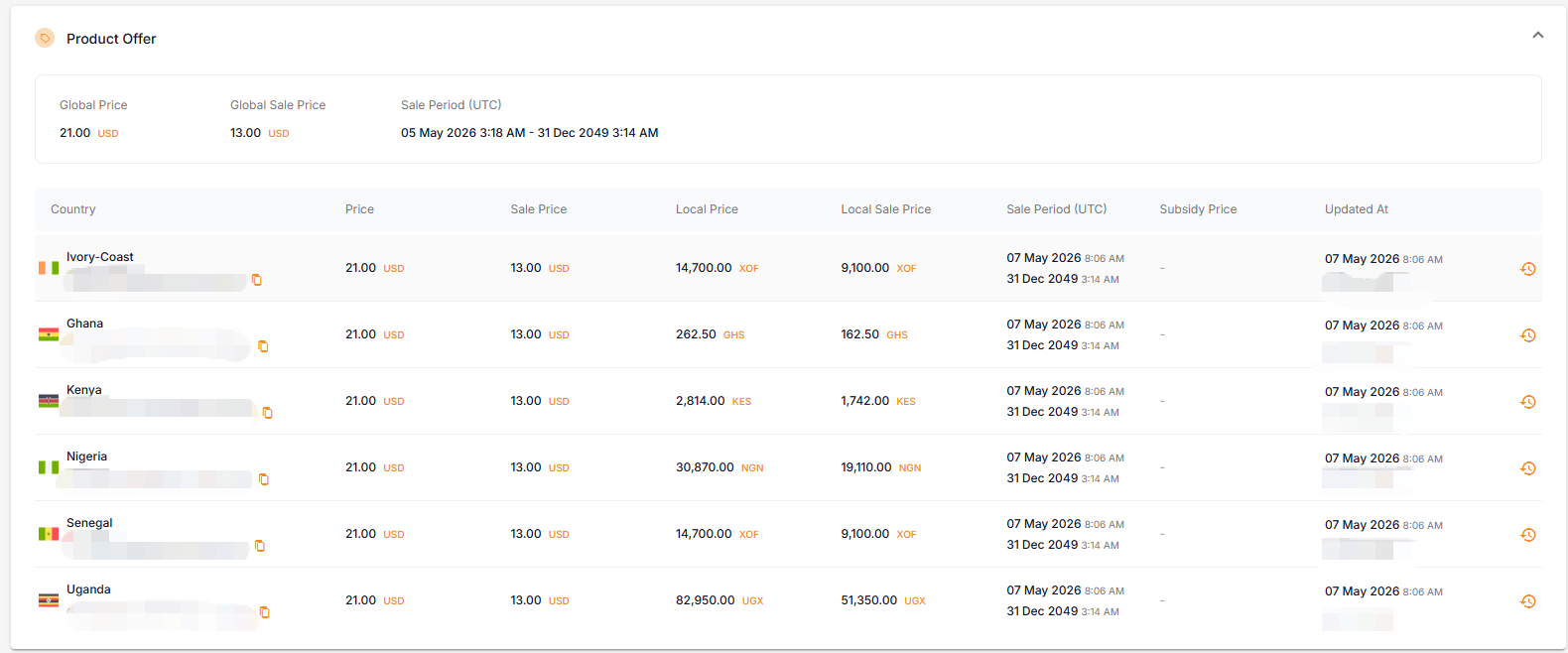
This is the core price management area, where you can view the product’s price information on the activated site.
- Country: The specific country where the product is listed.
- Local Price / Local Sale Price: The price in the local currency, provided by the seller.
- Promo Price: The price at which the product is participating in platform promotions. The number of current and upcoming promotions is displayed as a numerical badge; if there are no promotions, a “-” is shown. Clicking the badge opens a pop-up window displaying the full list of promotions (view-only; no modifications allowed):
- LIVE NOW: Displays the names of active promotions, promotional prices in the local currency, and start/end times (UTC).
- UPCOMING: Displays confirmed or approved future promotions in advance, helping sellers plan inventory and pricing strategies early.
- Subsidy Price: The promotional price subsidized by the platform. This field is automatically activated and displayed when the product qualifies for an active platform subsidy.
- Updated At: Records the timestamp and user responsible for the last price modification for each country. Clicking the clock icon on the right navigates to the bottom of the page to view the recent modification history for that country.
4. Product Information and Specification
- Translations: Supports switching between English, Arabic, and French to view product titles and descriptions in different languages.
- Core Attributes: Product name, color, color scheme, product description, product features, weight, etc.

5. Country Statuses
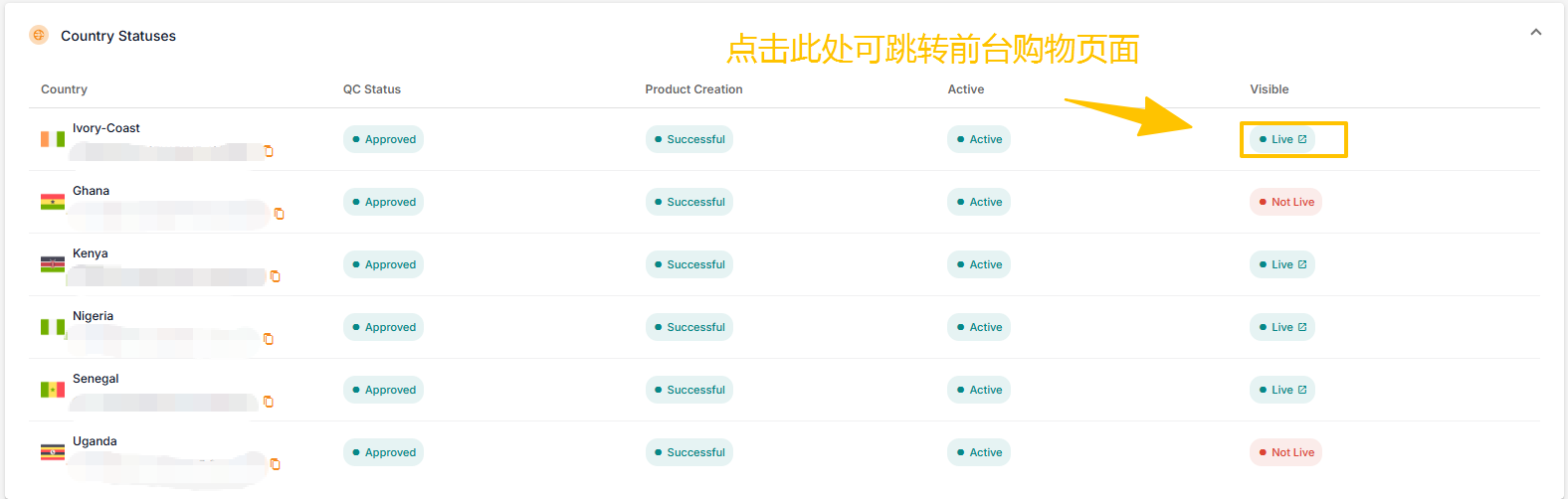
Learn about product availability in various countries here:
- QC Status: Content review status; Approved indicates approval.
- Product Creation: Product creation status; Successful indicates successful creation.
- Active: Activated status; Active indicates the site is active.
- Visible: This indicates the product is currently available for purchase on the shopping page. Clicking it will take you to the front end of the page.
6. Product Metrics
This section analyzes product sales performance. The top right corner allows you to select a specific country to view performance data for that particular site.

7. History
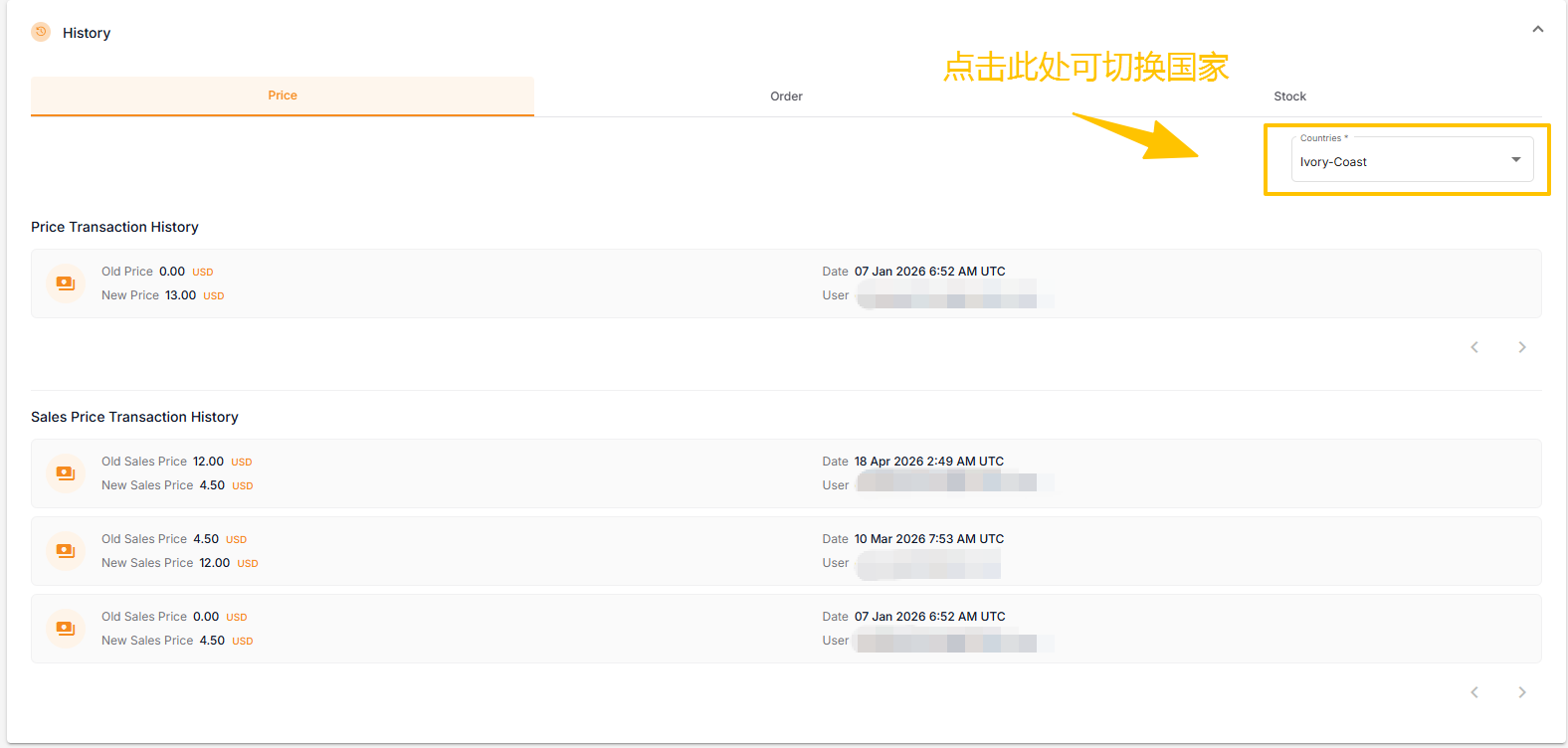
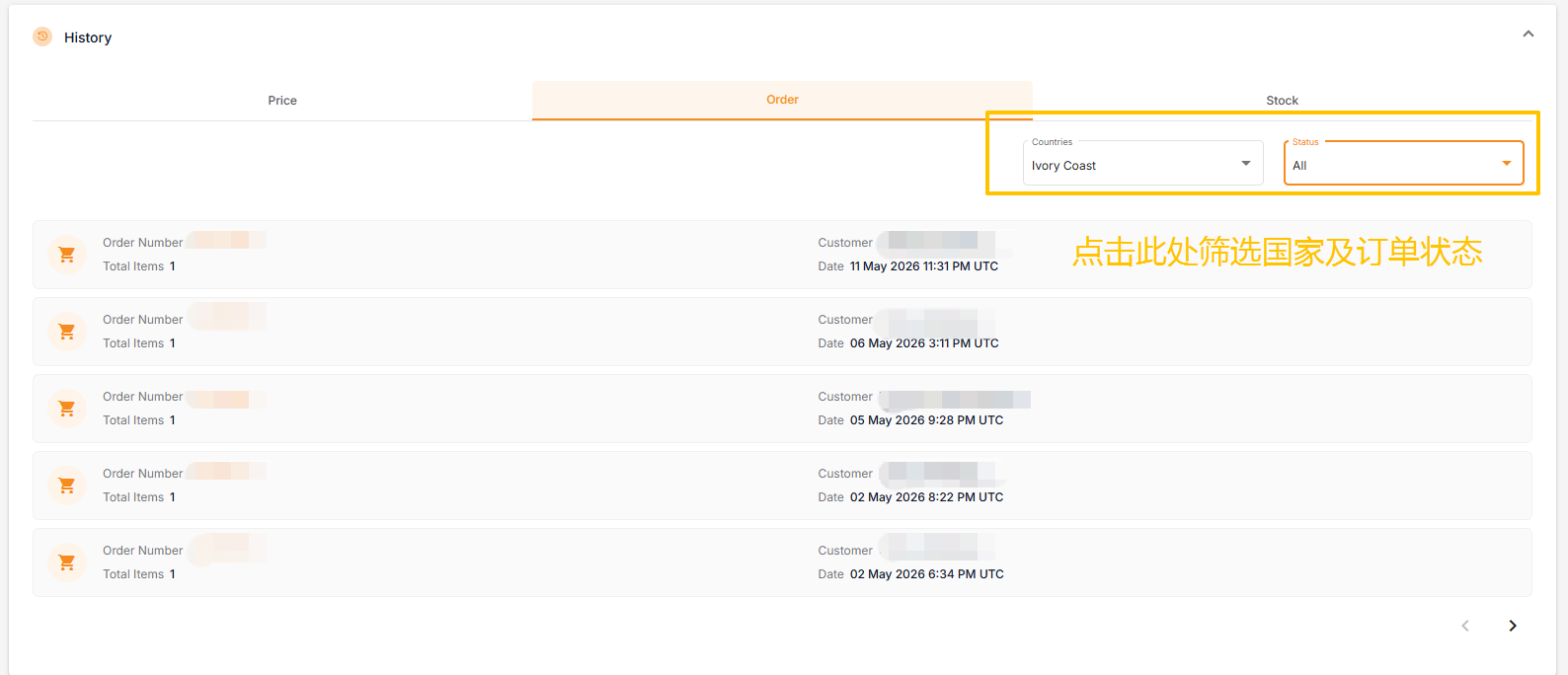
This section contains three tabs: Price, Order, and Stock.
- Price History: Displays the five most recent price changes.
- Order History: Displays the five most recent order records. Clicking an order will take you to the order management interface.
- Stock History: This feature is under development.
