
Jumia’s in-site promotion tool “Super Exposure” can make your advertised products be prioritized in search results and other key resource positions when customers search for and browse products. The intelligent delivery system ensures that your products accurately reach the target customer group, thereby increasing order conversion and making your products far ahead among a large number of similar products.
1. Where will your ads be displayed?
Platform homepage, search results page, category search results page, product details page
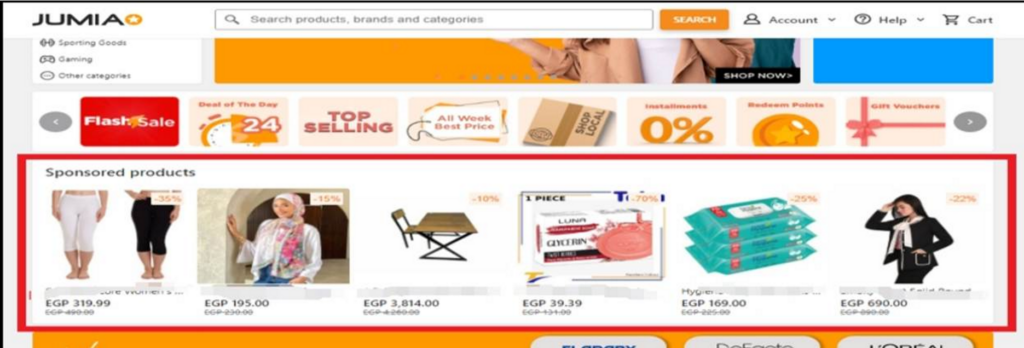
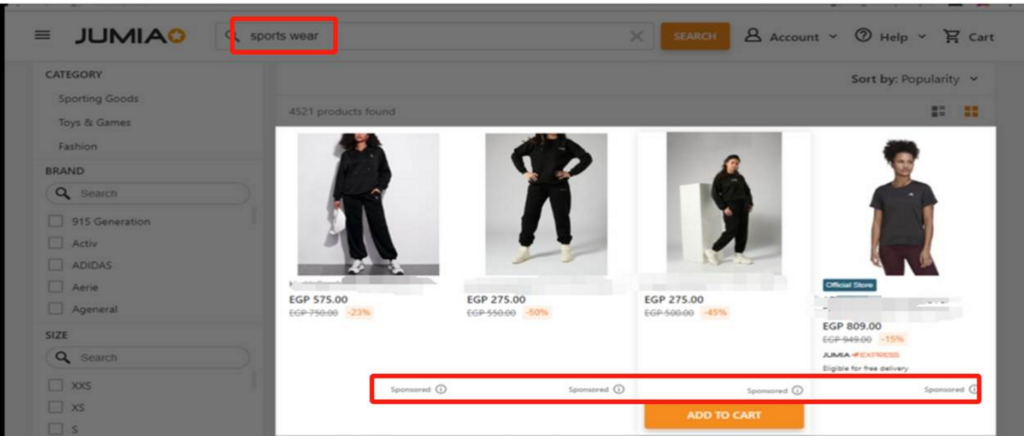
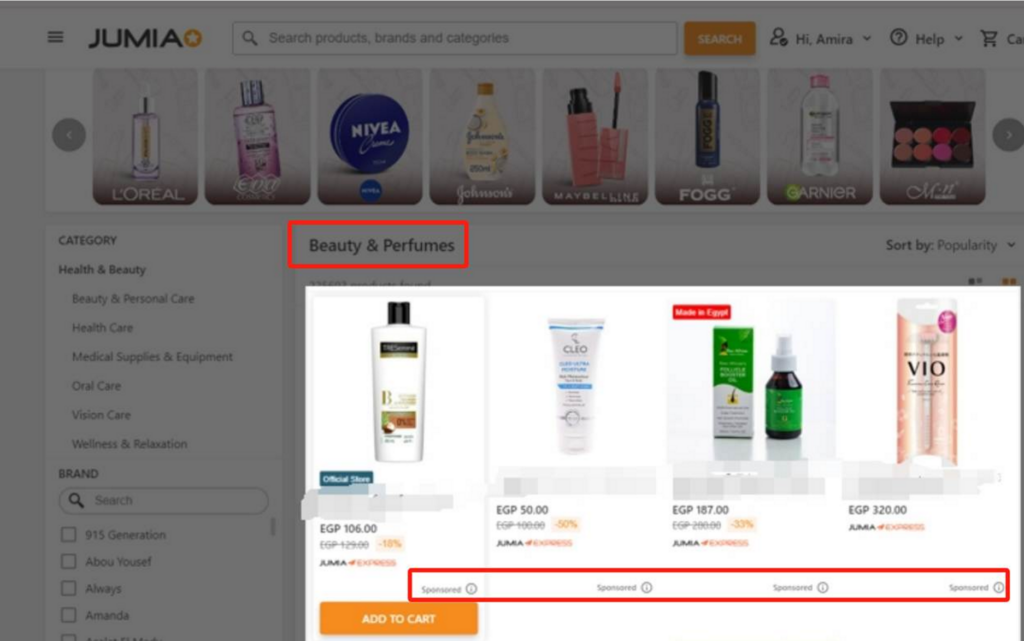
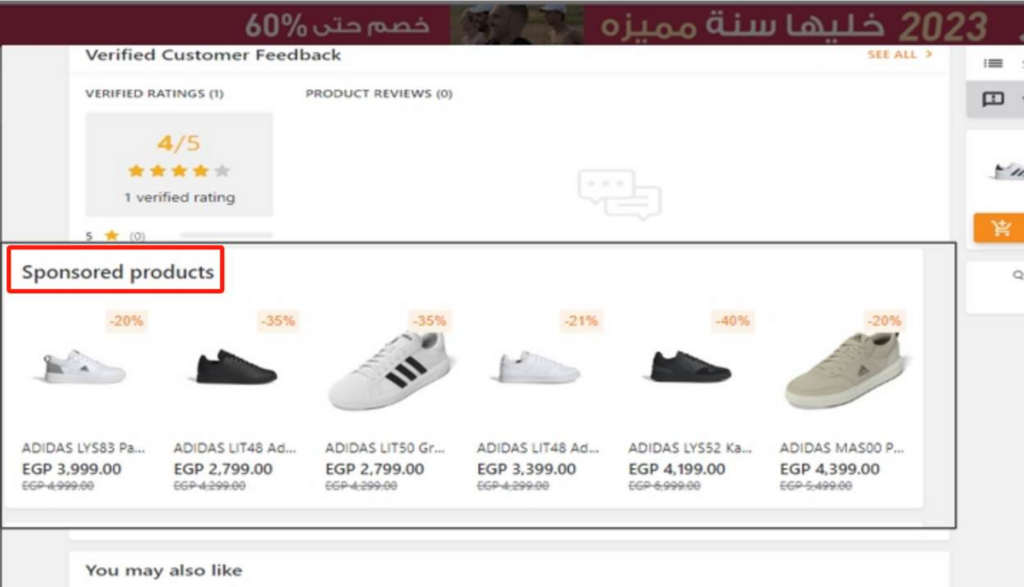
2. Where is the advertising settings entry?
Log in to Vendor Center >> Click “Advertise your Products” in the left toolbar >> Then click “Create Your First Campaign Now!”
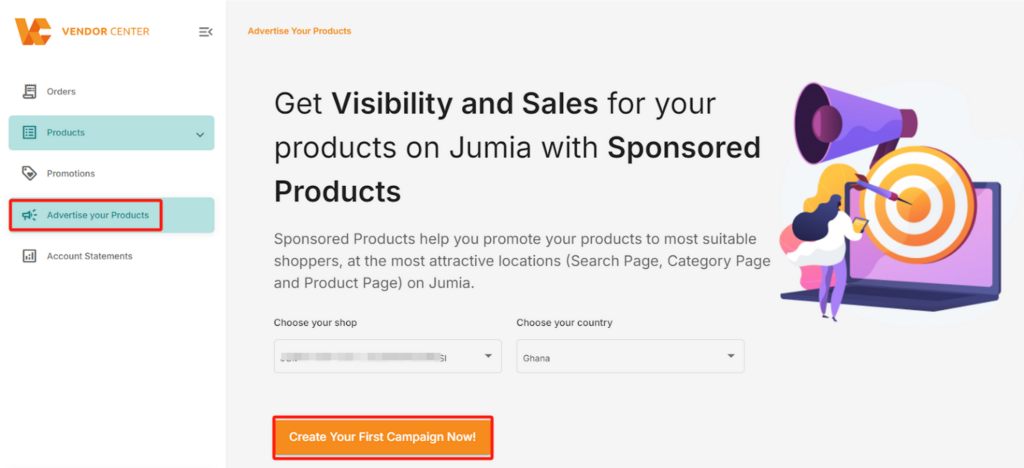
Kind reminder: If a seller has no online products, they cannot access the advertising interface. (When entering the advertising page, the system will prompt “You need products live to be able to sponsor products” and prevent further navigation to the super exposure promotion page.)
Note: If you have any questions, please submit them through the following Wenjuanxing links:
- Mirakl advertising backend permission application link: Jumia Paid Advertising Backend (Mirakl) Permission Application (wjx.cn)
- Mirakl usage issue collection link:New Advertising Platform Training – Issue Collection Form (wjx.cn)
3. How to set a budget for an advertising campaign?
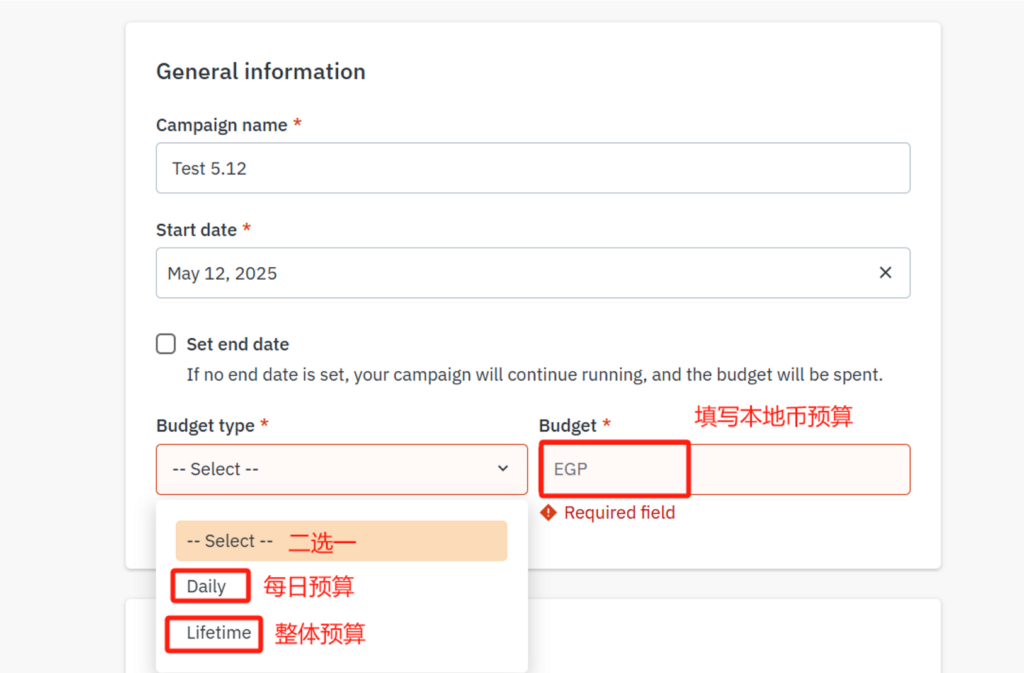
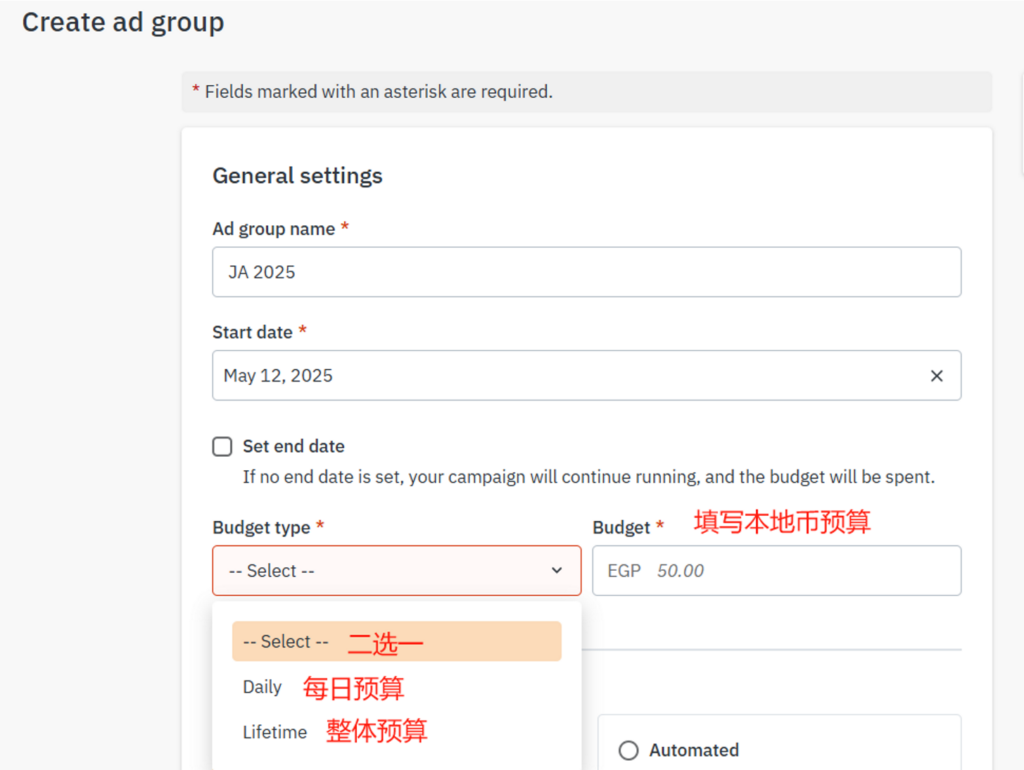
No pre-recharge is required to launch an advertising campaign. You can directly set budgets at the Campaign and Ads Group levels when creating a promotion plan:
(1) Campaign: Controls the total budget of a single advertising campaign.
(2) Ads Group: Refine the management of budget allocation for each ad group under an advertising campaign.
Friendly Reminder:
- The Sponsor’s fee is subject to value-added tax. Therefore, the fee finally displayed on the Account Statement includes tax, such as the fee for the Nigeria site, which includes a 7.5% tax.
- Regarding billing records:
- All countries calculate fees based on actual usage. For example, from November 15th, 16th, to 17th, the total usage is 337 + 1017 + 1011, and the final bill will be calculated based on the above actual incurred fees.
- To avoid the suspension of the promotion plan, which may affect the promotion effect, it is recommended to set a sufficient budget and regularly monitor and adjust it according to the performance data.
- In VC, there is usually a 1-2 day time difference for advertising deductions. Here is an example:
If you incur a fee of 1000 NGN (including Nigeria VAT 7.5%) through the advertising platform on June 1st, this fee will be shown as June 2nd in the “Comment” column of the bill. This amount will be deducted on June 2nd or June 3rd as shown in the “Transaction Date” column of the bill, with the fee displayed as 1000 NGN. Example as shown in the figure:

4. How to switch the display language of the advertising backend?
The language of the advertising backend automatically follows the browser language. Currently, the available languages are English, Chinese, French, and Arabic.
Operation steps:
- Open the browser menu->> Find the “•••” icon in the upper right corner of the browser (Chrome/Edge/Firefox, etc.)
- Enter the settings page->> Click the “•••” icon → Select “Settings” or “Options” in the drop-down menu
- Adjust language preferences
- Find the “Language” option on the settings page
- If the target language is not displayed, please click “Add language” first
- Move the target language to the top or set it as the default language
Effective description: After completing the settings, the system will automatically switch to the language you specified for display.
Note: 1) Some browsers may require a restart to take effect; 2) Some professional terms may retain their original English words (such as CPC/ACoS).
5. What advertising materials are available?
Link to the material microdisk
- Frequently Asked Questions (continuously updated)
- Advertising training PPTs and live broadcast recordings (continuously updated)
- Introduction to limited-time rebate activities
- User feedback channels
- Problem submission link
