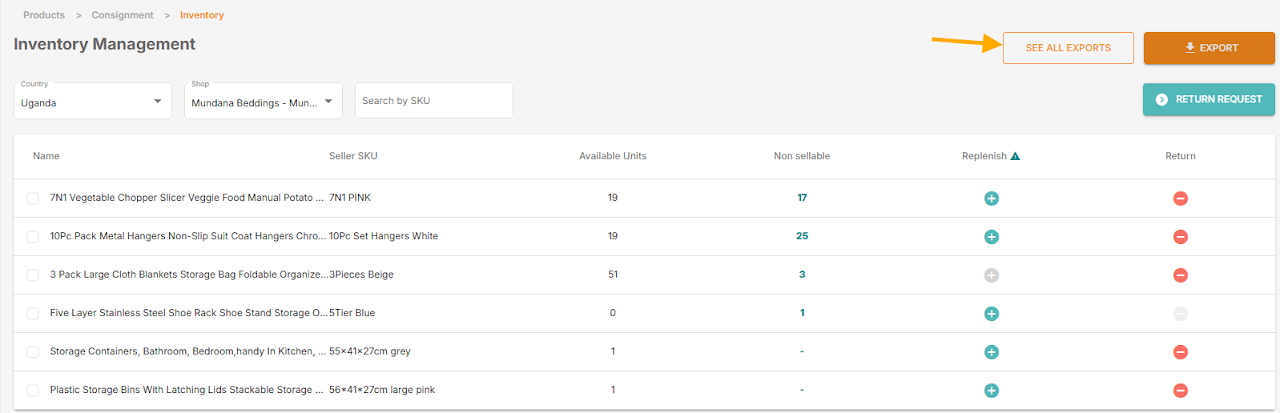
To help you manage your stock in Jumia FBJ warehouses more efficiently, we are excited to announce the launch of the new “Export Inventory” feature on the Vendor Center (VC) platform!
This new feature allows you to export detailed inventory data for all your consigned items with just one click, making it easier for you to perform in-depth analysis and streamline your operations.
1. What data will you receive?
The report generated through this feature will include the following detailed information for each of your items:
- Name
- Seller SKU
- Jumia SKU
- Sellable Stock
- Picked Stock
- Packed Stock
- Shipped Stock
- Quarantined Stock
- Defective Stock
- Returned Shipped Stock
- Lost Stock
- Defective Damaged Stock
2. How to use this new feature?
Getting started is simple:
- Log in to your Vendor Center (VC) account.
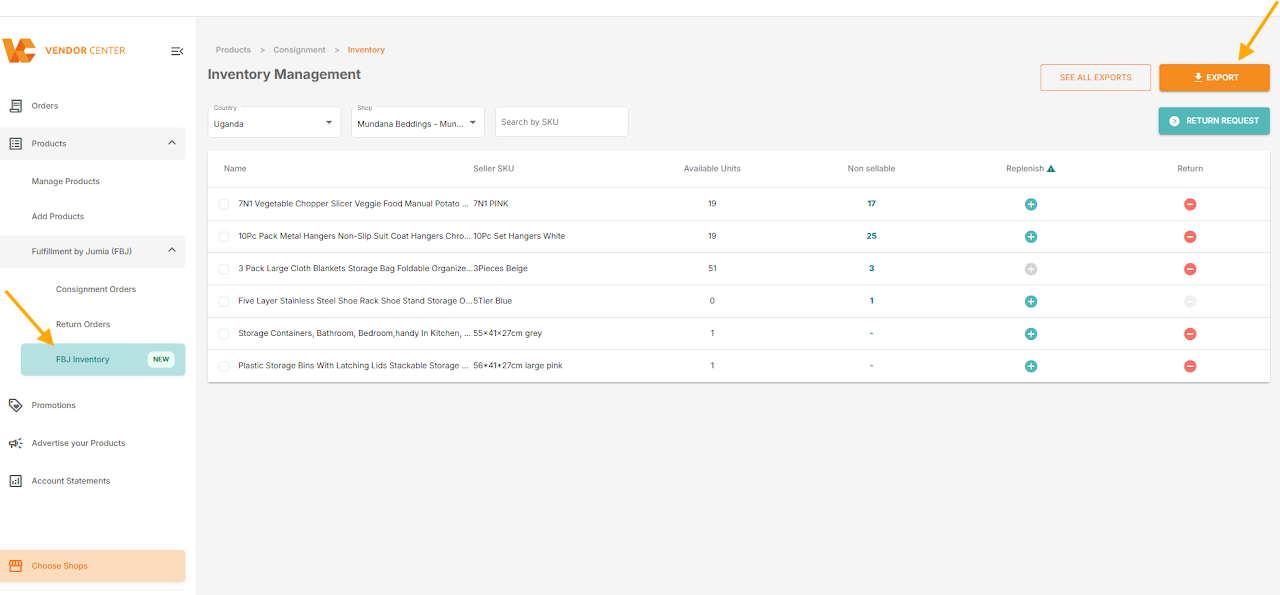
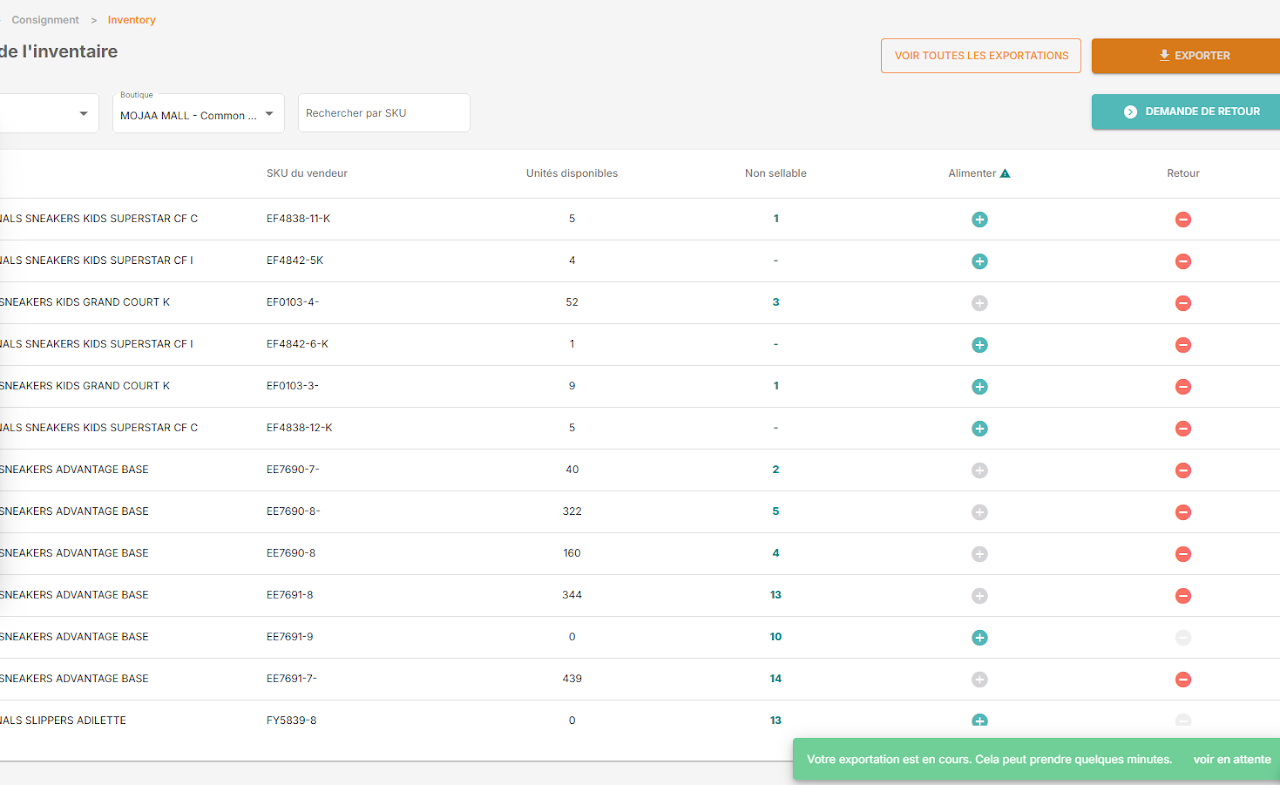
- Navigate to the “FBJ Inventory” menuselect the “EXPORT” option.
- The system will prompt you to confirm the shop and country/region you wish to export data for. You can switch between shops and countries as needed.
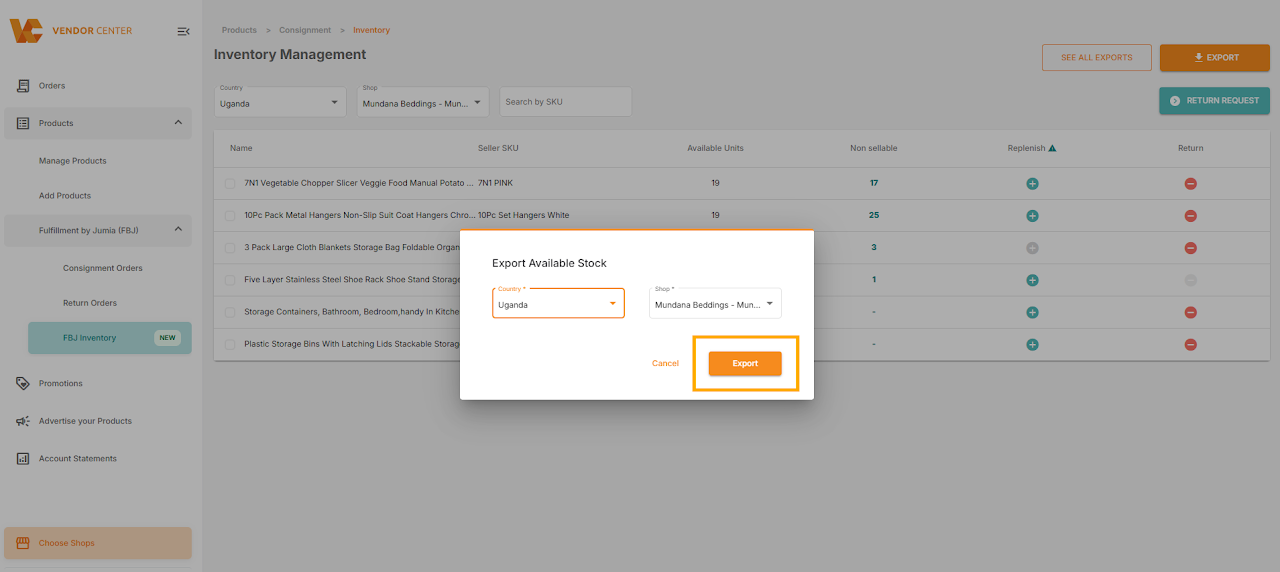
- Once confirmed, you will see a notification stating “your export is in progress “
Warm Reminder:
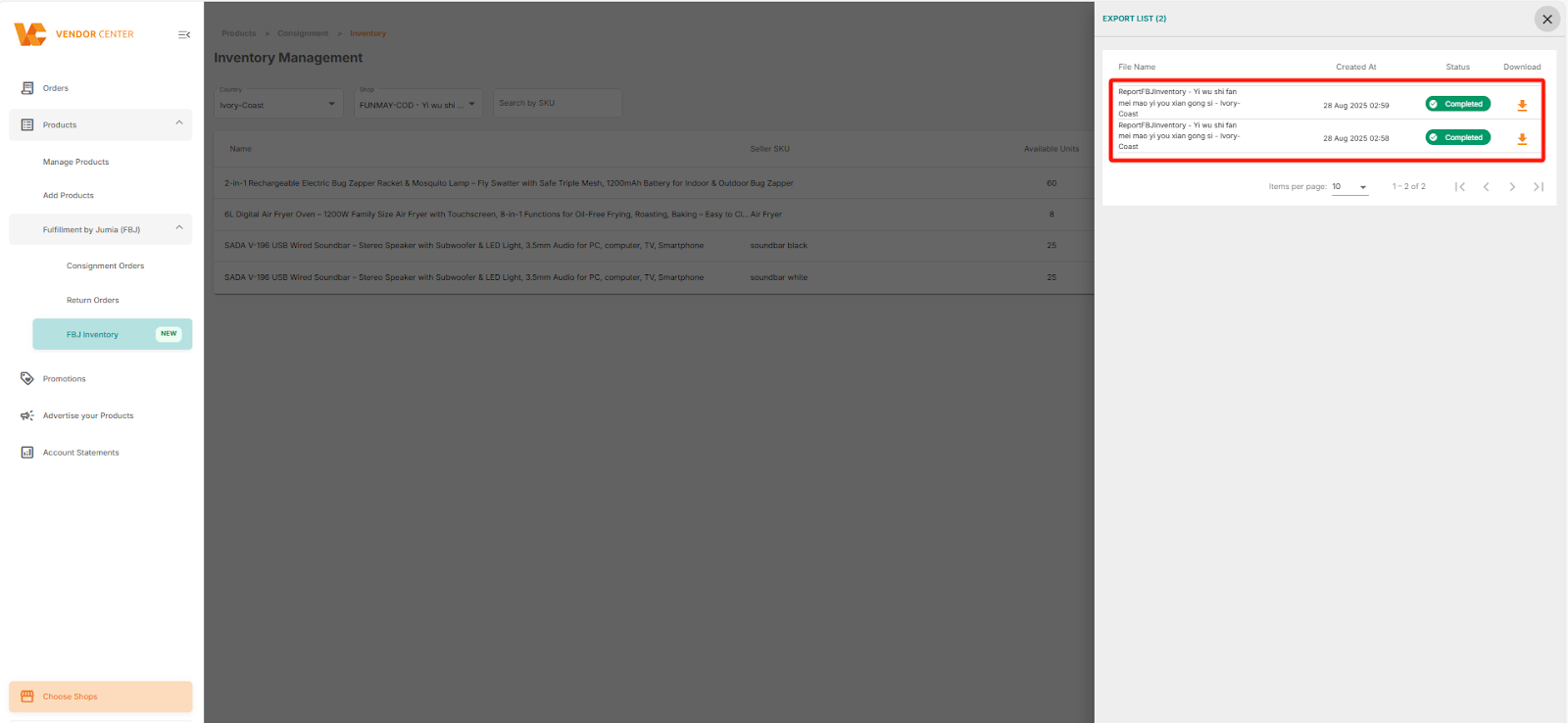
- You can track the progress of your export tasks and view your history by clicking on “SEE ALL EXPORTS.”
- On this page, you can download any of your previous reports and view the export history for all main shops and countries associated with your account.