1. Default Permissions
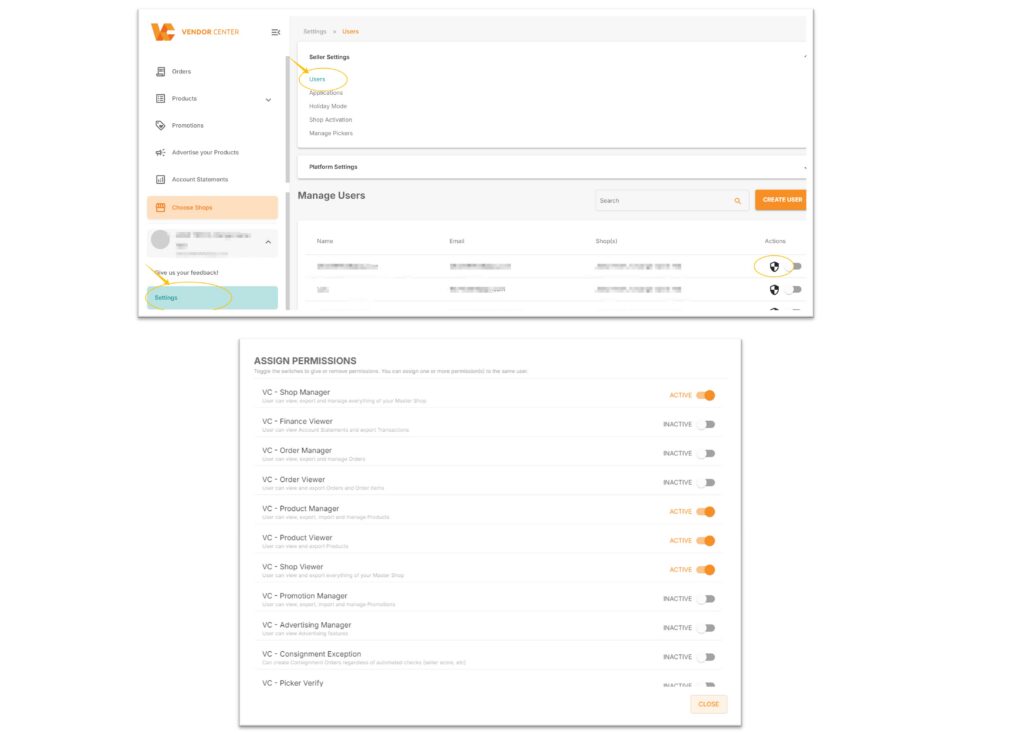
After the store is approved, sellers can directly log in to the Seller Center through the registered email. The following four permissions are enabled by default:
Path: VC >> Settings >> Users >> Manage Users >> Click the shield
- VC – Shop Manager (Store Manager – can manage store permissions)
- VC – Product Manager (Product Manager – can edit store products)
- VC – Product Viewer (Product – only has viewing permission)
- VC – Shop Viewer (Store – only has viewing permission)
Among them, the Shop Manager has the highest permission and can enable or disable the relevant permissions of themselves and other users.
2. Create User
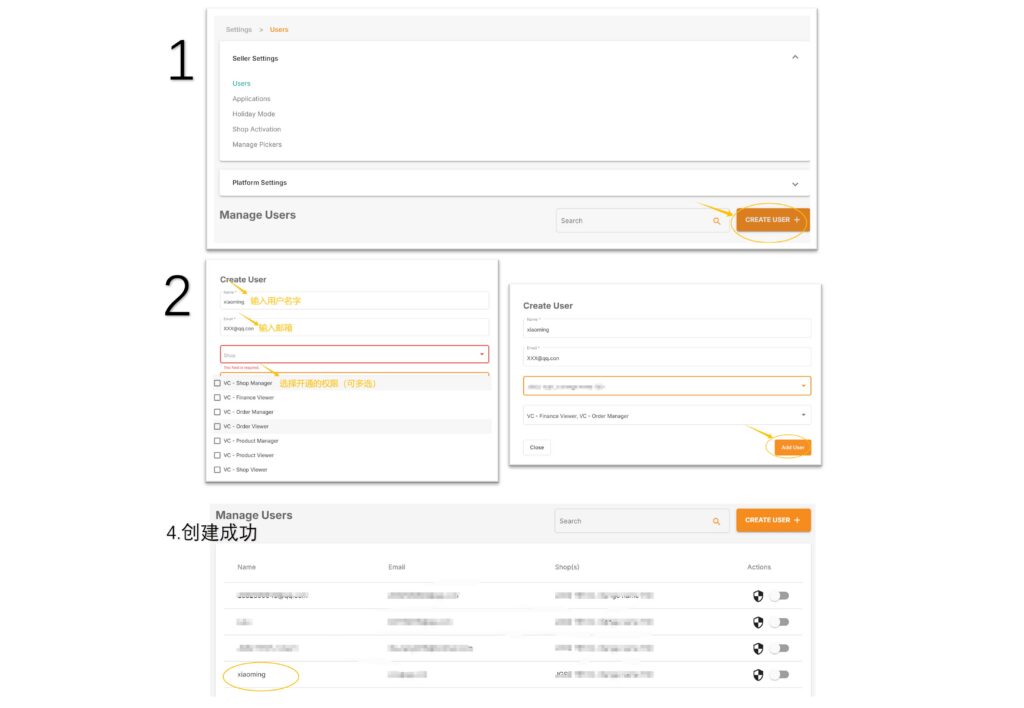
Path: VC >> Settings >> Users >> Manage Users >> CREATE USER
Enter the user name (must use English), email, select the store, check the permissions for this user (multiple selections allowed), and finally click “Add Users”.
After successful creation, you can view it in “Manage Users”.
3. Management Permissions
Path: VC >> Settings >> Users >> Manage Users >> Click the shield to open the permission management page for that user.
Each user has a separate permission management entry. Clicking the shield icon button for each user allows you to manage the permissions of each user individually.
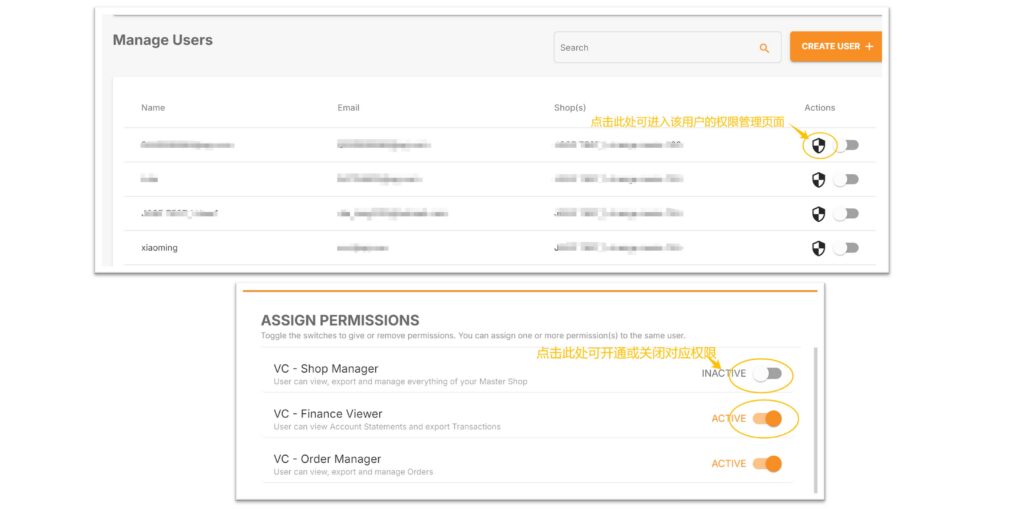

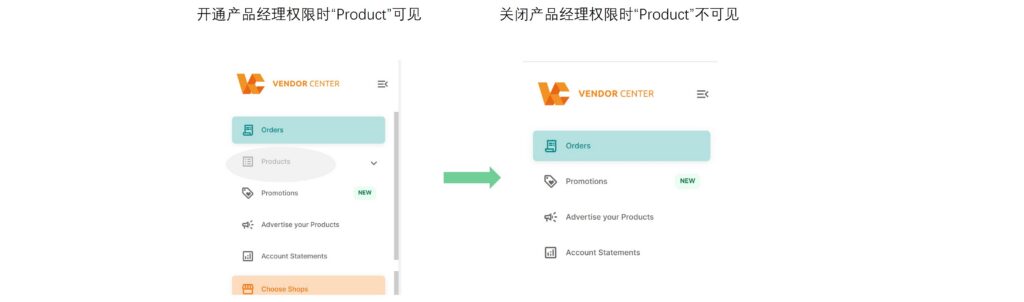
When enabling or disabling a permission, that permission will be invisible to the user.
Sellers must not arbitrarily disable the Shop Manager (VC – Shop Manager) permission, as this action will cause the setting function to be invisible, making it impossible to manage other users’ permissions.

For example:
4. Delete a User
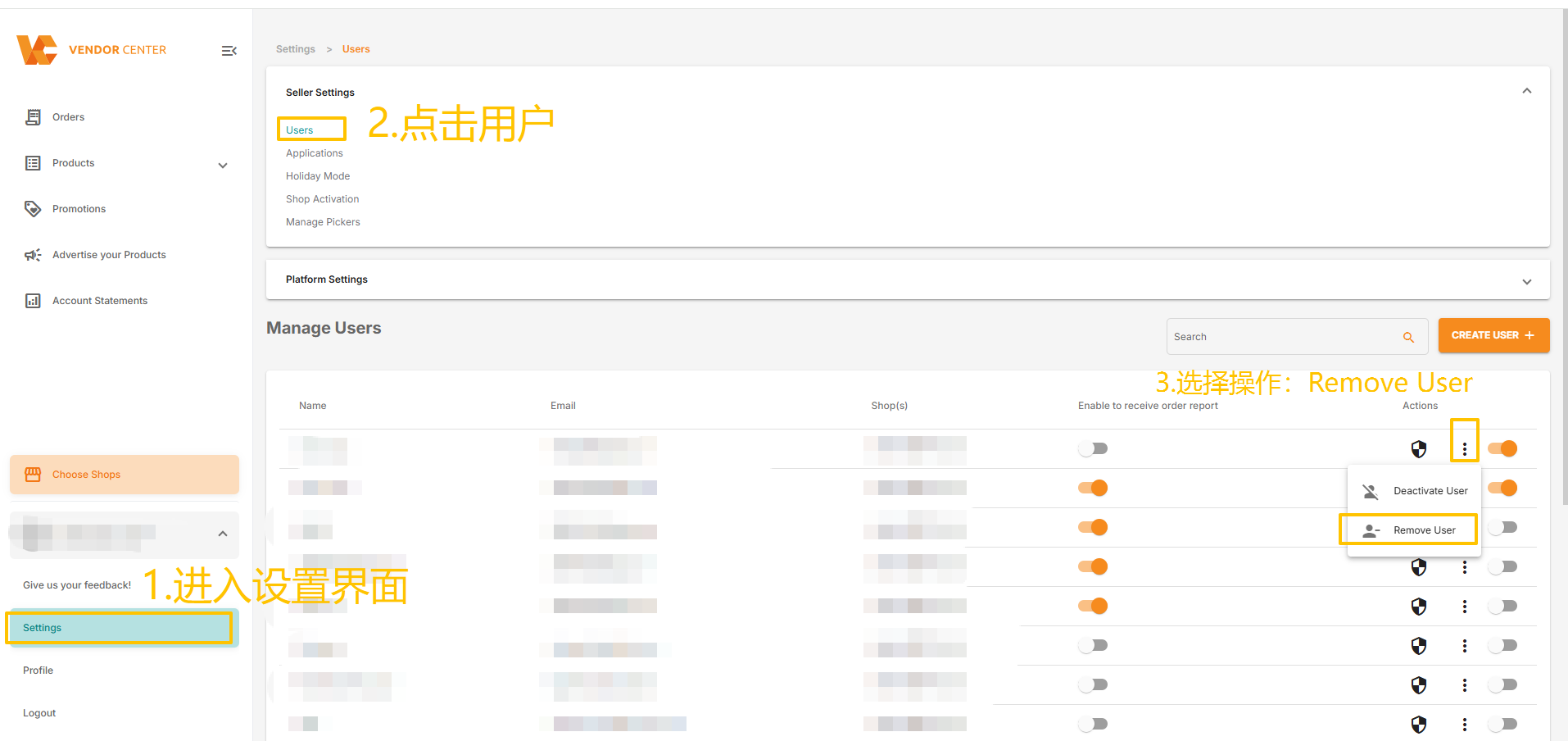
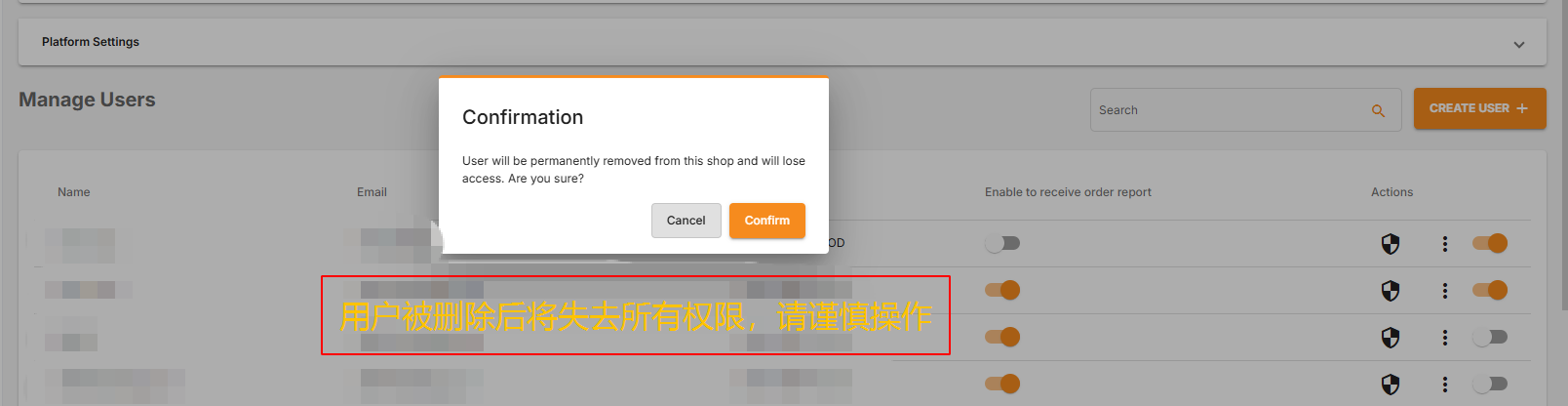
Path: VC >> Settings >> Users >> Manage Users >> Actions >> Remove User
Note:
- Registered email addresses cannot be deleted.
- If a user belongs to multiple stores, the user will only be removed from the store where the operation is performed.
- Deleted users lose all store privileges.
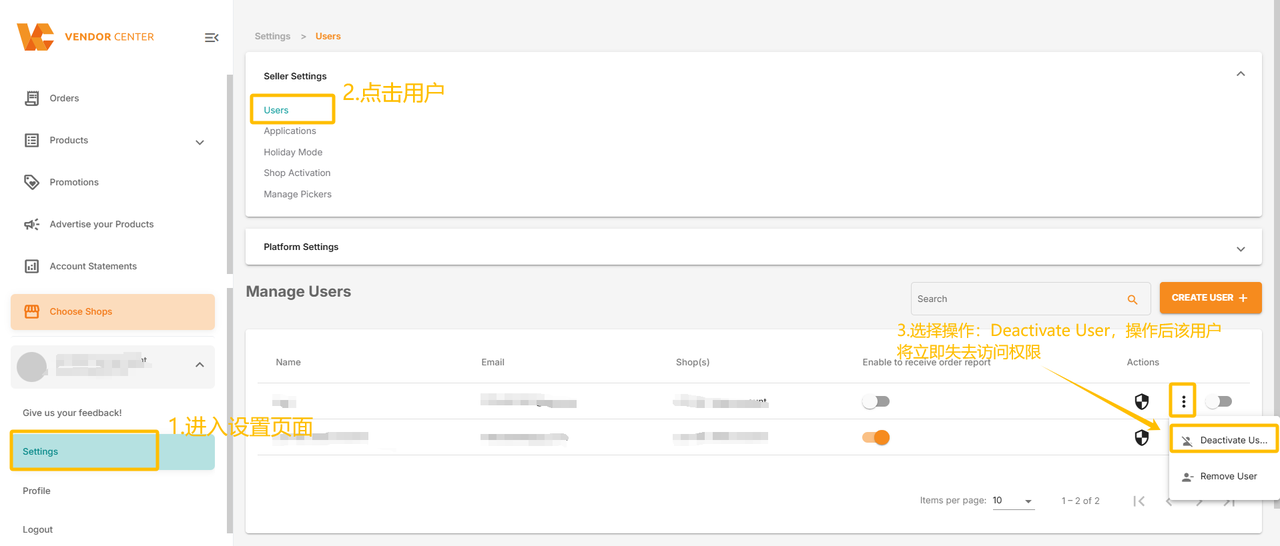
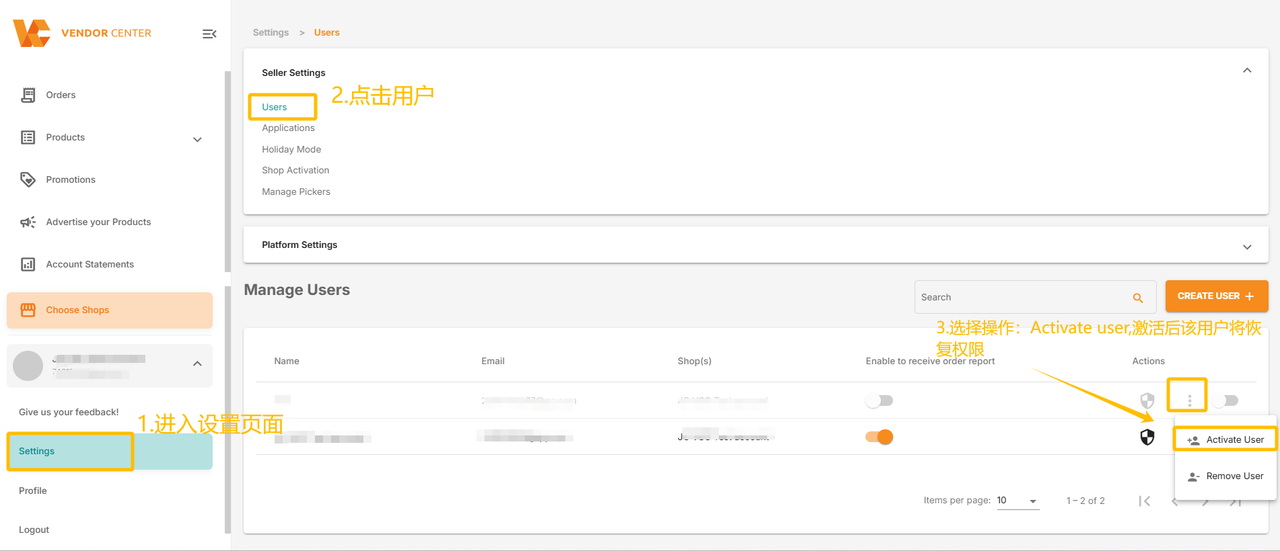
5. Activating and Deactivating a User
Path: VC >> Settings >> Users >> Manage Users >> Actions >> Deactivate/Activate User
A user will immediately lose access permissions after being deactivated. To restore access permissions, you can activate the user.