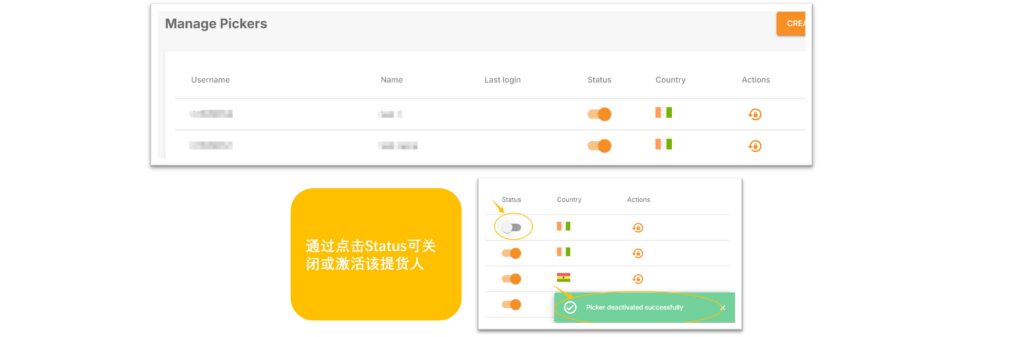
When a seller receives an email notification requiring them to pick up goods from the warehouse, they need to first set up a picker for their store.
When the picker arrives at the warehouse, they must provide the accurate user name and pickup password to successfully collect the goods.
Creating a picker:
- Path: VC >> Settings >> Manage Pickers >> CREATE PICKERS
- Fill in the picker’s Name (only English names are allowed), select the country where the goods need to be picked up, then click Save. After successful creation, you can see the User name and password.
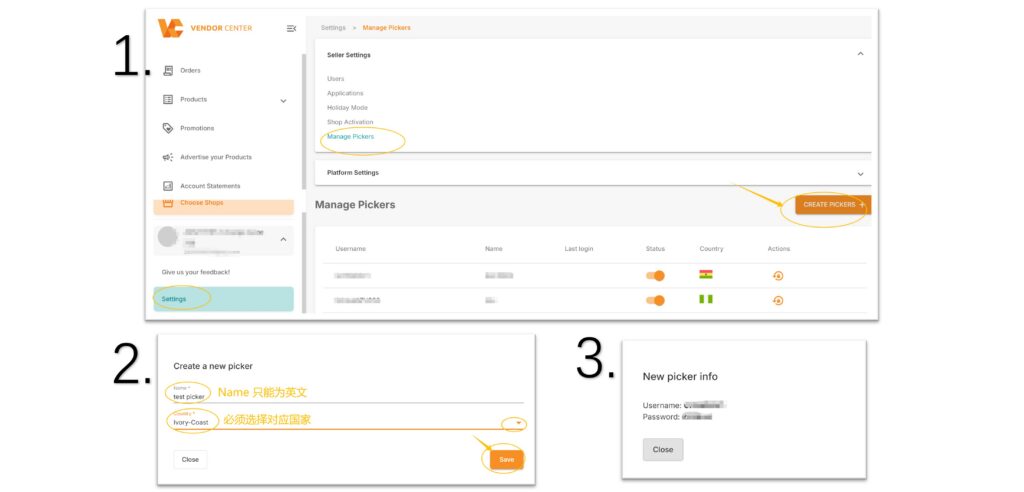
Note: The password will only be displayed once, please remember to save it. If you forget the password, you can click the lock button to reset it.

Manage Pickers