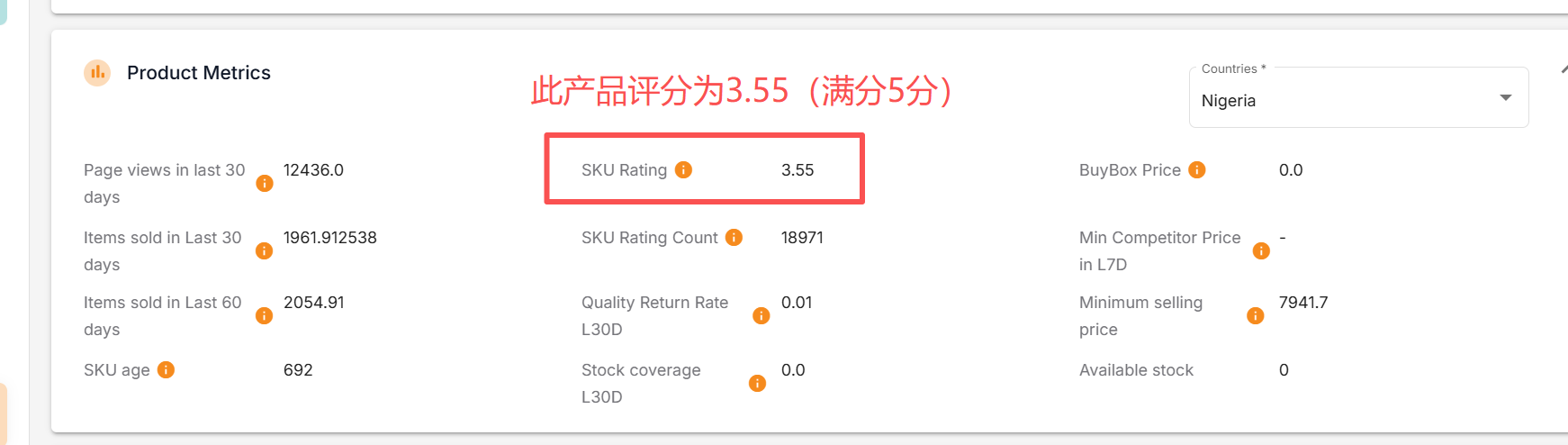
For products that have a history of order records, how can I check the corresponding ratings of the product? The steps are as follows:
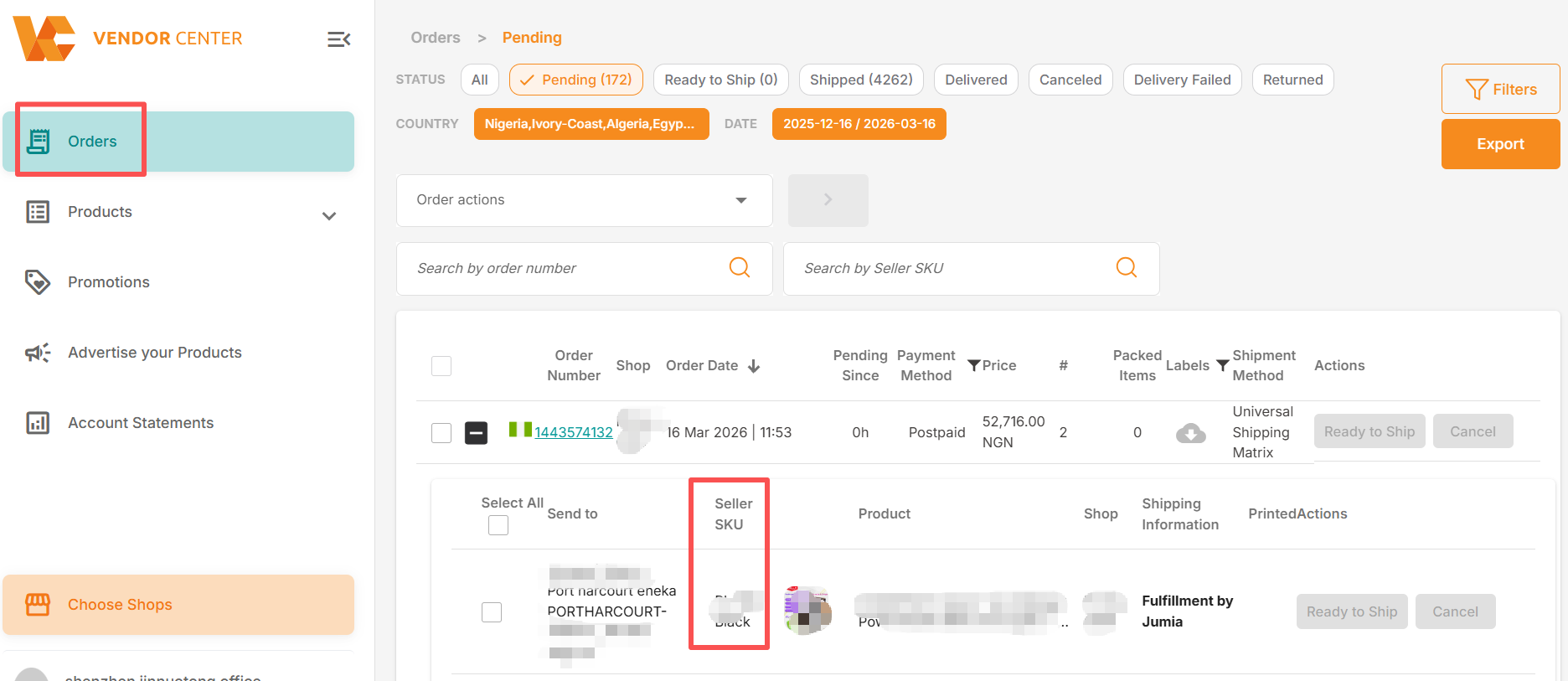
1. Confirm that the product has a history of order records
2. Copy the Seller SKU under the order
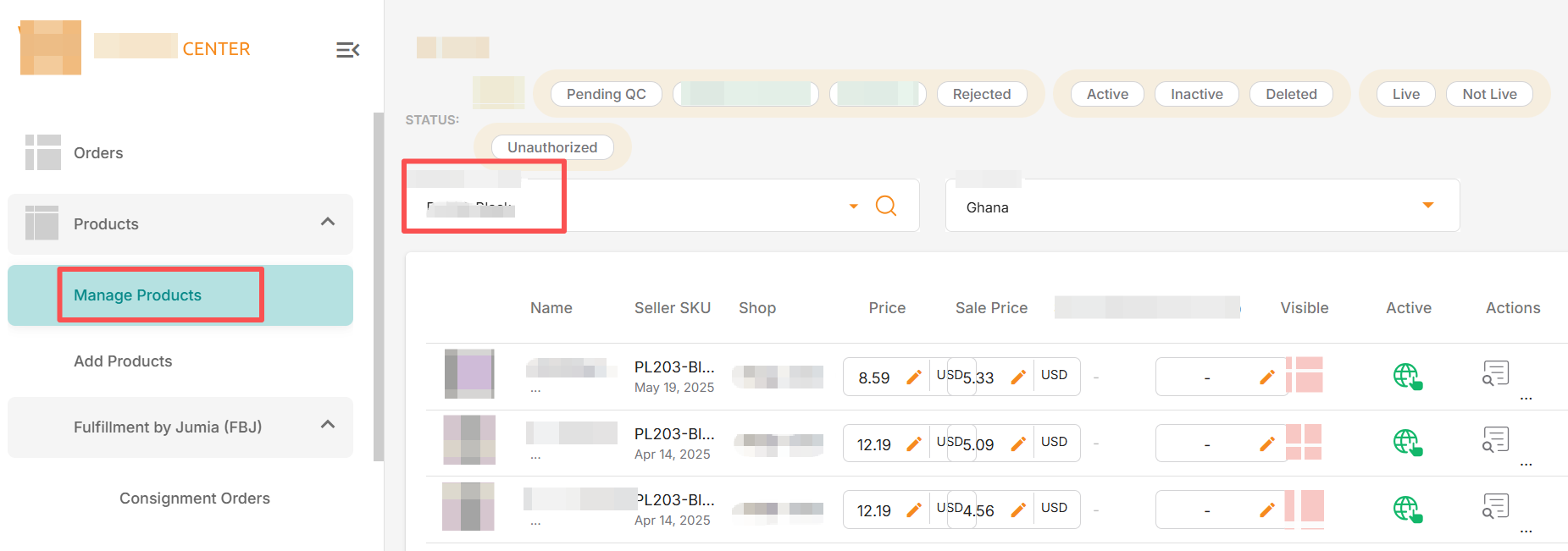
3. Use Seller SKU to filter in “Products”
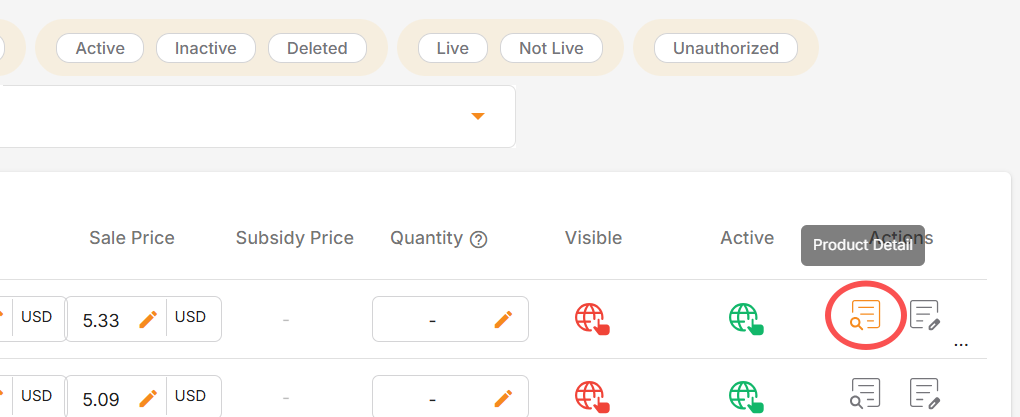
4. Click on the filtered product details
5. Under “Product Metrics”, you can view product ratings. See screenshot as below, the SKU rating is 3.55 while full score is 5.