1. Reasons for product deactivation and conditions for re-listing
| # | Reason for Deactivation | Conditions for application to be listed |
| 1 | Product quality return rate(QRR>=5% and the number of returns>=5) | Once a product is deactivated from the platform, it will not be approved for relisting and will be directly returned to vendor. |
| 2 | The product has not obtained sales permission. | Provide the specified sales license according to the reason for removal from shelves. If it is specified as a prohibited item, it cannot be put on the shelves. If there is inventory in the warehouse, it needs to be returned to the warehouse for processing. |
| 3 | The product has not obtained a license and has been determined to be a prohibited item. | Not available for listing. If there is inventory in the warehouse, it needs to be returned to the warehouse for processing. |
| 4 | The product was reported by the brand owner for infringing intellectual property rights. | Not available for listing. If there is inventory in the warehouse, it needs to be returned to the warehouse for processing. |
| 5 | Product content issues such as incorrect product categories and inconsistency between images and texts | Revise the product again according to the reason for its removal from the shelves. |
2. How to view deactivated products
Path 1:Vendor Center>>Products>>Manage Products>>Select Unauthorized>>Select the country,You will be able to see all the products of this country that have been removed from the shelves. >> Click on the spherical icon to view the specific reasons for the removal.
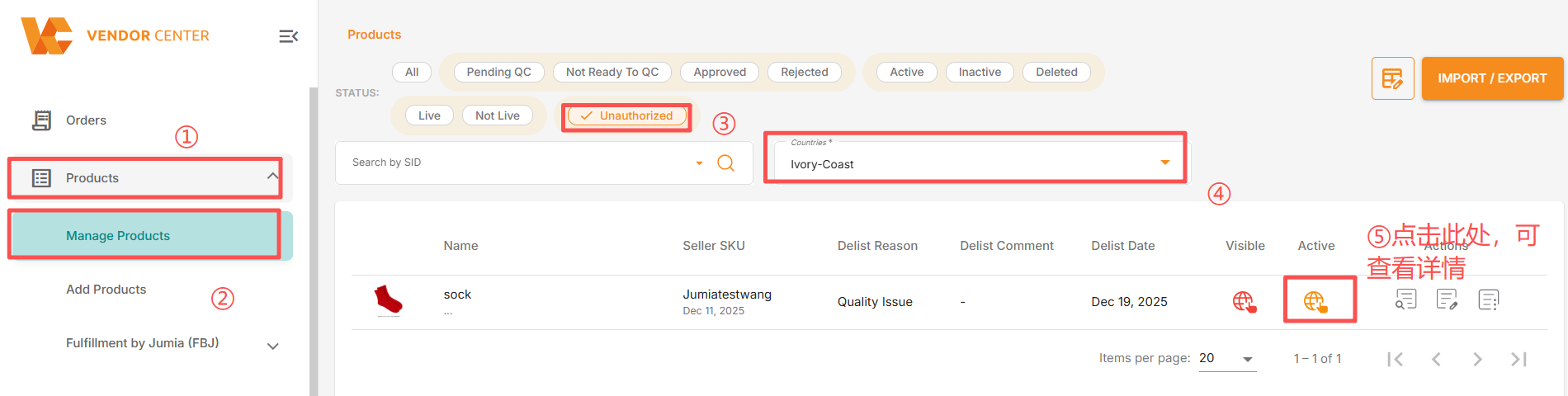
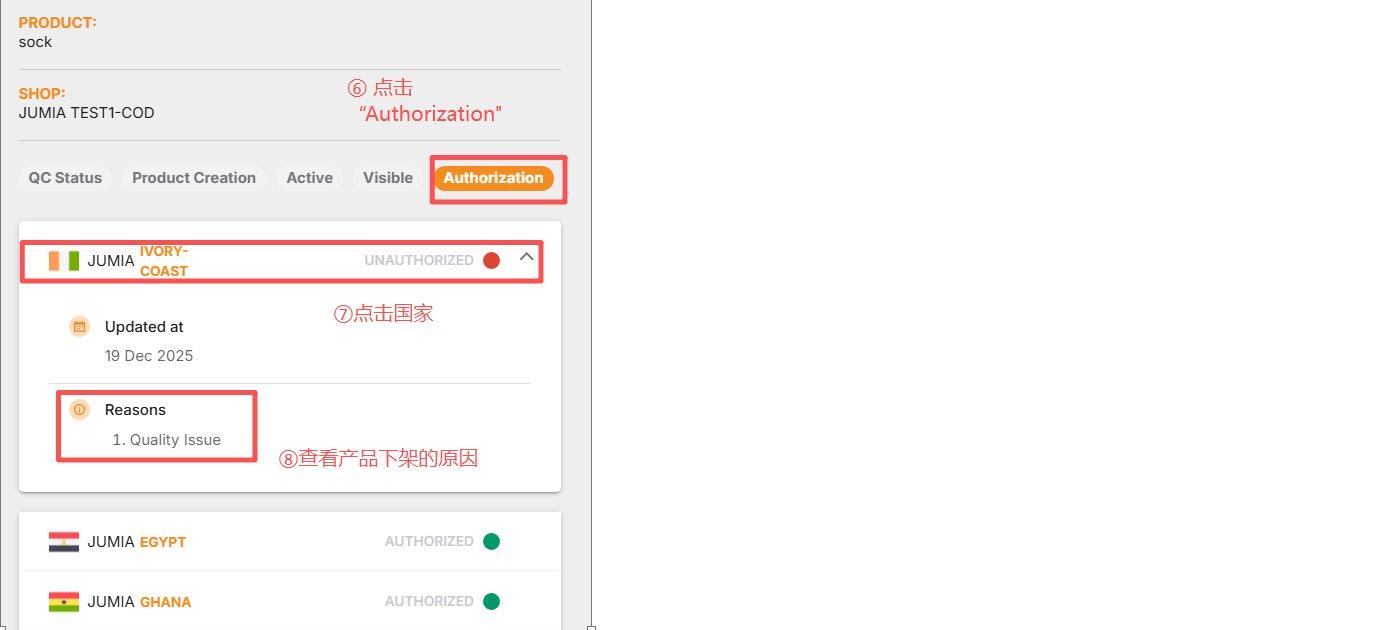
Path 2: Vendor Center >> Products >> Manage Products >> Select Unauthorized >> Select a country, and you will be able to see all the products that have been removed from the shelves in that country >> Click on product details >> Authorization >> You can see the specific reason for the removal.
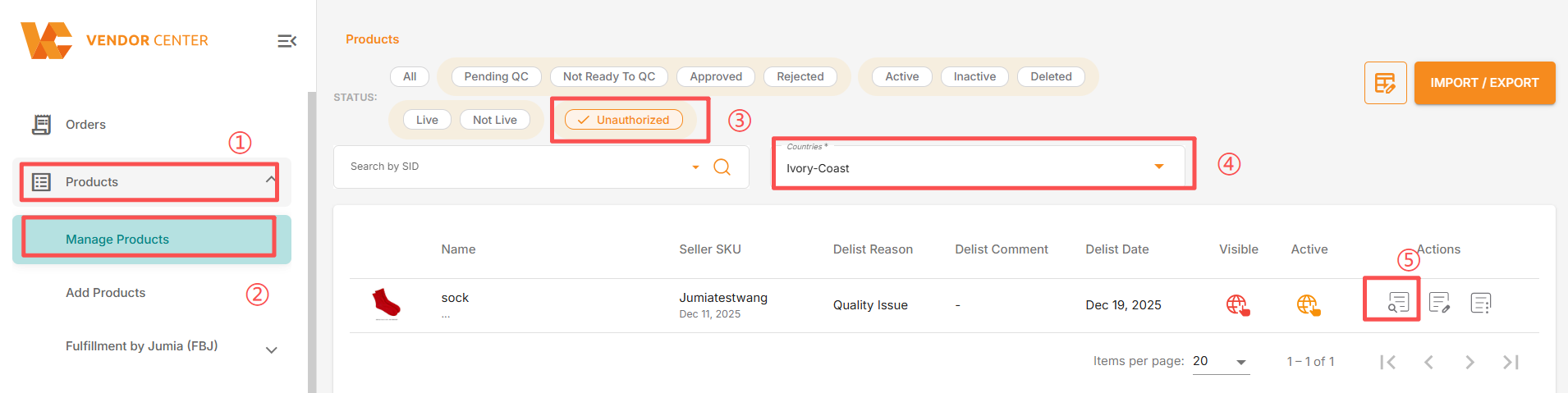

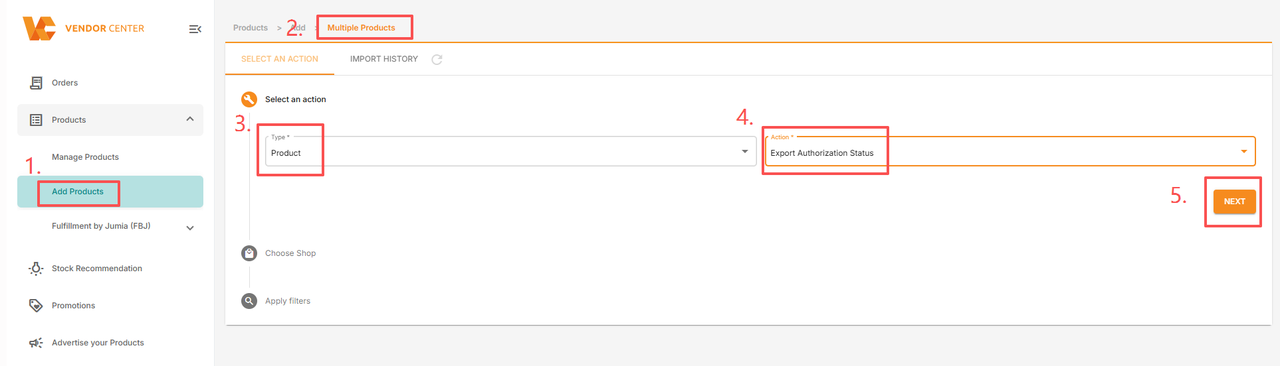
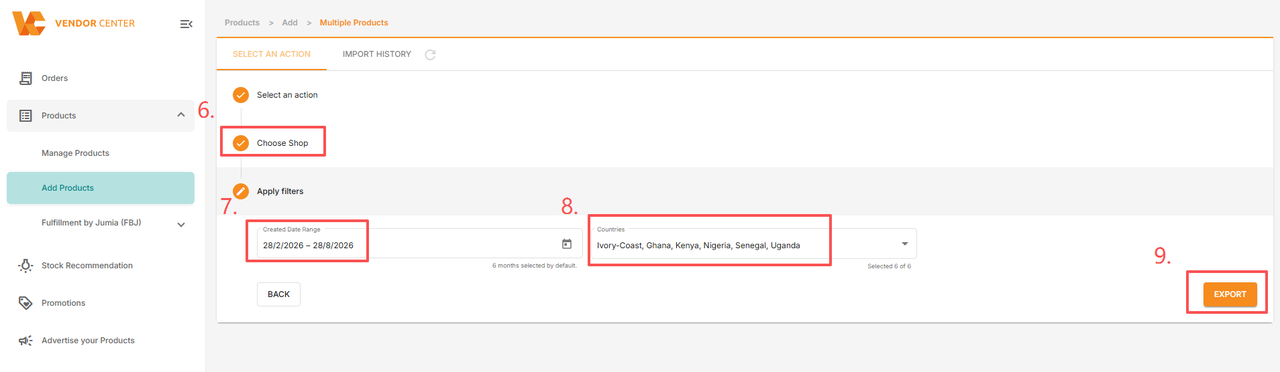
Path 3: Vendor Center >> Products >> Add Multiple Products >> Export >> Select Products >> Select Export Authorization Status >> This will export a report on the store’s delisting status in one or more countries/regions. The report includes information such as: whether the product has been delisted, the reason for delisting, the delisting date, and platform notes.